S E T U P F O R M C H A P T E R 4
High Res.: This option will attempt to achieve fastest CW latency by using the high frequency
event timer (if present) on motherboards containing Intel Pentium 4+ (and AMD equivalent)
type processors. If the CW timing or tone production becomes unstable after checking the box,
your motherboard contains the low frequency timer and you should leave the box unchecked.
The option works for both manual and automatic CW.
Mode B: Check this box to enable Iambic mode B emulation. Uncheck it to enable mode A
emulation.
Auto Mode Swch: Check to automatically switch to the appropriate CW mode (if in another
mode) when you hit your paddles.
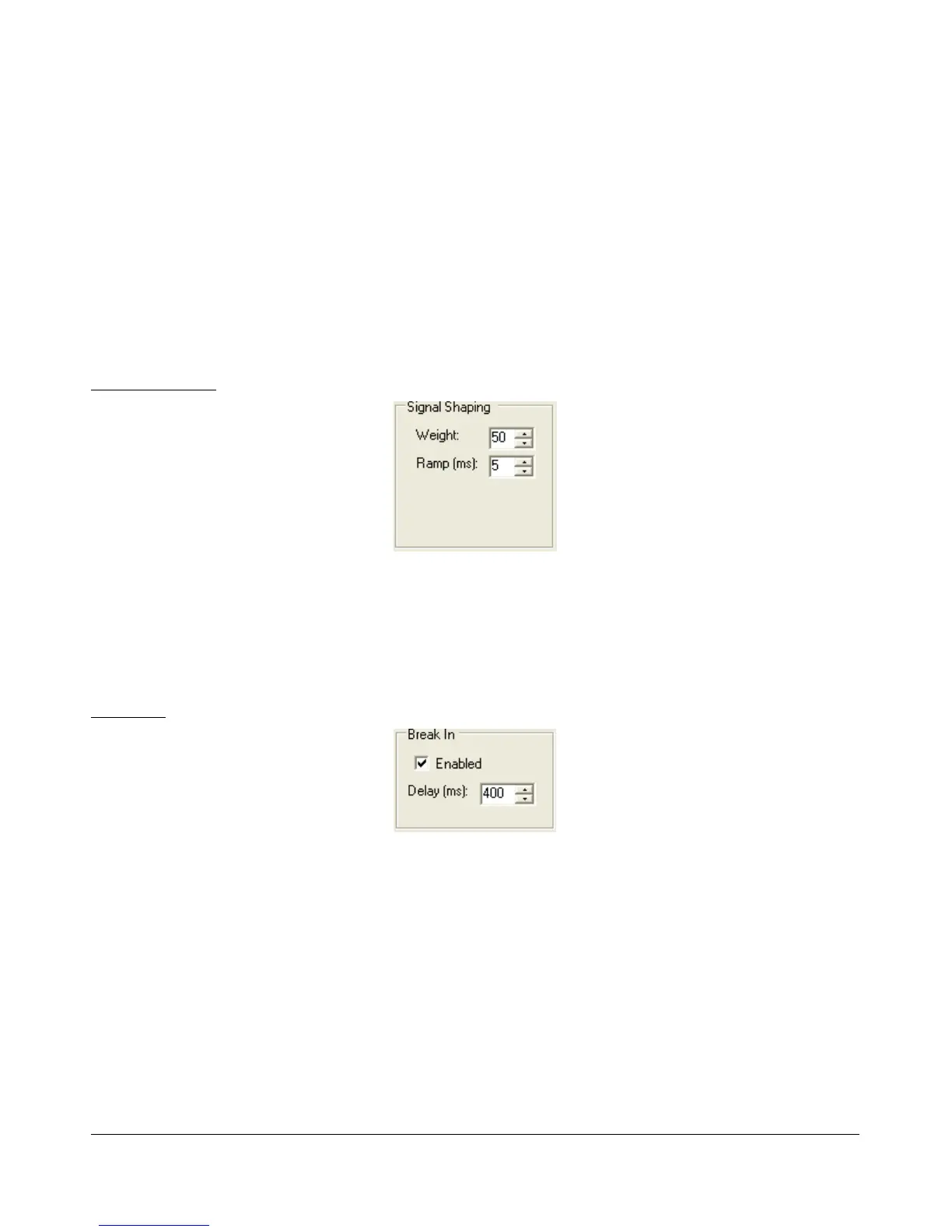
Signal Shaping
Figure 96: Signal Shaping Controls
Weight: Sets the width ratio between the dot and dash.
Ramp: Sets the length of the leading and trailing edge on the tones in milliseconds to avoid
key clicks.
Break In
Figure 97: Internal Keyer Semi Break In Controls
Enabled: Check this box to enable Break In for the internal keyer.
Delay (ms): Sets the amount of time between the last detected input and when the radio will
drop back to receive. The smallest possible setting is 10 ms.
[The rest of this page has been left blank intentionally]
89 2003-2009 FlexRadio Systems



 To Next Page