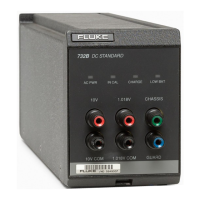
732B/734A
Instruction Manual
2
—A—
A1 Front Panel Assembly, 4-8
A1 Front Panel PCA, 7-3
A1 Front Panel PCA (engineering drawing), 6-17
A1 Front Panel PCA (Table), 6-16
A2 Flex Circuit PCA, 7-5
A3 BCD Switch PCA, 7-6
A4 Oven Control PCA, 7-7
A5 Power Supply PCA, 7-8
A5 Power Supply PCA (engineering drawing), 6-
21
A5 Power Supply PCA (Table), 6-19, 6-20
A5 Power Supply/Battery Charger Block
Diagram (Figure), 4-10
AC Line Cords Available for Fluke Instruments
(Table), 2-3
AC Power to Battery Power Switching Circuitry,
4-13
Access Procedures, 5-9
Accessing Internal Components (Figure), 5-10
Accessing the A5 Battery Charger, 5-13
Accessory Y734 Rack Mount Kit, 1-4
—B—
B-7001 External Battery and Charger Rear
Panel, 3-3
Bat Switch, Setting, 3-12
Battery
Charging, 3-12
Replacing, 3-13
Battery Charger, 4-11, 5-15
Battery Circuit, 4-13
Biasing the Refamp for Low Temperature
Coefficient, 4-7
Buffering of the 10V Output, 4-8
—C—
Calibration, 5-3
Calibration Options, 1-5
Calibration with Adjustment, 5-6
Calibration Without Adjustment, 5-8
Charging the Internal Battery, 3-12
Cleaning the External Surfaces, 5-3
Connecting Cables to the Output, 3-14
Connecting the Guard and Ground, 3-15
Connecting to Line Power, 2-5
—E—
Equipment Required for Calibration (Table), 5-4
Error Sources, 3-18
—G—
Generating the 1.018V Output, 4-7
GROUND Connections, 3-15
GUARD Connections, 3-15
—H—
Hardware Options, 1-4
—I—
IN CAL Indicator
Monitoring Remotely, 3-16
Resetting, 3-16
IN CAL LED Logic, 5-16
IN CAL Logic, 4-12
IN CAL Status Output Circuit (Figure), 3-17
Initial Access Procedure, 5-9
Inspection, 2-3
Installing a 732B or 732B-7001 in a 734A-7001
Instrument Enclosure, 2-5
Installing a 732B or 732B-7001 in a 734A-7001
Instrument Enclosure (Figure), 2-8
—L—
LED Drive Logic, 4-12
Line Power Cords Available for Fluke
Instruments (Figure), 2-4
Line Power Label and Fuse Location (Figure), 2-
7
Line Voltage Selection, 2-4
List of Replaceable Parts, 6-3
Loading Error Example (Figure), 3-19
Location of 732B Calibration Adjustment
Switches (Figure), 5-7
Long-Term Stability, Monitoring, 3-17
—M—
Maintenance, 5-3
Manual Status Information, 6-3
Mechanically Induced Errors, 3-18
Minimizing Error Sources, 3-18
Model 732B-7001 External Battery/Power
Supply, 4-5
Model 734A Functional Description, 4-5
Monitoring Long-Term Stability, 3-17
Monitoring Oven Temperature, 3-16
Monitoring The IN CAL Indicator State
Remotely, 3-16
—N—
Newer Instruments, 6-3
—O—
Operation, 3-3
Options
www.valuetronics.com


 To Next Page