10
2.4 After flight checklist
As on August 2016, this checklist presents the steps that has to be followed whilst landing the aircraft.
Elios is on the ground not moving or being held by a trained and well equipped operator
Stop the screen recording
Wait 10s before unplugging the battery. After having registered the fly time of the battery, store it
with the other emptied batteries in the
EMPTY
LiPo bag
Flight is registered in the flight logbook
3
You can check the quality of the recorded images to make sure they are matching your expectation
If flying again, go back to pre-flight checklist
If done flying, turn off the GCS
3. System description
Flyability developed for you the only flying platform capable of evolving into confined and cluttered
environment.
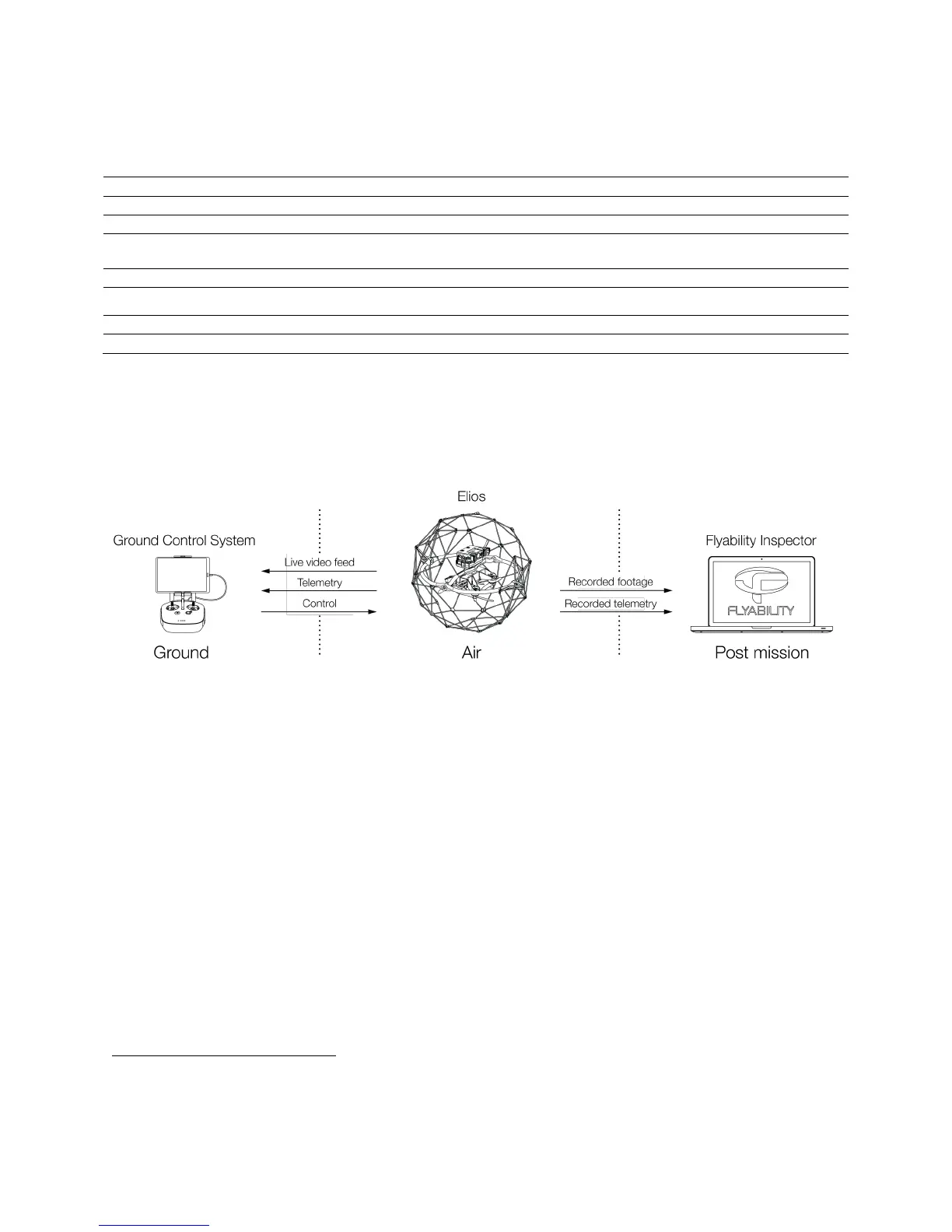
Figure 3.1: System overview
As the operator, you will enjoy a full control of Elios through the Ground Control System (GCS). A tablet
allows the operator to have a live video feed transmitted by Elios. A post mission analysis software
Flyability Inspector provides a simple solution to visualize the recorded full HD optical video and the
thermal video.
3.1 Elios
Full HD Optical Camera
Elios embeds a full HD optical camera. The latter offers a SD live video feed and an onboard
recording of the HD feed. The camera is mounted on a servo motor allowing it to tilt.
The full HD Optical Camera has three mode:
- Automatic mode: The user sets the Exposure Value (EV) whereas the camera sets automatically
the ISO and the exposure time to keep the EV constant. The EV is equivalent to the overall
brightness of the image.
- Manual low ISO: The user sets the Exposure time whilst the ISO is set to 50.
- Manual high ISO: The user sets the Exposure time whilst the ISO is set to 1600.
The Full HD Optical Camera doesn’t allow to take pictures. But it is recording a 1080p video. The
video recording starts when the robot is armed and stops when the robot is disarmed.
3
Available in MyFlyability



 To Next Page