46
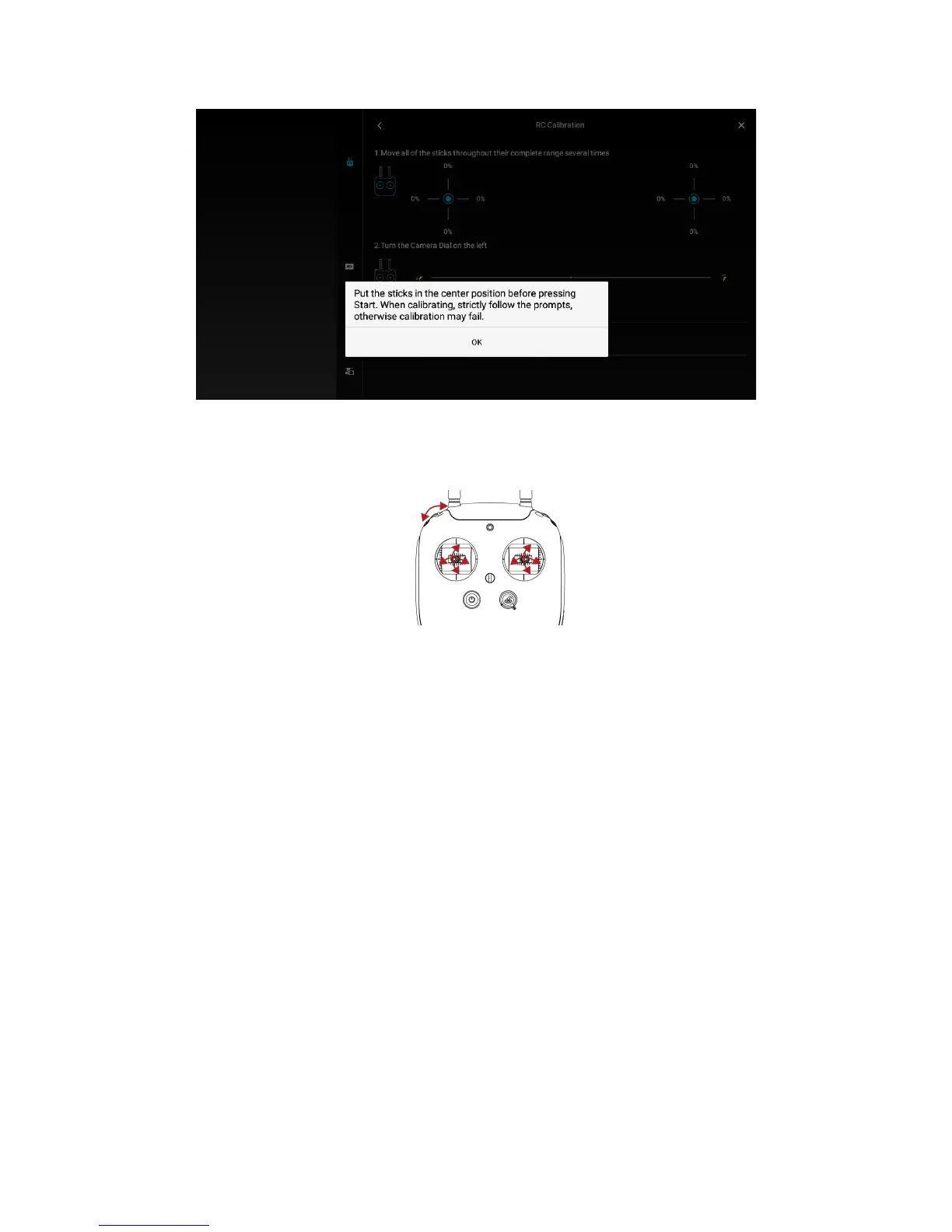
Figure 6.10: Calibration beginning
4. Move the left and rights sticks throughout their maximum positions and repeat several times. The
same with the left dial.
Figure 6.11: Sticks’ range calibration
5. When finished, hit “Done”.
6. Fly Elios and check if the aircraft is still drifting. If so, restart the procedure adding more or less
trim regarding the remaining drift at the offset of the centered position of the desired stick. Note
that it can take several times to get the proper trimming.
Note that when the controller is turned on, a loud beep is going off. It is due to the decentered sticks
calibration. To stop the warning, move the calibrated stick around until the sound spots.
The trimming can be removed at any time by recalibrating the sticks using the default procedure.
7. Troubleshooting
7.1 After changing a propeller Elios can’t reach its upright
orientation
If after changing a propeller or all of them, Elios can’t reach its upright position, make sure the propellers
are put in the correct position (R mark propeller on R marked arm) as stated in 6.1 Propeller section. If the
issue is not addressed, please contact Flyability.
7.2 After changing the propellers Elios has a lack of thrust
If after changing a propeller or all of them, Elios has issue to maintain its altitude or if the battery is
emptied very quickly, make sure the propellers are put in the correct position (R mark propeller on R



 To Next Page