18
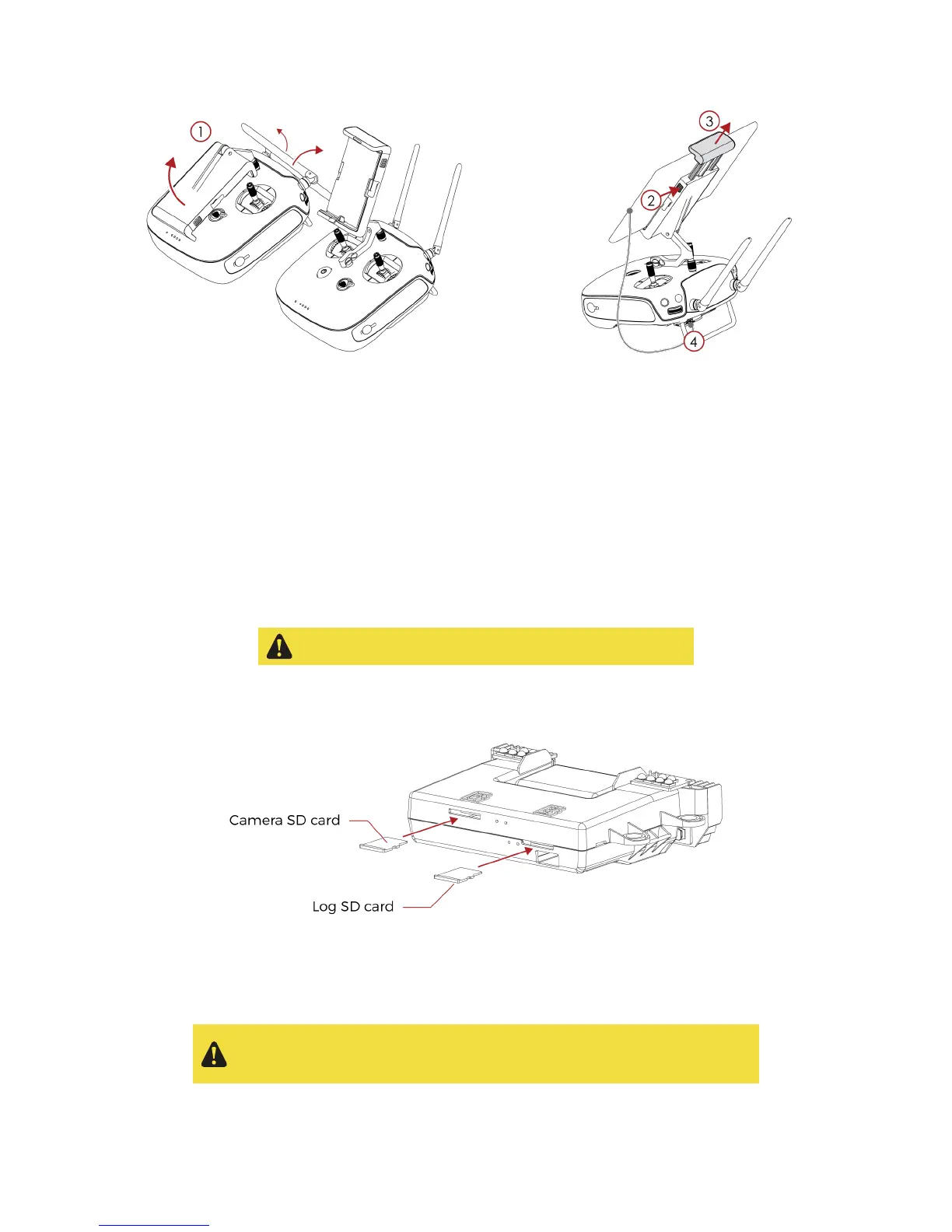
Figure 4.1: Setup the GCS
4.1.2 Power on the controller
To turn on/off the controller, press once its power button, it will display the battery level on the LED. Press
it again and hold, the controller will now turn on.
4.1.3 Power on the tablet
To turn on/off the tablet, press and hold its power button.
4.2 Setting up Elios
4.2.1 Mount the SD cards
Please, only use the LOG SD card provided by Flyability
Place the two SD cards in their corresponding slots. You can refer to the annotation located on the SD
cards and on Elios’ top.
Figure 4.2: SD cards mounting
4.2.2 Clean the Full HD Optical Camera Lens
Please, clean the Full HD optical camera lens before
each
flight. Having a
clean lens enhance a lot the image quality. This simple gesture will help
you to get good and valuable footage during your inspection.



 To Next Page