15
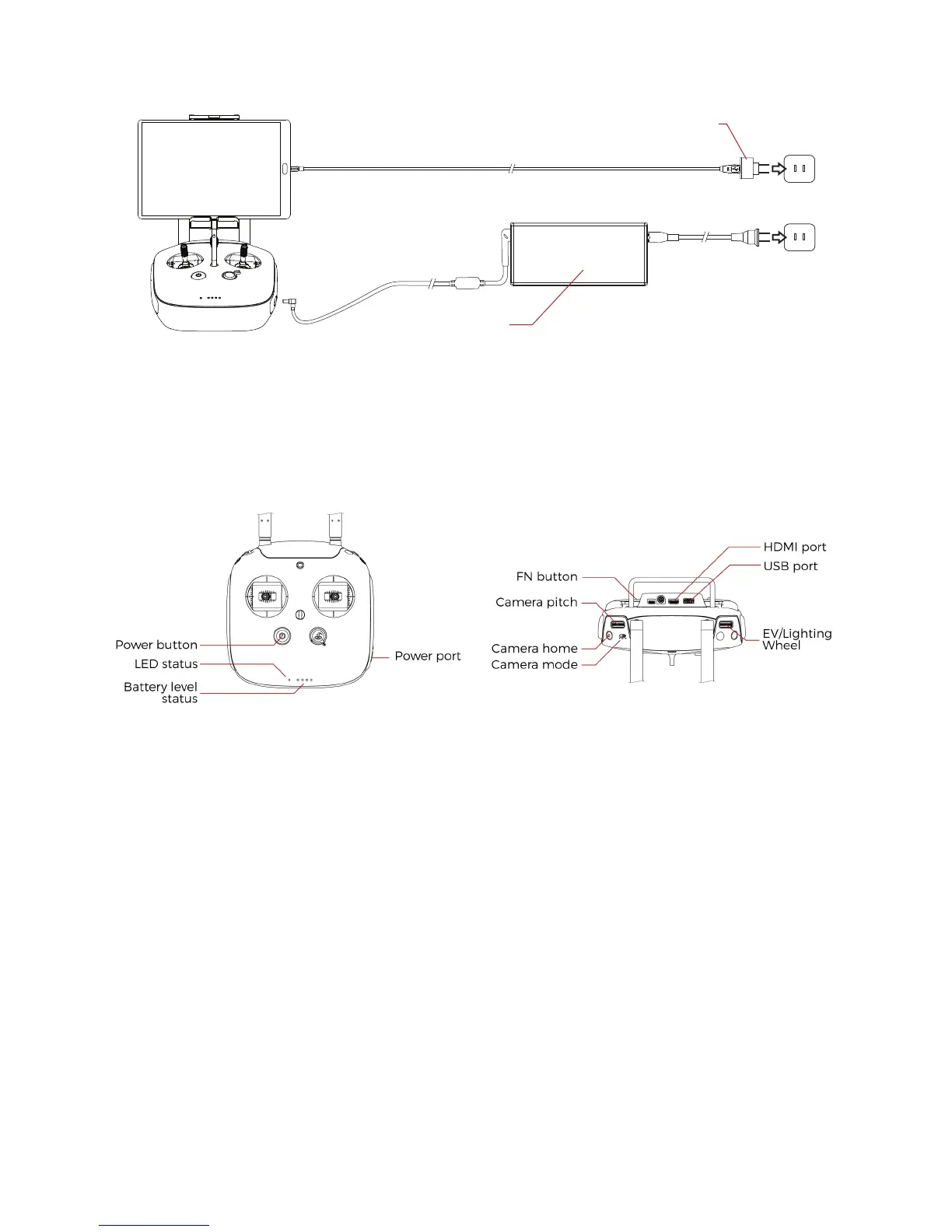
Figure 3.6: GCS charging
3.3 Camera operator GCS (option)
The pilot can be assist by a camera operator. The camera operator acts as a copilot relieving the pilot from
all other task than piloting. In dual GCS mode, the pilot GCS controls the movement of the aircraft whilst
the camera operator controls the camera motion and parameters. At anytime, the pilot can override the
camera operator command. Both of the GCS receive the live video feed.
Figure 3.7: Camera operator controller overview
Power button:
Turns the Controller on/off and display the battery level of the controller
Status indicator
Indicates the connection status between the controller and Elios
Battery level indicator
Display the current controller’s battery level
Camera pitch
Clockwise, camera going downward
Counter clockwise, camera going upward
Camera home
Put the camera horizontally leveled when pressed
Camera mode
Set the camera mode
- F: Camera in automatic mode
- A: Camera in manual low ISO mode
- P: Camera in manual high ISO mode
The camera takes the last input of Camera mode to change its settings.
FN button
USB wall
charger
Controller
charger



 To Next Page