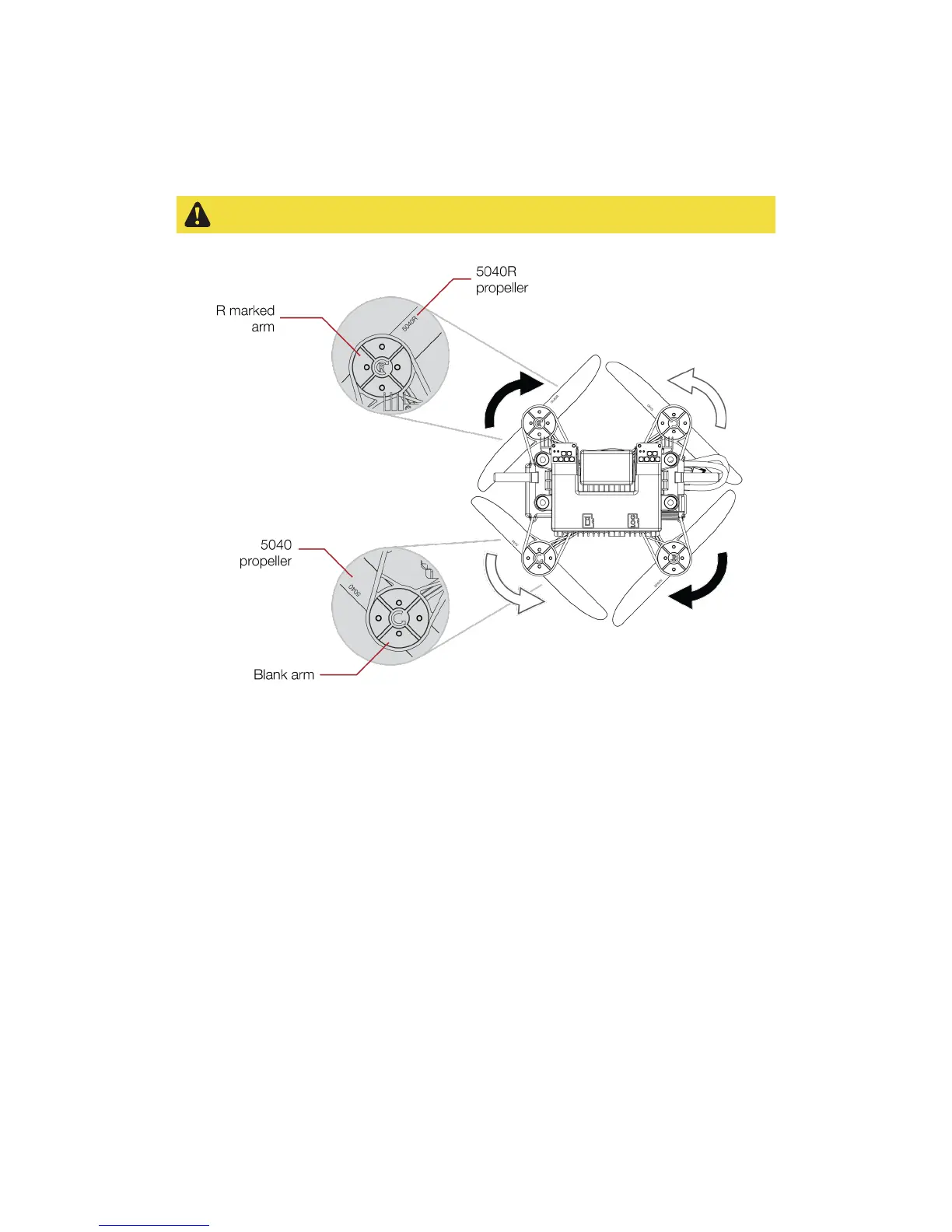
Figure 6.1: Propeller marking
If any damage is noticed on one of the propeller, it shall be changed. To do so, unscrew the nut and
replace the propeller. Be careful, the robot has two kinds of propellers. Propeller 5040R shall be placed on
the front left and bottom right motors, propeller 5040 on the front right and bottom left motors. The
propellers’ labels must be the upper side of the latter regarding Elios’ upright orientation. Now re-screw
with strength the nut.
Note:
Pay attention that the nut is tightly screwed. The propeller should not have any play with the motor
shaft. Moreover, it shouldn’t be possible to turn the propeller regarding to the motor shaft. An
insufficiently screwed nut can be a cause of crash and might result in serious damage of the robot and



 To Next Page