Do not pay attention to warnings from DJI GO. They are not relevant.
Never update the application or the controller unless asked by Flyability.
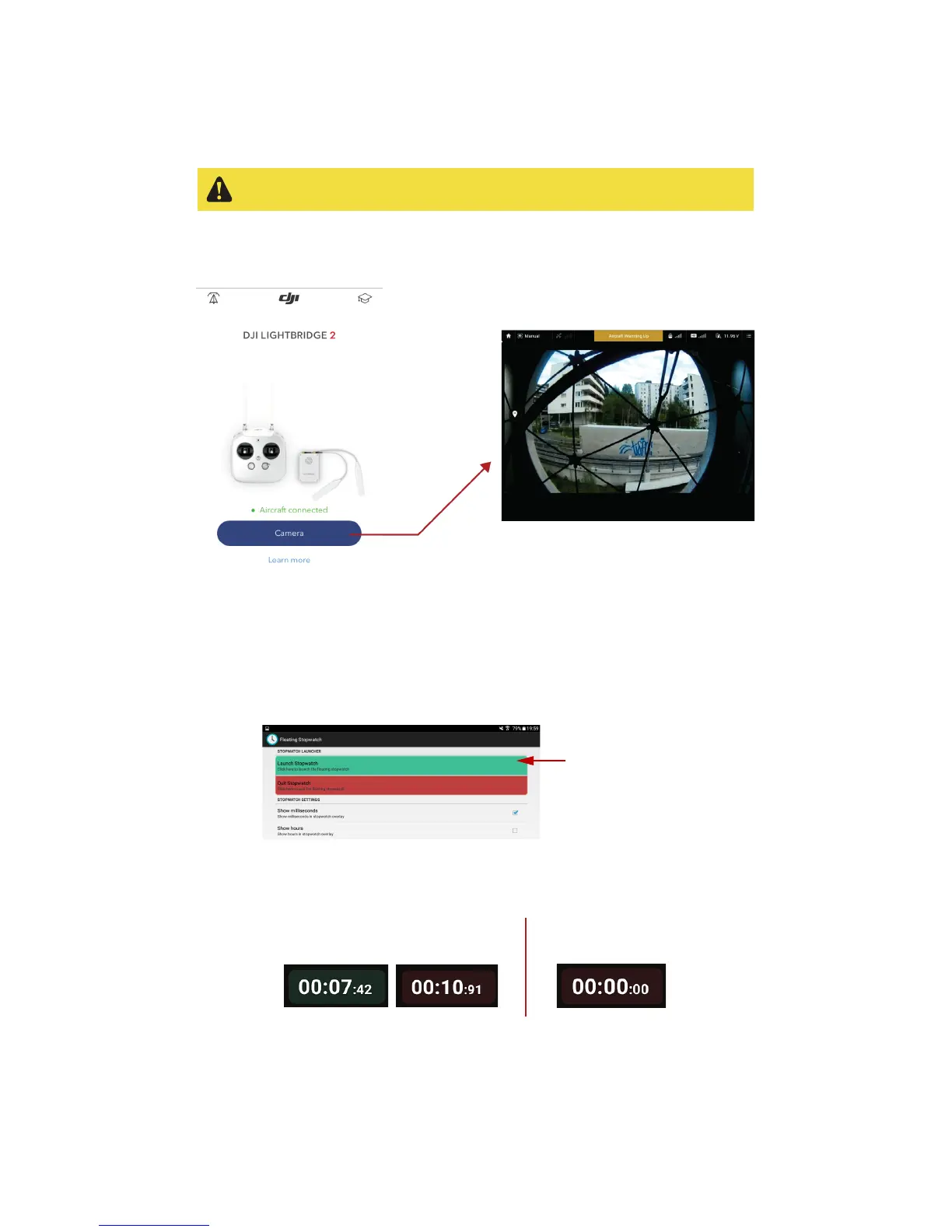
The DJI GO application is used to see the live video feed streamed by the robot. When the tablet is
connected, simply tap on “Camera view”, for the live video feed.
Figure 4.10: DJI GO – live video feed interface
4.5.4 Floating stopwatch
The floating stop watch is a widget overlaying all the running application. It will help to monitor your
flight time.
To launch the widget, go on the Floating stopwatch application and tap on launch stopwatch.
Figure 4.11: Launching floating stopwatch widget
At anytime, you can tap on the widget to start/stop the stopwatch and reset it with a double tap.
Figure 4.12: Using floating stopwatch widget
By holding the widget, you can drag it to the position you prefer.
Tap once to start/stop
the stopwatch
Double tap to reset
the stopwatch



 To Next Page