19
Operation - Main Menu Functions
This section deals with the following:
• Touch screen arrangement & operation
• Heater controls and heater arrangement
• Operating the 686PT
• Other controls and user adjustments
Air System Initialisation when powering the machine ON
When the Machine is switched ON, the system requires initialization to supply air to the table cylinder
to prevent rapid movement due to depressurisation. Simply press the button on the HMI to initialize.
Touch Screen arrangement & operation
The main functions of the Formech 686PT are operated from the touch screen.
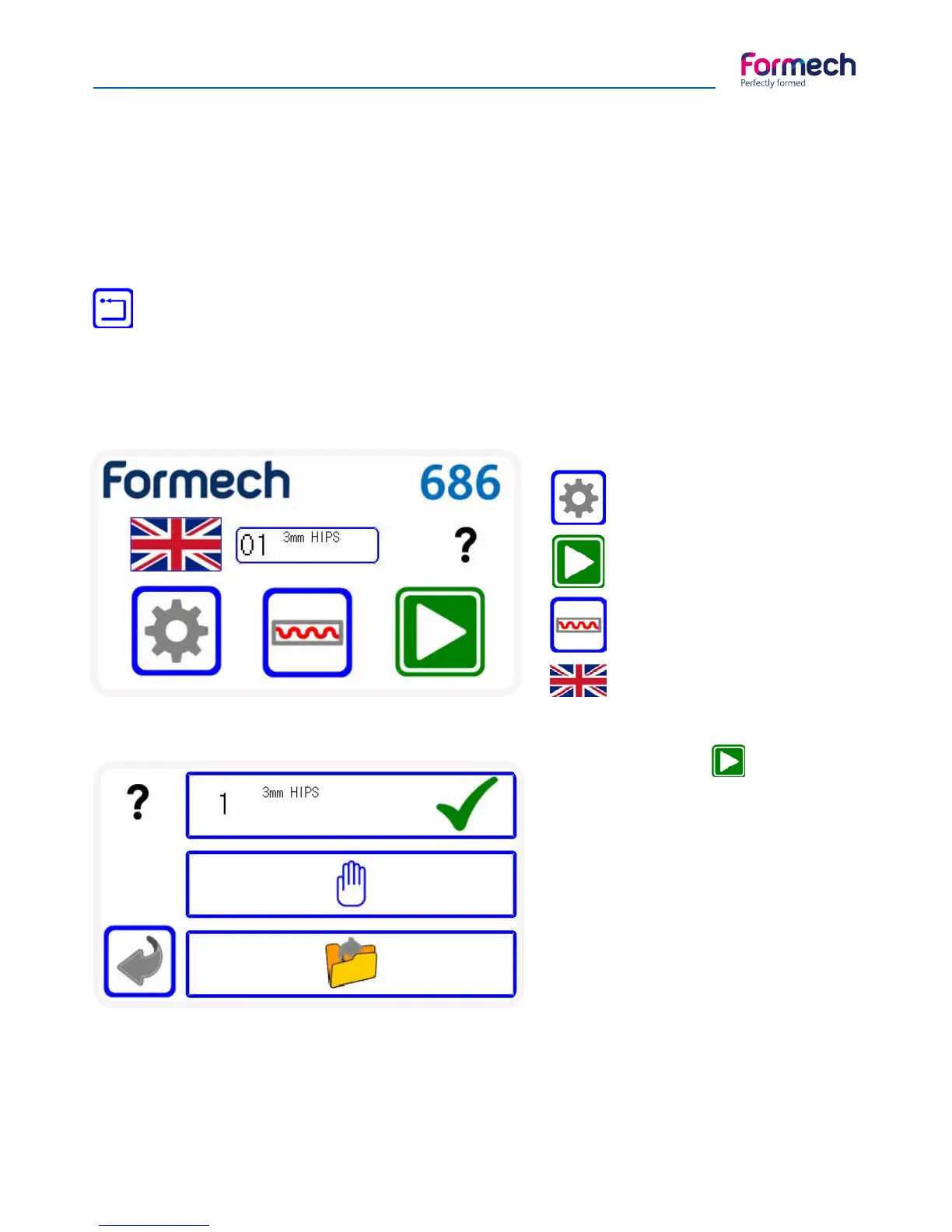
Main Menu
Allows entry to the Editing
Mode.
Allows entry to the Load Op-
tions Screen.
Enables the Heaters. Button
changes to Green when en-
abled.
Press
Load current settings:
This will load the most recently used set-
tings as shown in this box to the operating
screen.
Operate the machine manually:
This will load the default settings heater
settings only. Timers will count UP. The
time parameters used may be saved and
the heater power may be adjusted.
Load saved settings:
This will open the ‘load settings’ screen so
that previously saved parameters may be
loaded.
Press flag to select language



 To Next Page