41
Fault Diagnostics / Maintenance
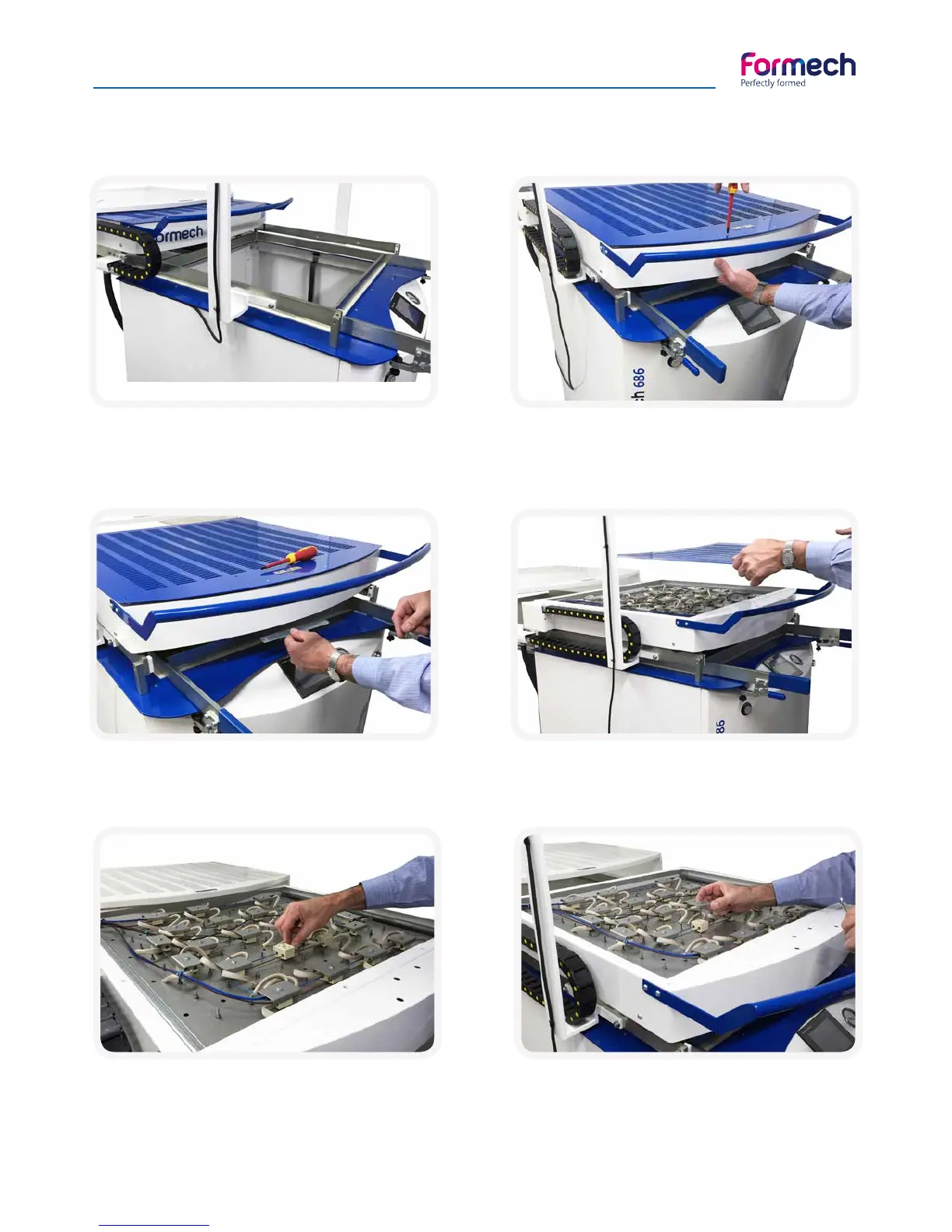
Replacing a heating element
Switch off the machine and let heater cool com-
pletely. Bring the heater forward. Remove all 16
machine screws from the slotted heater cover.
The two screws at the front locate into a loose
bracket that needs to be supported
with your hand.
Remove the heater cover.Remember to replace the bracket the correct way
round later on.
Remove cap from terminal block associated with
the faulty element using an 8mm spanner.
At this stage check that all the element wires and
interconnecting wires are fully tightened and
that the fault was not merely a loose connection.



 To Next Page