25
Memory settings
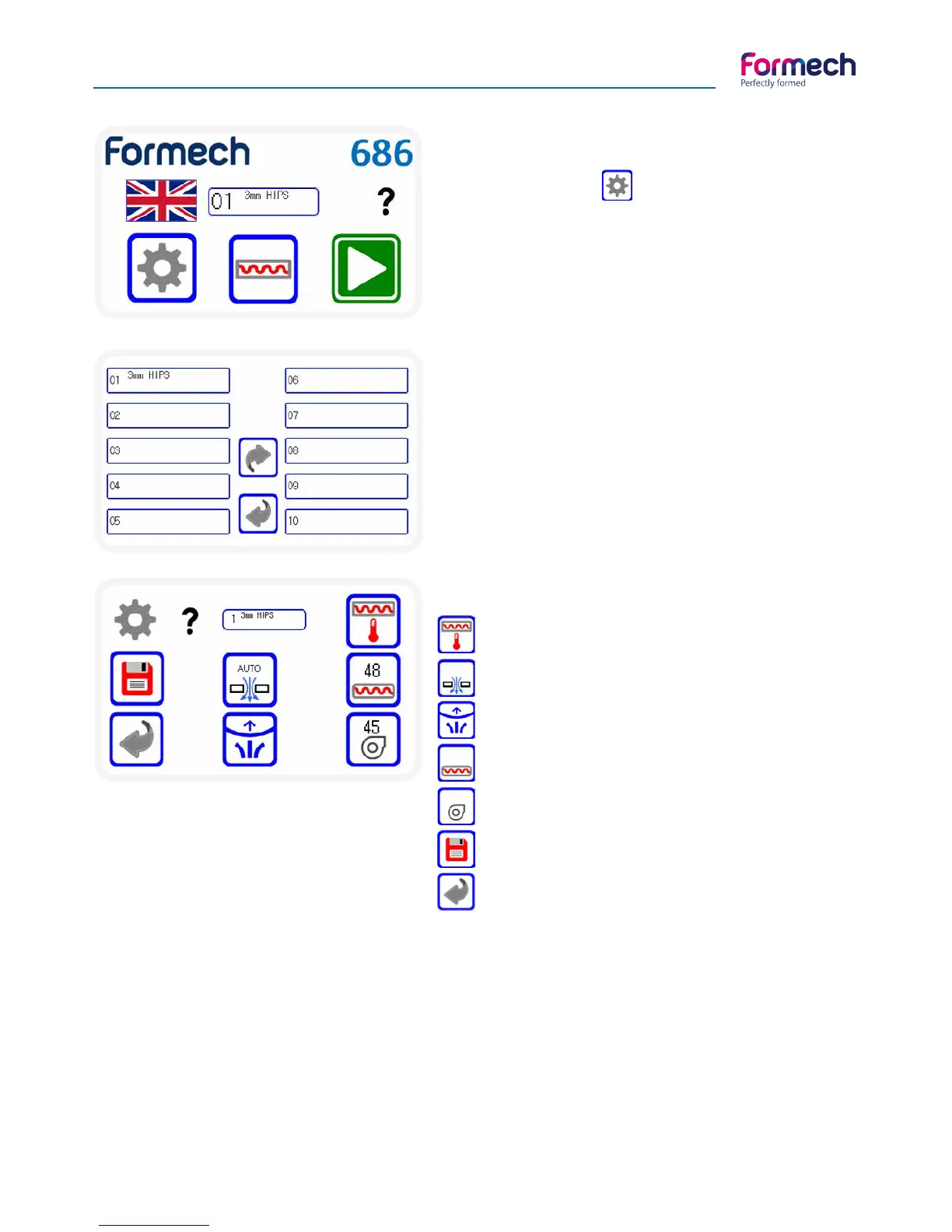
Press the settings icon
Operation - Settings
Select the memory slot
Press on an existing memory record or
create a new position by selecting an
empty memory slot as required.
The settings screen will open.
Heater settings – Opens heater settings
Auto vacuum – Set green to enable
Auto-level – Set green to enable
Heat time – Set time using Pop-UP Keypad
Fan time – Set time using Pop-UP keypad
Save – Opens the final save screens
Back – Returns to the previous screen
Function settings
Each setting function allows editing of memory parameters.
The 2 timers are set by pressing on the timer value and entering the new value using the pop-up keypad.
The Auto-level & Auto-vacuum icons are toggle buttons – Press & change to green to set ON.
The heater settings button will open the Heater Settings screen.
AUTO



 To Next Page