25
MR-8 Owner’s Manual
Formatting a card
By formatting a card, all recorded data on the card are erased and the card returns to the
initial condition, follow the procedure shown below to format the card.
1) Turn off the MR-8.
2) Set the card you are going to format to the slot.
3) Turn on the MR-8.
The display shows the startup screen, then the
song is loaded.
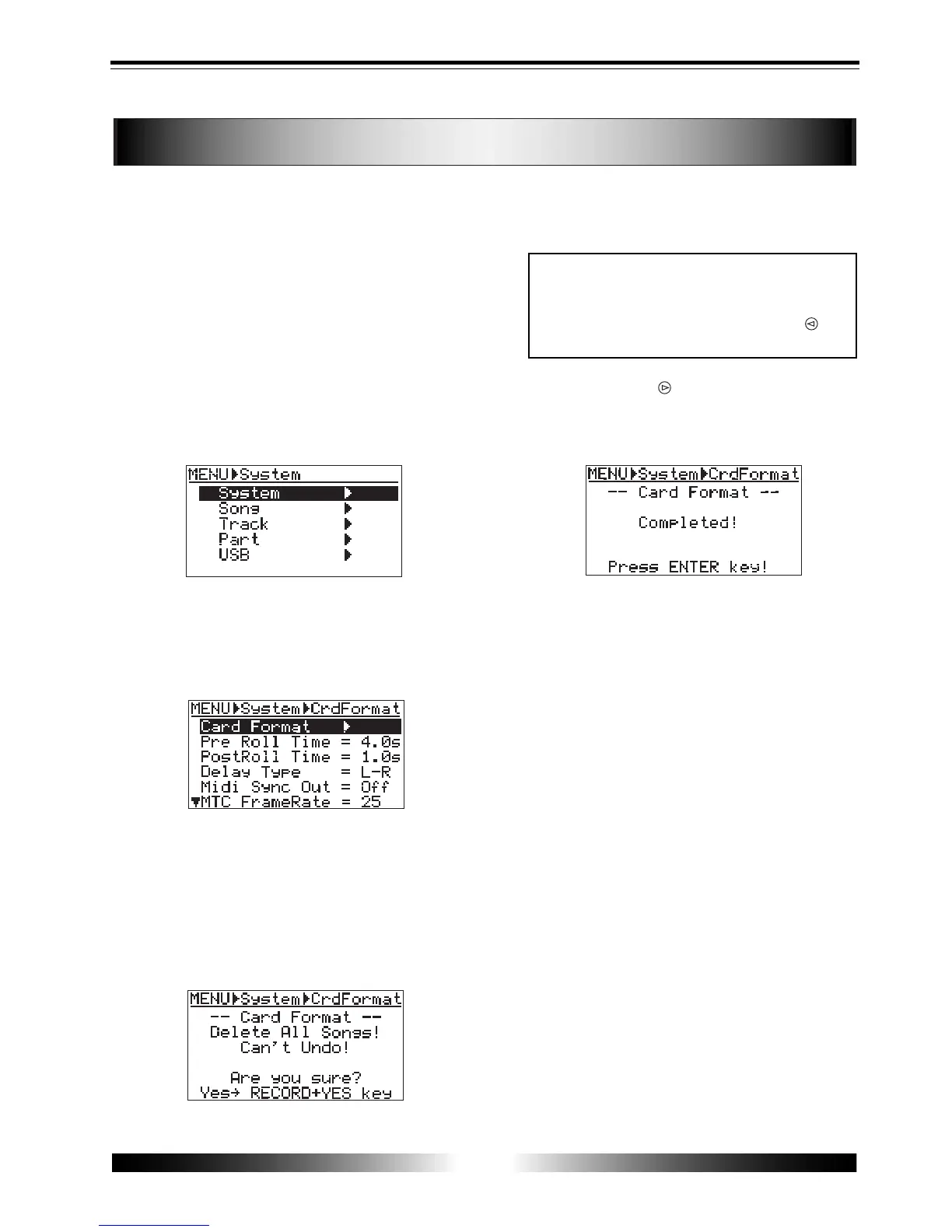
4) Press the [MENU] key to enter the menu mode.
The display changes to the menu selection
screen, in which "System" is initially
highlighted.
5) While "System" is highlighted, press the [ENTER]
key.
The display now shows the System menu
selection screen, in which "Card Format" is
initially highlighted.
6) While "Card Format" is highlighted, press the
[ENTER] key.
The display now shows the screen for
confirmation before the card format.
In this screen, "Delete All Songs!" and "Can't
Undo!" are shown for warning, as well as
"Yes-> RECORD+YES key" and "No-> NO key"
alternately flash.
<Note>
Once you start formatting, you cannot stop it on
the way.
To cancel formatting, press the [CURSOR ] key
when the confirmation screen is shown.
7) Press the [CURSOR ] key while holding down the
[RECORD] key.
The MR-8 starts formatting. When completed,
"Completed!" is shown on the display.
8) Press the [ENTER] key.
The screen exits the "Card Format" menu, and
automatically change to the "Select Song"
menu for creating a new song (01).
Then, select the song mode and enter the song
name to create a new song to the formatted
card, following the same procedure as
described on page 21.



 To Next Page