30
MR-8 Owner’s Manual
DYNAMIC
CONDENSER
TUBE
BRIT STACK
US METAL
60s COMBO
INPUT A
BRIT STACK
US METAL
60's COMBO
DYNAMIC
CONDENSER
TUBE
MIC SIMULATION
AMP SIMULATION
BAL
UNBAL
/GUITAR
BAL
UNBAL
INPUT A
INPUT B
DISTORTIONTRIM
TRIM
PEAK
LINE MIC
PEAK
LINE MIC
MIN MAX
GUITAR
INPUT A SELECT
BAL
UNBAL
/GUITAR
BAL
UNBAL
INPUT A
INPUT B
DISTORTIONTRIM
TRIM
PEAK
LINE MIC
PEAK
LINE MIC
MIN MAX
GUITAR
INPUT A SELECT
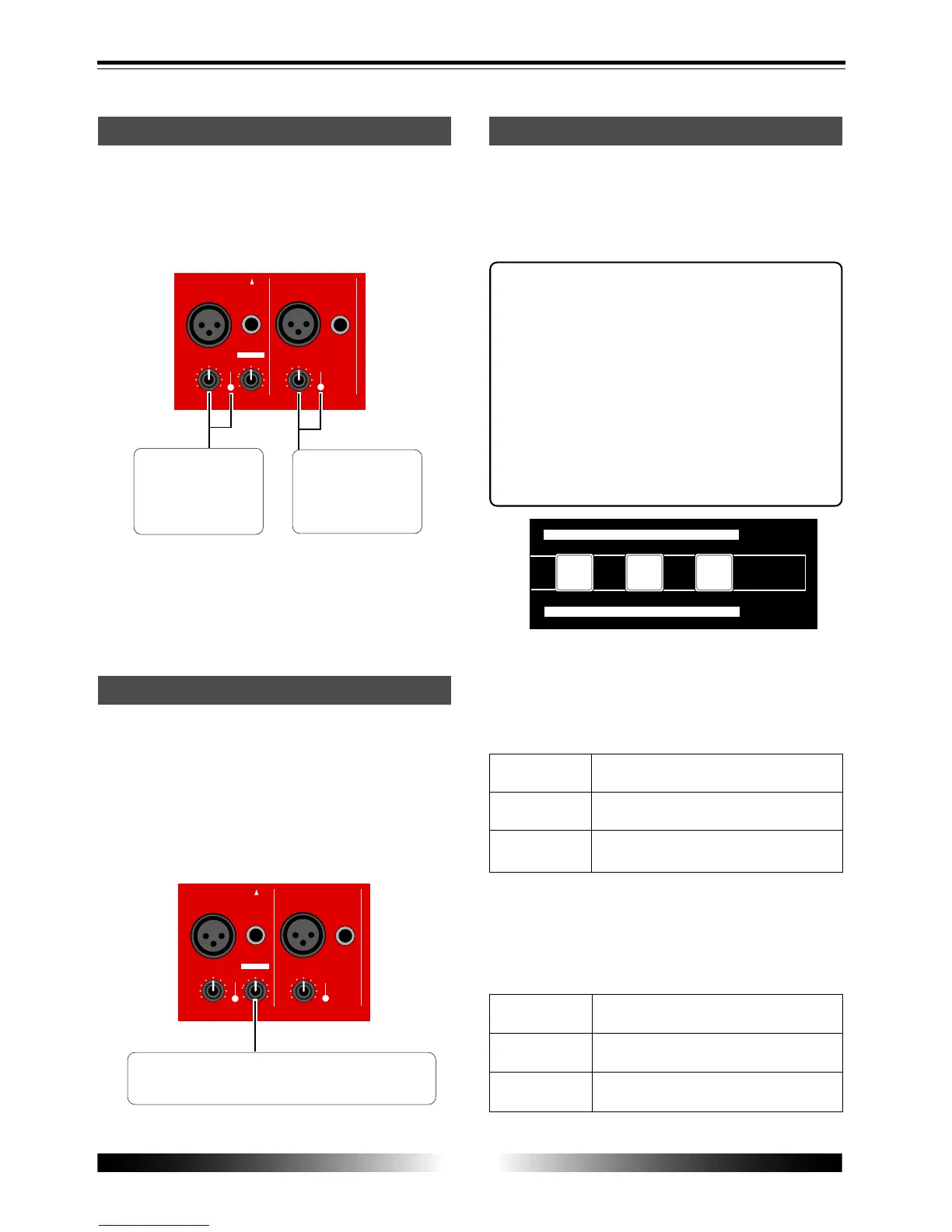
Input level setting
Each of the [INPUT A] and [INPUT B] sections
provides the [TRIM] control, with which you can
adjust the input gain for any selected input
source. This adjustment determines the record-
ing level.
The [TRIM] control
and [PEAK] indicator
for the [INPUT A] sec-
tion.
The [TRIM] control
and [PEAK] indicator
for the [INPUT B]
section.
Set the [TRIM] control appropriately so that the
[PEAK] indicator does not light up at the loudest
part.
Distortion setting
You can apply distortion when recording an elec-
tric guitar.
To record a guitar with distortion, set the [INPUT
A SELECT] switch to "GUITAR" and connect a
guitar to the [UNBAL/GUITAR] phone connector
of [INPUT A].
The distortion level can be adjusted using the
[DISTORTION] control.
[DISTORTION] control which adjusts the distortion
level.
Insert effects
The [INPUT A] section provides the insert effects
which allows you to use a simulation effect when
recording the INPUT A signal. Depending on the
[INPUT A SELECT] switch setting, a microphone
or amplifier simulation effect can be used.
About simulation effect
The microphone and amplifier simulation
effects on the MR-8 simulate some of popular
microphones and guitar amplifiers. Each
simulation effect can produce the similar sonic
performance that it would have with the ac-
tual modeled microphone or guitar amplifier.
For example, selecting "TUBE" mic simulation
effect allows you to record a vocal sound from
your microphone as if you are using a tube
microphone.
Mic simulation effects
When the [INPUT A SELECT] switch is set to "MIC/
LINE", you can apply any one of the following
mic simulation effects by using the keys shown
in the illustration above.
Simulates the sound of a popular dynamic
microphone.
Simulates the sound of a popular condenser
microphone.
Simulates the sound of a popular tube mi-
crophone.
Amp. simulation effects
When the [INPUT A SELECT] switch is set to "GUI-
TAR", you can apply any one of the following
mic simulation effects by using the keys shown
in the illustration above.
Simulates a popular British stuck-type gui-
tar amplifier.
Simulates a popular US metal guitar ampli-
fier.
Simulates a popular tube combo guitar am-
plifier.



 To Next Page