72
MR-8 Owner’s Manual
TRK 1
TRK 2
TRK 3
TRK 4
TRK 5
TRK 6
TRK 7
TRK 8
LOCATE A
point
LOCATE B
point
Copying/pasting (2)
The following describes how to copy a part of
the mono or stereo track(s) and paste it to the
same position of the other track(s).
Unlike the method described in "Copying/past-
ing a part (1)" earlier, you cannot set the desired
paste position with this method. In other words,
the paste position is always the LOCATE A point
of the copy operation.
<Note>
You cannot copy/paste track data of a song
protected. Release the protection before mak-
ing the copy/paste operation.
1) Load the song you want to edit.
2) Store the LOCATE A and LOCATE B points (see
page 53).
You can check the part by playing back between
the LOCATE A and LOCATE B points (see page 68).
3) While the recorder is stopped, press the [MENU]
key to enter the menu mode.
4) Use the [CURSOR
] key to highlight "Part", then
press the [ENTER] key.
The display now shows the part edit menu
selection screen.
5) Use the [CURSOR ] key to highlight "Copy Paste",
then press the [ENTER] key.
6) Use the [CURSOR / ] keys to select the source
track(s) to be copied.
You can select from among mono tracks (1 through
8) and stereo pair tracks (1/2, 3/4, 5/6 and 7/8).
7) Use the [CURSOR ] key to move the cursor to
the option for "Dest. Track".
8) Use the [CURSOR
/ ] keys to select the
destination track(s).
If you select a mono track for the copy source in
step 6 above, you can select a mono destination
track. If you select stereo pair tracks for the copy
source in step 6 above, you can select stereo pair
destination tracks.
9) Use the [CURSOR ] key to move the cursor to
"ENTER" at the lower right on the screen, then press
the [ENTER] key.
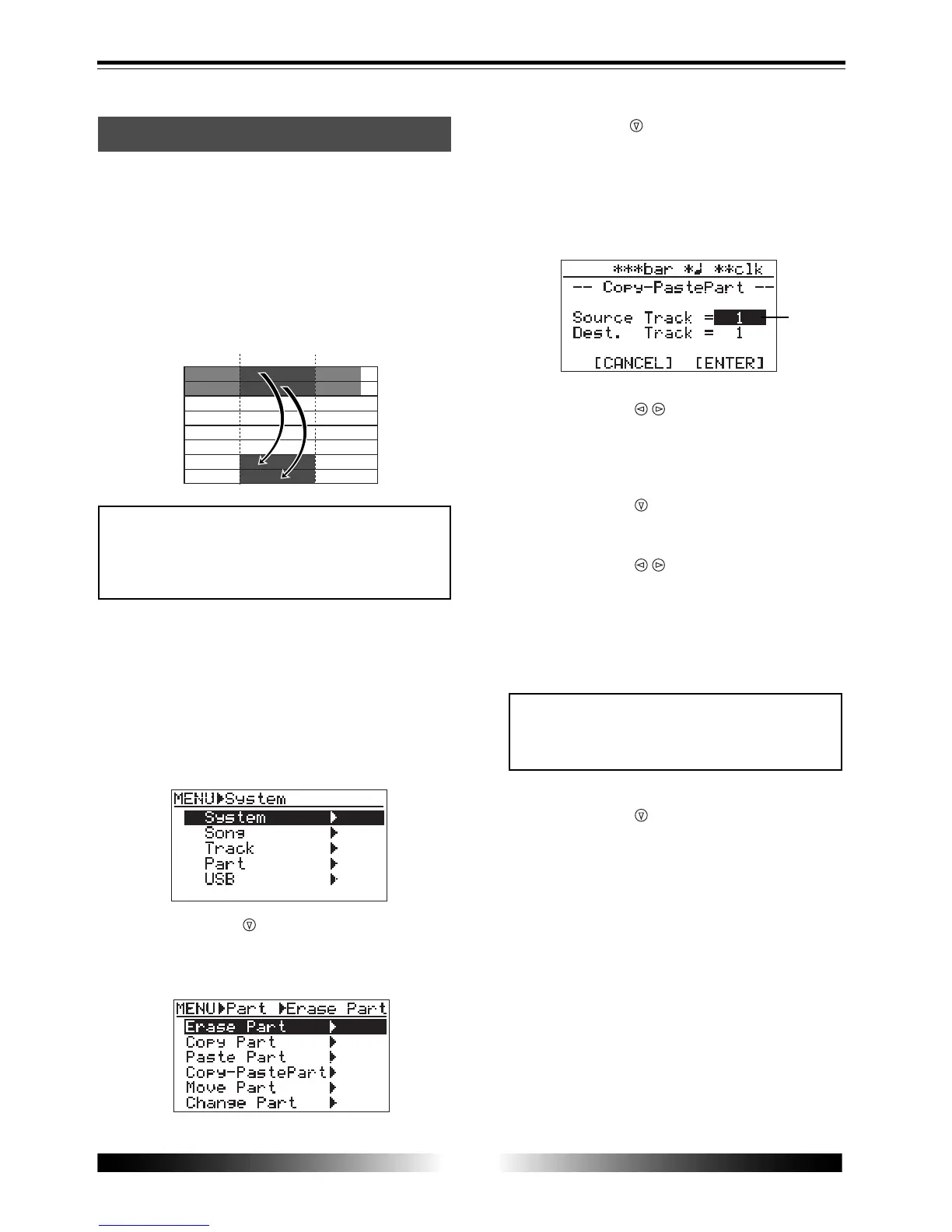
The display now shows the screen for selecting the
source track(s) and destination track(s) of copy/
paste. "Source Track" selects the copy source
track(s), while "Dest. Track" selects the paste desti-
nation track(s).
The display shows "Please Wait!", immediately fol-
lowed by "Completed!" when the MR-8 completes
the copy operation.
To cancel the copy/paste operation, move the cur-
sor to "[CANCEL]" at the lower left on the screen,
then press the [ENTER] key.
<Note>
You cannot select the same track(s) for the
copy source and destination.
flashing



 To Next Page