48
MR-8 Owner’s Manual
DC IN
POWER
USB
FOOT SW
DIGITAL
OUT
INPUT A SELECT
MIC/LINE
INT MIC
GUITAR
LIGHT
12V
ON
OFF
[NORMAL MODE]
Digital master recorder
2) Make the master recorder to accept the digital
input.
Make sure that the recorder accepts the digital
signal output from the MR-8, which is 44.1-kHz, 16-
bit, S/P DIF signal.
Generally, a digital recorder does not have a
facility for controlling the digital input level.
3) Use the [MASTER] fader of the MR-8 to adjust the
output level.
Adjust the level appropriately so that the level meter
of the master recorder shows "0" when the MR-8
outputs the biggest signal.
If the level meter exceeds "0", the sound may be
distorted.
4) Start recording the master recorder and then start
playing back the MR-8.
5) After finishing recording, stop both recorders.
4) After rehearsing mixdown and adjusting the
recording level, locate the MR-8 to the beginning of
the song.
5) Start recording the master recorder and then start
playing back the MR-8.
6) After finishing recording, stop both recorders.
<Tip>
By moving up or down the MR-8 [MASTER]
fader, you can fade in or fade out record-
ing.
The following is described assuming that you
already finished rehearsal of mixdown, as in step
2 of "Analog mixdown" above.
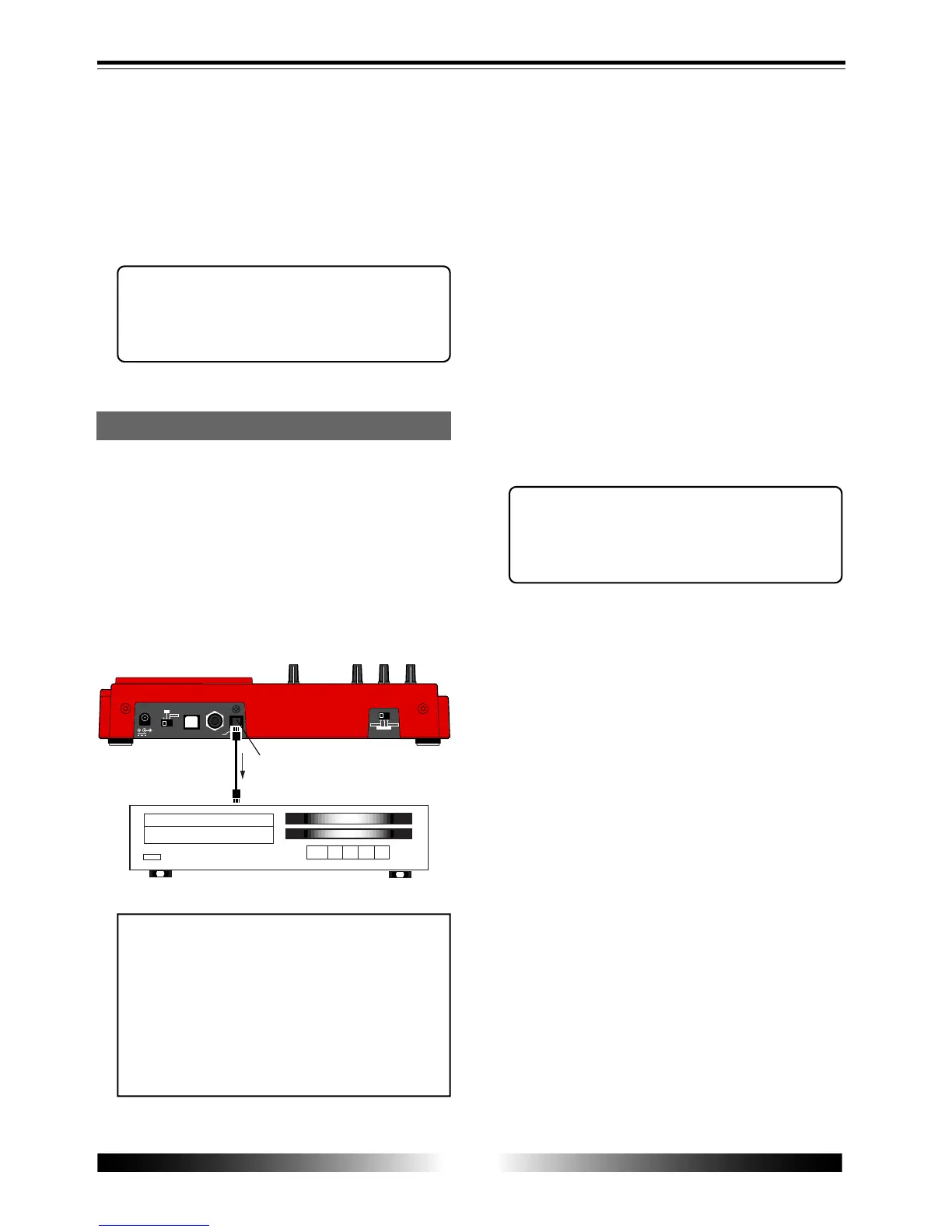
1) Connect the [DIGITAL OUT] connector of the MR-8
to the digital input connector of a digital master
recorder.
If the master recorder supports the S/P DIF
(optical) digital input, you can make direct
connection using an optical cable.
<Note>
The [DIGITAL OUT] connector of the MR-8
is the Toslink optical type.
If your digital recorder provides only the
coaxial type connector, use the Fostex COP-
1/96 kHz coaxial-optical converter.
Contact Fostex or our dealer for details
about the Model COP-1/96 kHz.
<Tip>
By moving up or down the MR-8 [MASTER]
fader, you can fade in or fade out record-
ing.
Digital mixdown
[DIGITAL OUT] connector



 To Next Page