56
MR-8 Owner’s Manual
Setting the beat resolution
As described earlier, while the time base is set to "Bar/Beat", setting "Beat resolution" in the
menu to "On" allows you to store the LOCATE A or B point in beat resolution.
When "Beat resolution" is set to "On", the clock digit of the Bar/Beat/Clock value is automati-
cally rounded down or up, so that the clock digit is always "00".
For example, while the time base is set to "Bar/
Beat" and the "Beat resolution" is set to "On",
if you set the LOCATE A point to "1 bar/1
/
46 clk" and the LOCATE B point to "2 bar/4
/51 clk", the rounded values are stored as
below.
"1 bar / 1
/ 46 clk" -> "1 bar / 1 / 00 clk"
(The clock value "46" is rounded down.)
"2 bar / 4 / 51 clk" -> "3 bar / 1 / 00 clk"
(The clock value "51" is rounded up.)
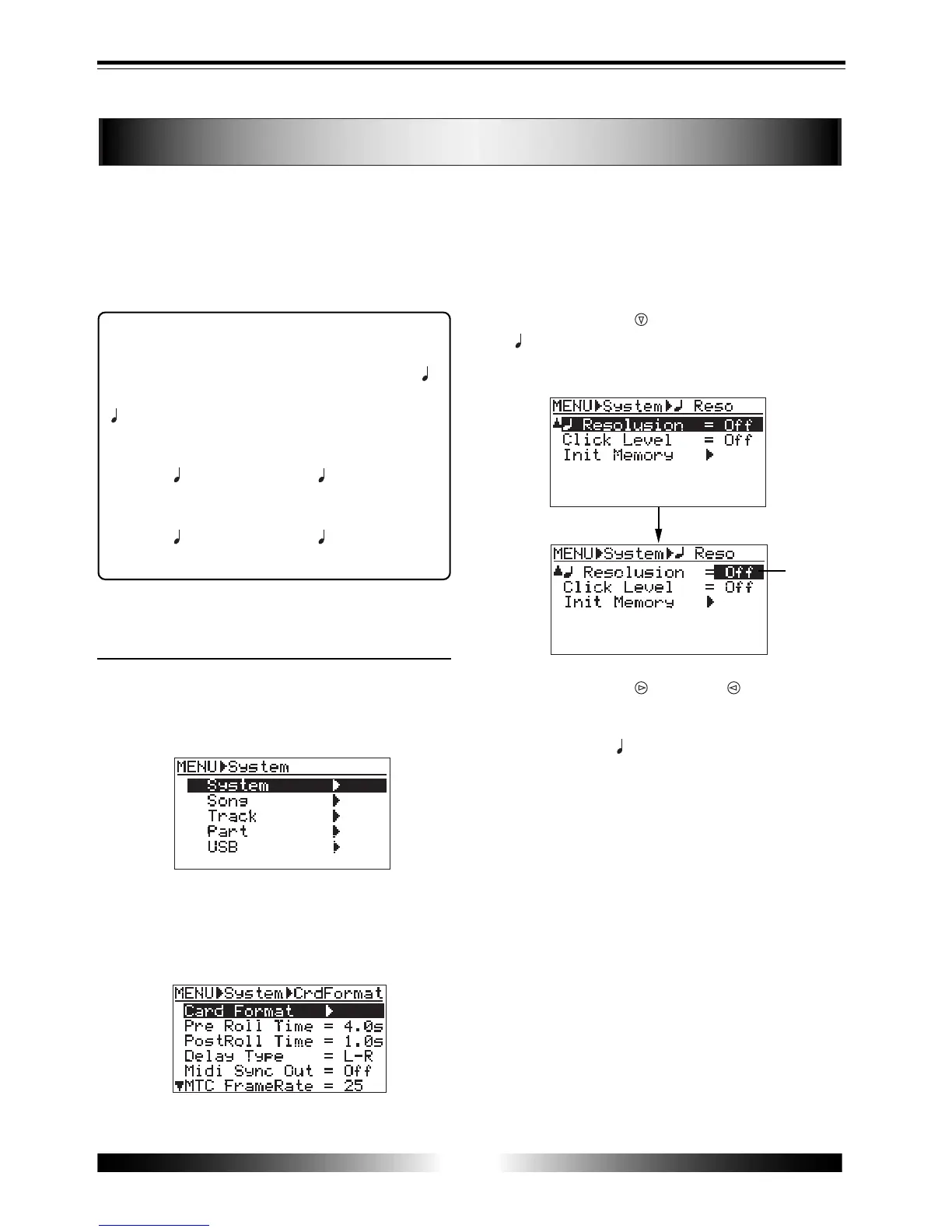
How to set the beat resolution
1) While the recorder is stopped, press the [MENU]
key to enter the menu mode.
The display shows the menu selection screen, in
which "System" is highlighted initially.
2) When "System" is highlighted, press the [ENTER]
key.
The display now shows the system menu selection
screen, in which "Card Format" is highlighted
initially.
3) Use the [CURSOR ] key to highlight
" Resolution", then press the [ENTER] key.
The current beat resolution setting option ("On" or
"Off") flashes (initially, "Off").
4) Use the [CURSOR ]/[CURSOR ] keys to select
"On", then press the [ENTER] key.
The beat resolution is set to "On", and the screen
now highlights " Resolution".
To set the beat resolution to "off", select "Off" and
then press the [ENTER] key.
5) After completing the setting, press the [MENU] key
to exit the menu mode.
flashing



 To Next Page