81
MR-8 Owner’s Manual
2) Use the [CURSOR / ] keys to enter a desired
number.
3) Use the [CURSOR
] key to highlight the
signature value.
You can now select a signature.
4) Use the [CURSOR / ] keys to select a desired
signature.
5) Use the [CURSOR
] key to move the cursor to
"[ENTER]" at the lower center of the screen, then
press the [ENTER] key.
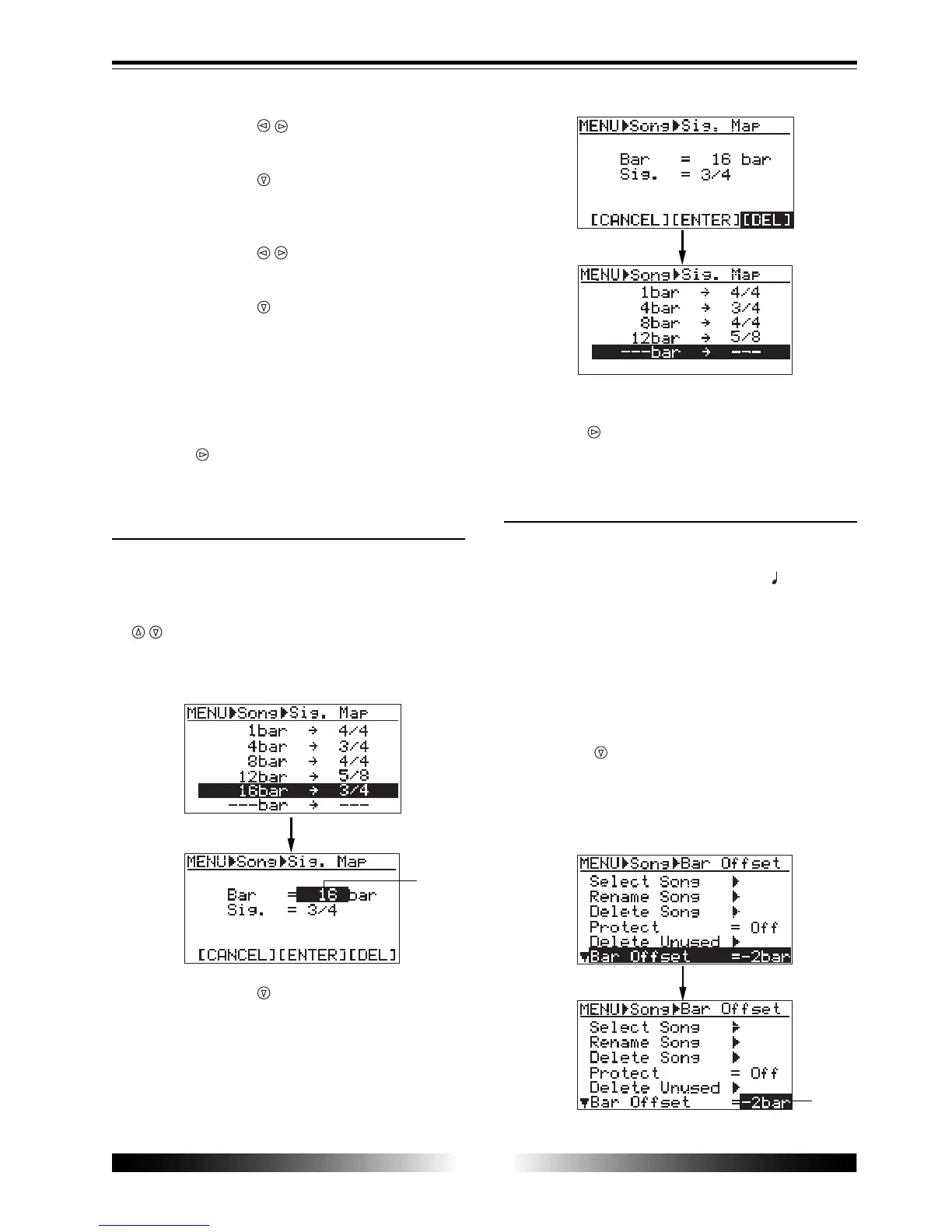
The new bar and signature setting above is now
effective.
6) To exit the menu mode, press the [MENU] key.
You can also exit the menu mode by pressing the
[CURSOR ] key as many times as required until
exiting the menu mode.
Deleting an unnecessary bar/signature setting
You can delete an unnecessary bar/signature
setting from the signature map.
1) On the signature map screen, use the [CURSOR
/ ] key highlight the bar/signature setting you
want to delete, then press the [ENTER] key.
The display changes to show the screen where the
bar number flashes.
2) Use the [CURSOR ] key to move the cursor to
"[DEL]" at the lower right of the screen, then press
the [ENTER] key.
The selected setting is immediately deleted.
The following shows the screen examples for
deleting "16bar -> 3/4".
3) To exit the menu mode, press the [MENU] key.
You can also exit the menu mode by pressing the
[CURSOR ] key as many times as required until
exiting the menu mode.
Changing the bar offset
If you locate the ABS zero point (the beginning
of a song) while the time base is set to Bar/Beat/
Clk, the display will show "-2bar 1 00clk" by
default. This means the ABS zero point corre-
sponds to "bar -2, beat 1".
This offset (the Bar/Beat position at the ABS zero
point) is called "bar offset". You can set a desired
bar offset if necessary.
1) Bring up the song edit menu screen and use the
[CURSOR
] key to highlight "Bar Offset" on the
first page of the screen, then press the [ENTER]
key.
The current bar offset flashes ("-2bar" by default),
showing that you can now edit it.
flashing
flashing



 To Next Page