46
MR-8 Owner’s Manual
Trk 4
Trk 3
Trk 2
Trk 1
Mastering
effect
Trk 7
Trk 8
Delay
or
Reverb
Bounce
Trk 5
Trk 6
STEREO OUT (L, R)
Mixing
Playback
Playback
Playback
Playback
Playback
Playback
Record
Record
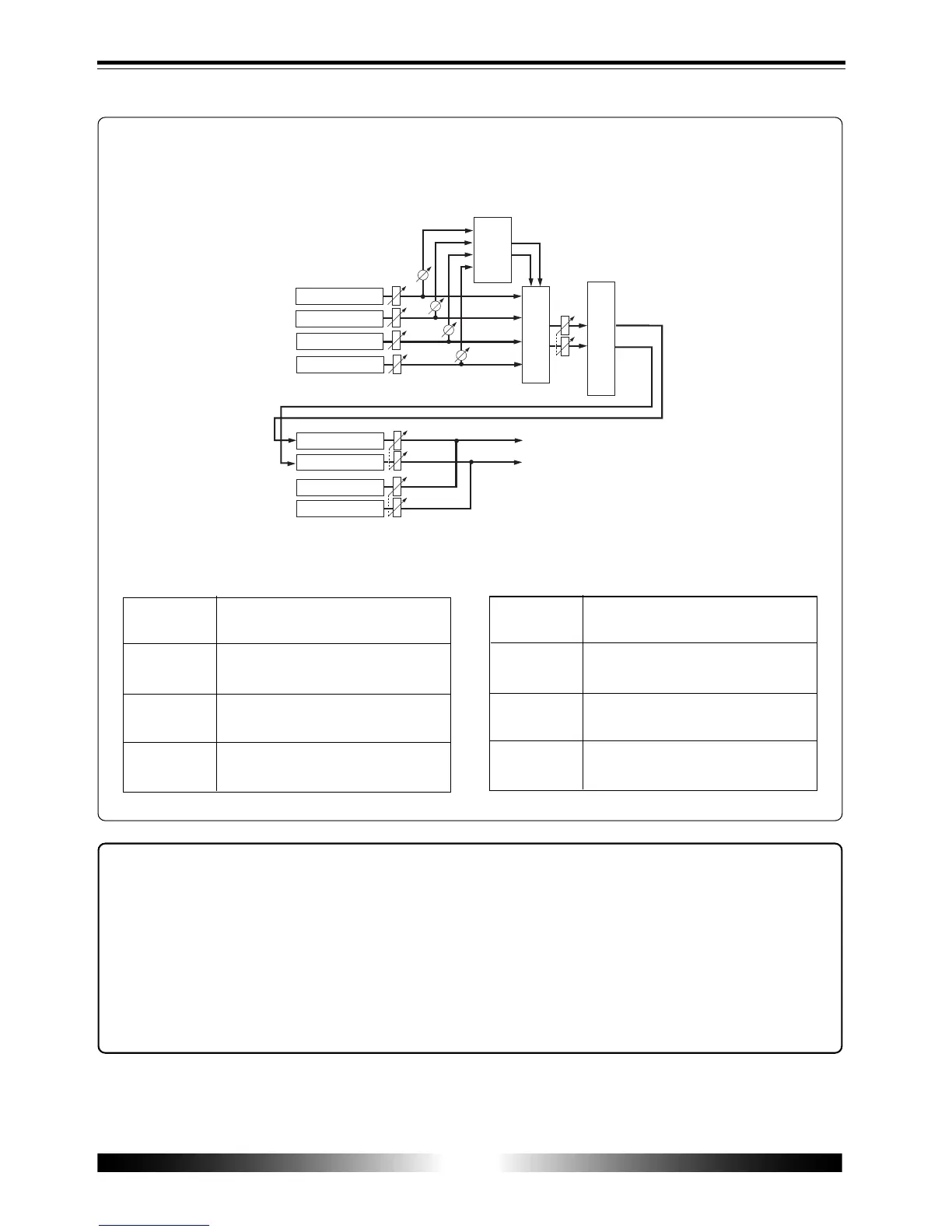
<Notes on "1-4 > 5/6" mode>
You can bounce tracks in the "1-4 > 5/6" mode in the same manner as the "1-6 > 7/8" mode
described above. However, you can monitor the playback sounds of tracks 7/8 (if any sounds
are recorded) simultaneously.
Therefore, during rehearsal and actual track bouncing, faders and level meters act as the
following.
Faders
1 through 4
Fader 5/6
Fader 7/8
[MASTER]
fader
Control the signal levels of tracks 1
through 4 for recording.
Controls the monitor levels of tracks 5/6.
Controls the monitor levels of tracks 7/8.
Controls the recording master level of
tracks 5/6.
Meters
1 through 4
Meter 5/6
Meter 7/8
Meters
L and R
Show the playback levels of tracks 1
through 4.
Shows the recording level of tracks 5/6.
Shows the playback level of tracks 7/8.
Shows the monitor output levels (STE-
REO OUT L and R).
<Exporting bounced data to a personal computer>
You can export bounced song data on tracks 7/8 to a personal computer.
The exported data can be used for making an original audio CD via a CD-RW drive connected
to the computer, or used with a musical applications on the computer.
To export song data on tracks 7/8 to a personal computer, you must convert the mono WAV
files of tracks 7/8 to a stereo WAV file.
See page 86 for details about how to convert mono files to a stereo file. See page 88 for details
about how to export song data to a personal computer.



 To Next Page