64
MR-8 Owner’s Manual
flashing
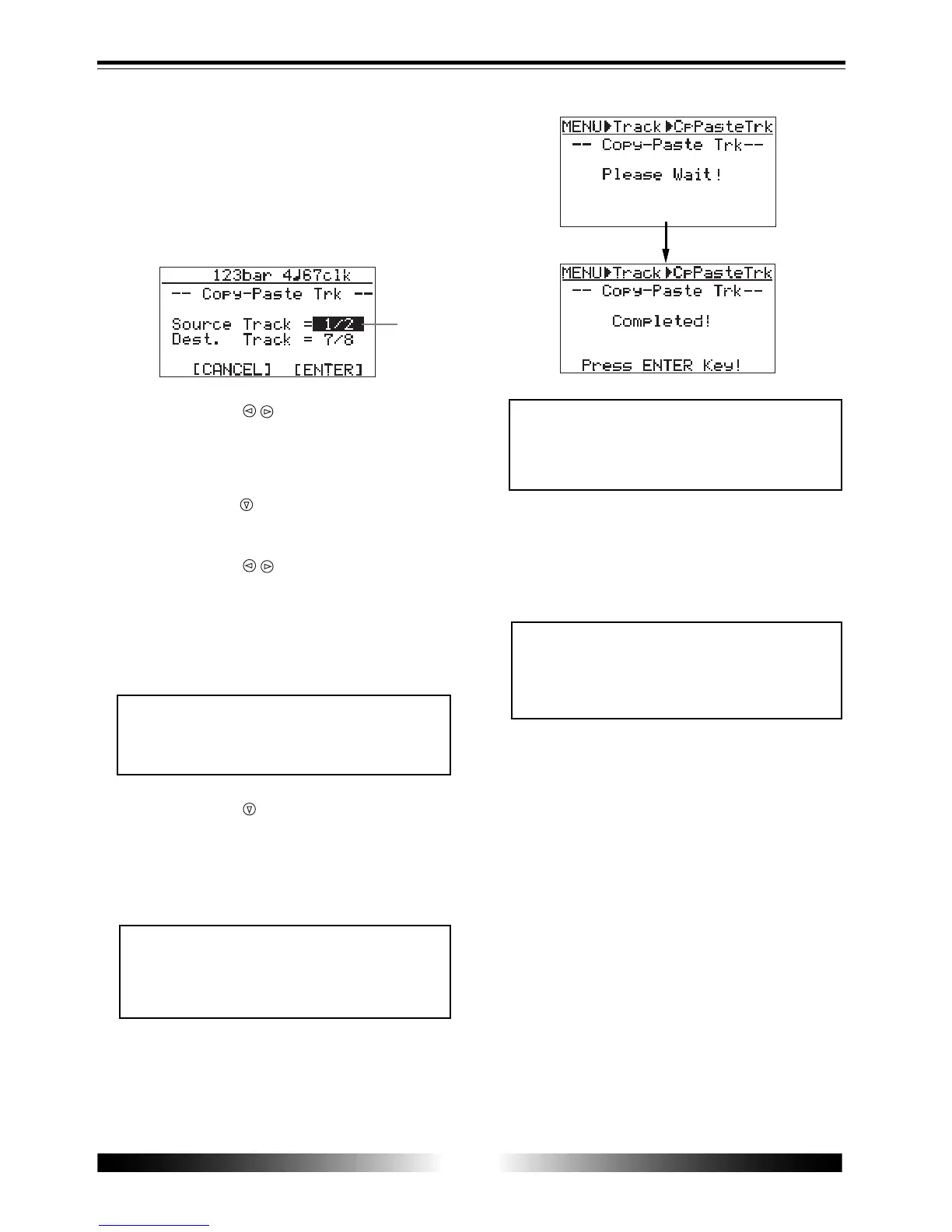
The display now shows the screen for selecting the
source track(s) and destination track(s) of copy/
paste. "Source Track" selects the copy source track(s),
while "Dest. Track" selects the paste destination
track(s).
The current position information is shown at the
top of the screen (shown in Bar/Beat base in the
screen example below).
5) Use the [CURSOR / ] keys to select the source
track(s) to be copied.
You can select from among mono tracks (1 through
8) and stereo pair tracks (1/2, 3/4, 5/6 and 7/8).
6) Use the [CURSOR ] key to move the cursor to the
option for "Dest. Track".
7) Use the [CURSOR / ] keys to select the
destination track(s).
If you select a mono track for the copy source in
step 5 above, you can select a mono destination
track. If you select stereo pair tracks for the copy
source in step 5 above, you can select stereo pair
destination tracks.
8) Use the [CURSOR ] key to move the cursor to
"ENTER" on the screen, then press the [ENTER]
key.
<Note>
If you want to cancel the copy/paste op-
eration, move the cursor to "
CANCEL
" on
the screen, then press the [ENTER] key.
<Note>
If a destination track has recorded data,
pasting the copied data overwrites the pre-
vious data.
9) Press the [ENTER] key.
The display returns show to the screen in which
"Copy-Paste Trk" is highlighted.
10) Press the [MENU] key to exit the menu mode.
<Note>
If you are not satisfied with the result, press
the [UNDO/REDO] key to undo the opera-
tion (see page 62).
The display shows "Please Wait!", immediately fol-
lowed by "Completed!" when the MR-8 completes
the copy/paste operation.
<Note>
You cannot select the same track(s) for the
copy source and destination.



 To Next Page