87
MR-8 Owner’s Manual
3) Press the [ENTER] key.
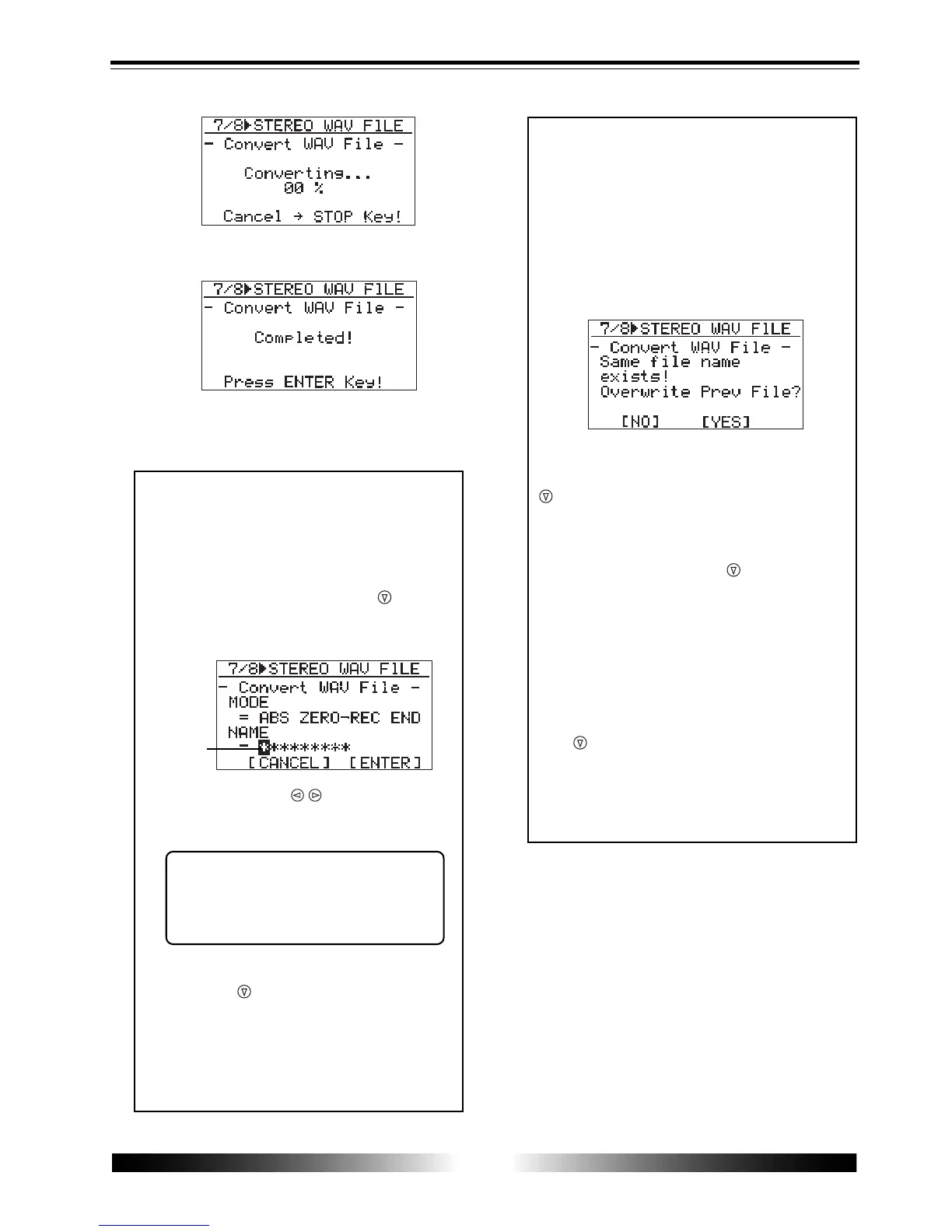
The MR-8 quits the conversion function and the
display returns to the home screen.
<Editing a file name>
You can edit a file name by the following
procedure.
2. Use the [CURSOR / ] keys to move the
edit position and enter a new name with the
character entry keys.
<Note>
If you convert data with the same name
as previously converted data, the follow-
ing screen appears on the display.
This screen warns you that the WAV file
with the same name already exists and asks
you to carry out the conversion by over-
writing the existing file or cancel the con-
version.
If you carry out the conversion by over-
writing the existing file, use the [CURSOR
] key to move the cursor to "[YES]", then
press the [ENTER] key.
If you do not want to overwrite the exist-
ing file, use the [CURSOR
] key to move
the cursor to "[NO]", then press the [EN-
TER] key. The display returns to show the
screen for editing the file name, so you
can enter a different file name and then
carry out the conversion.
If you want to cancel the conversion when
the screen above is shown, use the [CUR-
SOR
] key to move the cursor to "[NO]"
and press the [ENTER] key to show the
screen for editing the file name, and then
press the [7-8>STEREO WAV FILE] key to
quit the conversion function.
3. After entering a new name, use the
[CURSOR
] key to move the cursor to
"[ENTER]" at the lower right of the screen,
then press the [ENTER] key.
The conversion is immediately carried out
and then "Completed!" is shown on the
display.
While the leftmost position is flash-
ing, pressing the [1-4>5-6, 1-6>7-8]/
[DELETE] key repeatedly deletes
the current file name.
When completing the conversion, the screen shows
"Completed!".
flashing
1. After selecting the range of track data to be
converted, press the [CURSOR
] key to
move the cursor to the leftmost position of
the file name.



 To Next Page