108
MR16 Owner’s Manual (Data export to a personal computer)
<Important note>
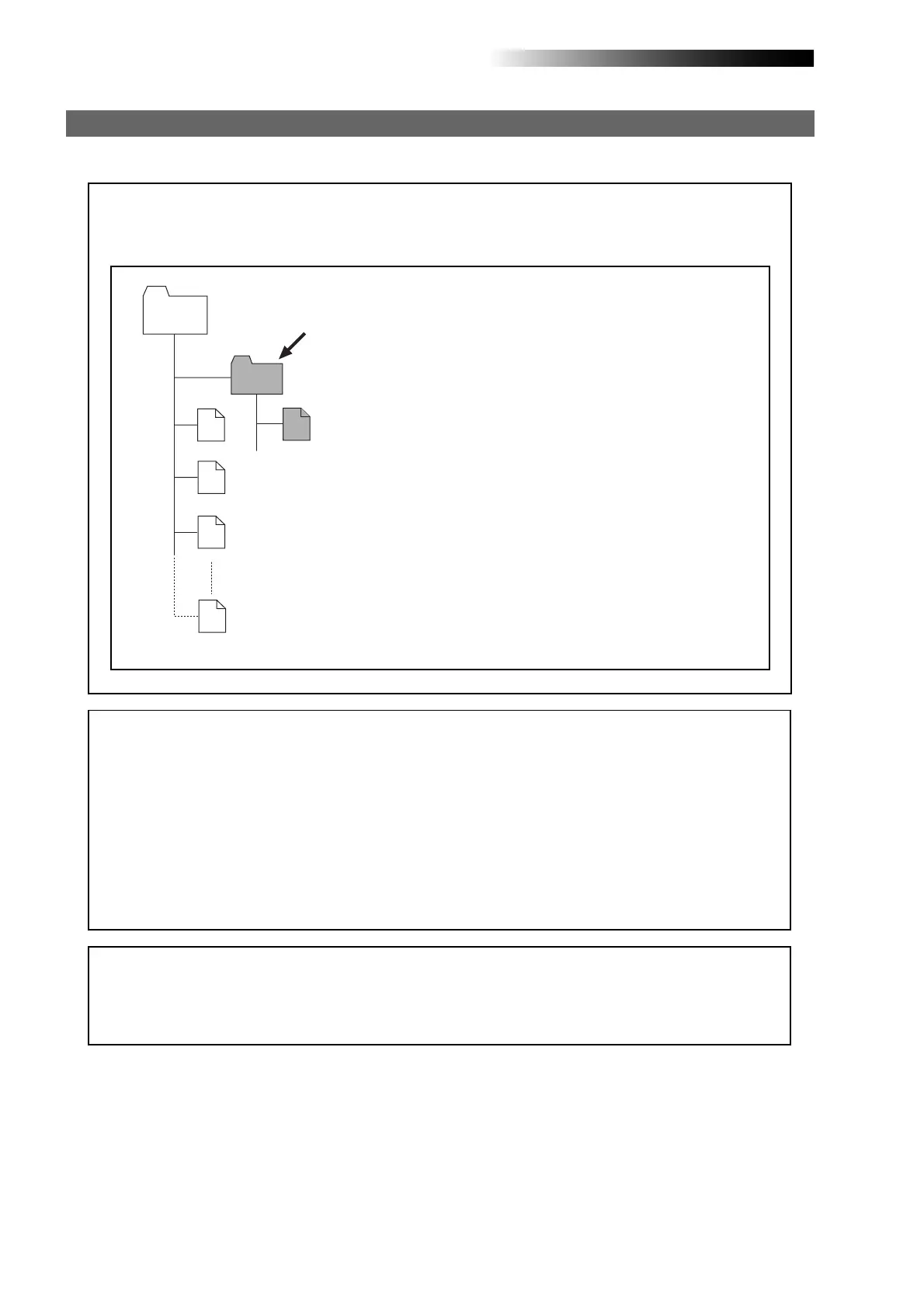
Converted stereo WAV files are located in the "2 MIX"
folder in the Song folder, as shown below. So you can
export only a stereo WAV file in the "2 MIX" folder (in-
dicated by an arrow).
Note that, if you export a WAV file which is located in a
folder other than the "2 MIX" folder, the MR16 may mal-
function.
Exporting a WAV file to a personal computer
The following describes the procedure for exporting a WAV file to a Windows ME computer.
#####001.wav
Song
#####002.wav
#####003.wav
#####008.wav
2 MIX
*********.wav
<Note on backup>
When exporting song data on the hard disk to a personal computer for backup, always export
the whole song folder. You cannot export individual track data.
See “
Archiving a song
” on page 111 for details about song data backup.
<Note>:
You can export only a stereo WAV file which is converted from a pair of mono WAV
files on tracks 15/16, as described earlier in "WAV file conversion". A mono WAV file or undo
file cannot be exported to a personal computer.
<Disk protection>
By default, the “
disk protect
” function which is effective in the USB mode is set to “
On
”.
In this condition, the MR16 can export data to a personal computer but cannot import data
from a computer. This is for protecting the MR16 internal hard disk from importing a file
from a computer inappropriately and destroying the MR16 song data.
You can enable or disable this function, however, we recommend using the MR16 by setting
it to “
On
”.
If you use the MR16 by setting the “disk protect” function to “
Off
”, read “
Archiving a song
” on
page 111 before using. See page 110 for details about how to make the “
disk protection
”
setting.



 To Next Page