52
MR16 Owner’s Manual (Advanced playback and locate functions)
The following describes the locate functions, which allow you to immediately skip to a specified
point in a song.
Time locate
Regardless of the current recorder position, you can locate to the beginning (ABS ZERO) of the
song or the recording end (REC END) of the song.
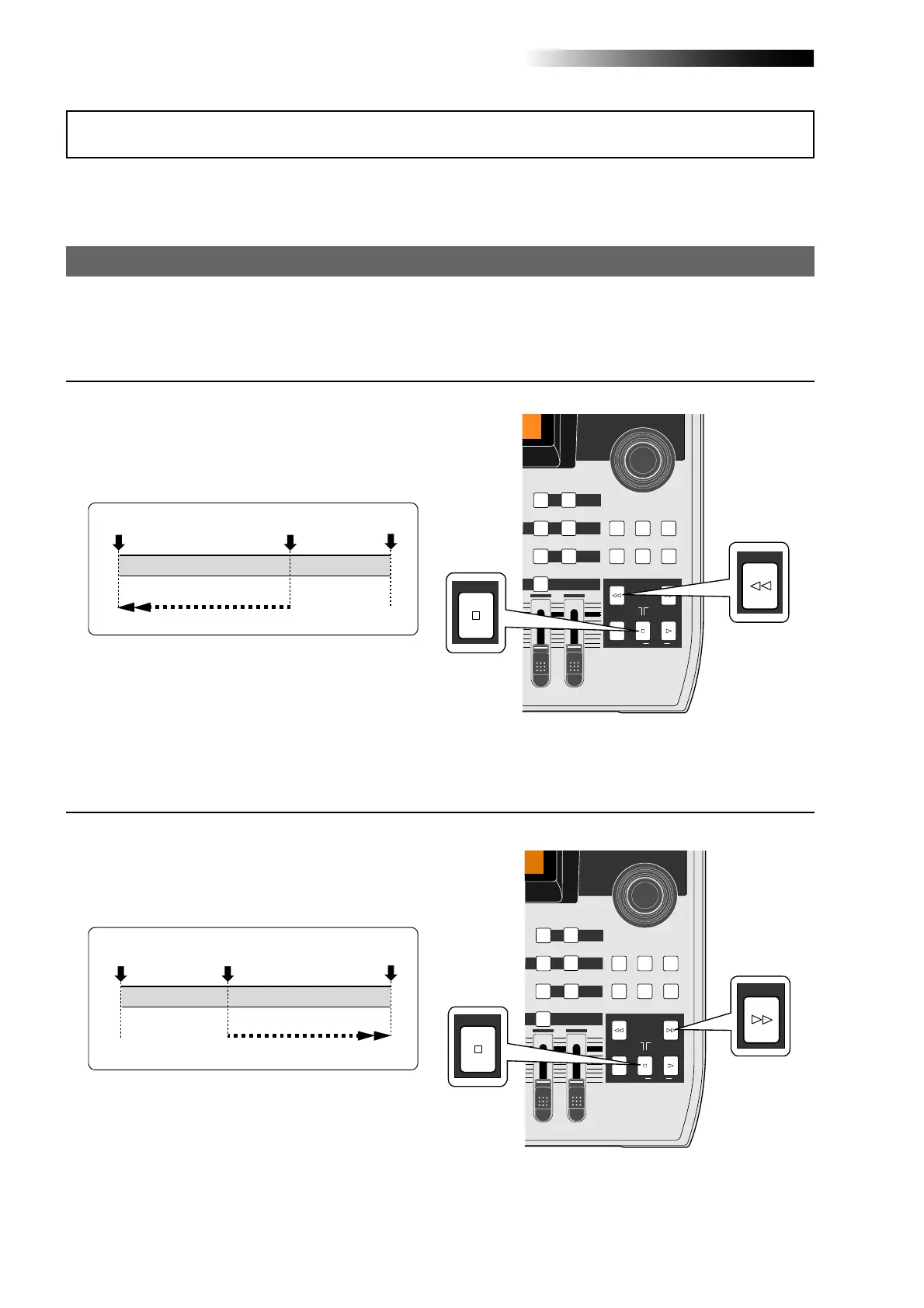
• While the recorder is stopped, press the
[REWIND] key while holding down the [STOP] key.
The MR16 immediately locates to the
beginning of the song (ABS ZERO) and stops.
REC END
ABS ZERO
Locate
The current position
REC END
ABS ZERO
Locate
The current position
Locating to the beginning (ABS ZERO) of a song
• While the recorder is stopped, press the [F FWD]
key while holding down the [STOP] key.
The MR16 immediately locates to the
recording end of the song (REC END) and stops.
Locating to the recording end point (REC END) of a song
Locate function
MAX
MIN
MASTER
REC SELECT
RECORD STOP PLAY
REWIND F FWD
UNDO/REDO
STORE
LOCATE REC END
LOCATE ABS ZERO
A-B PLAY
BOUNCE
MASTERING
BRIGHT
15/16 > STEREO WAV FILE
NATURAL
B / OUTA / IN
LOCATE
BOUNCE MODE
CONTRAST
TIMEBASE SELECT
RHYTHM GUIDE DIRECT LOCATE
15/16
DELETE
MENU / ENTER
REWIND
STOP
[STOP] key
[REWIND] key
MAX
MIN
MASTER
REC SELECT
RECORD STOP PLAY
REWIND F FWD
UNDO/REDO
STORE
LOCATE REC END
LOCATE ABS ZERO
A-B PLAY
BOUNCE
MASTERING
BRIGHT
15/16 > STEREO WAV FILE
NATURAL
B / OUTA / IN
LOCATE
BOUNCE MODE
CONTRAST
TIMEBASE SELECT
RHYTHM GUIDE DIRECT LOCATE
15/16
DELETE
MENU / ENTER
F FWD
STOP
[STOP] key
[F FWD] key



 To Next Page