72
MR16 Owner’s Manual (Using effects)
Track 1
1
0
10
Delay
or
Reverb
L
R
EFFECT SEND
PAN
STEREO BUSS
L
R
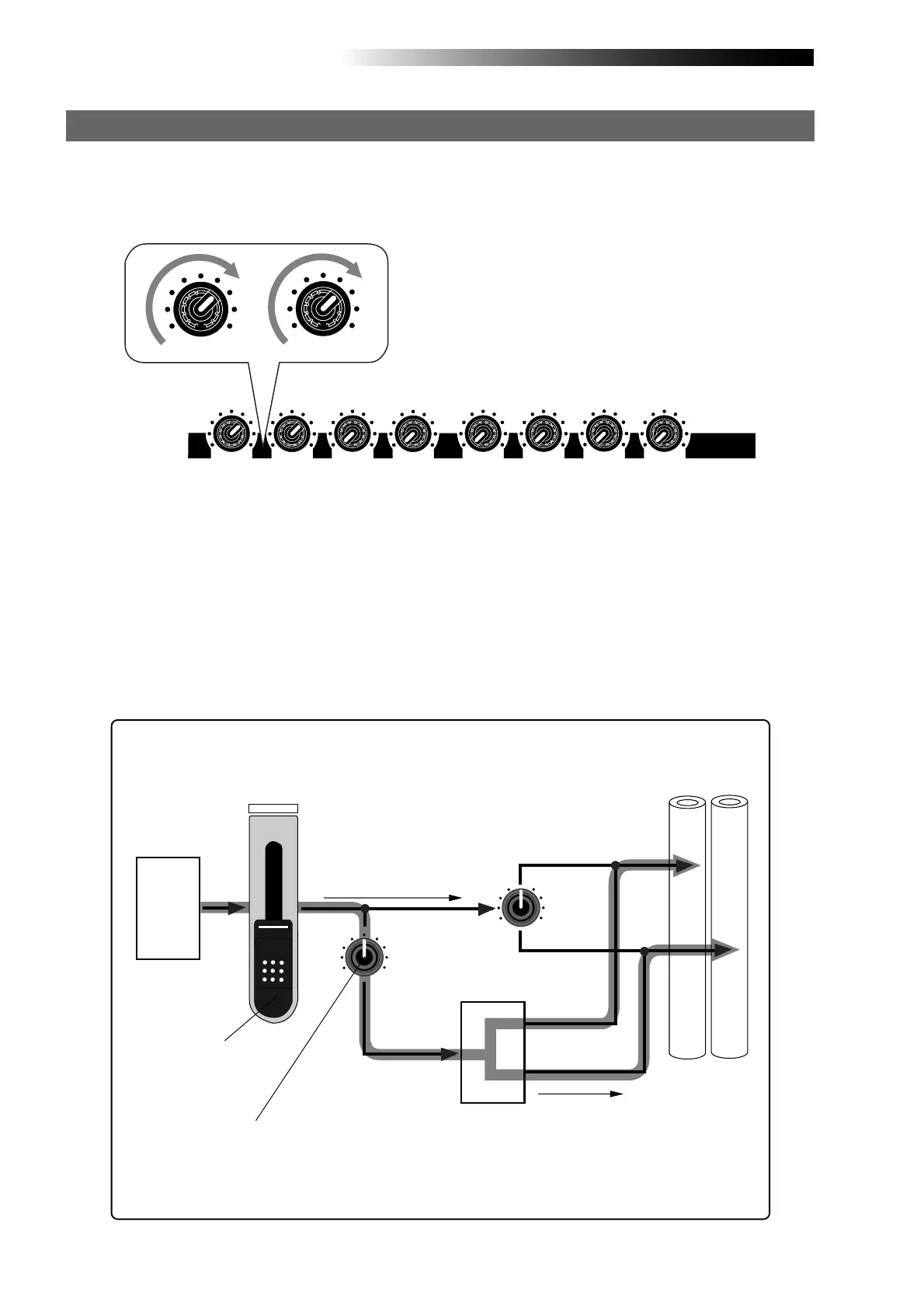
As shown in the signal flowchart below, a track (playback) signal after the track fader
is fed to the [EFFECT SEND] control and adjusted, then fed to the effect processor
input.
The effect processor's stereo output signals (wet signals) and stereo (L/R) signals
(dry signals) are merged together and then output from the [STEREO OUT L, R] jacks.
As you can see in the flowchart below, the signal sent to the effect processor is af-
fected by the track fader (i.e. a track fader must be raised to send track signal to the
effect processor). The signal which passes through a fader is generally called a "post
fader signal".
<Signal flow from a track to the effect processor (only Track 1~ 8)>
Dry sound
Wet sound
Playback
Adjusts the track
playback level
Adjusts the send level to the
effect processor
To apply the effect (reverb or delay) to tracks 1 through 4, adjust the [EFFECT SEND] control for
each track to adjust the level of the track signal sent to the effect processor.
In the example as illustrated below, tracks 1 and 2 signals are sent to the effect processor.
Adjusting the effect send levels
100010
010 100
010
100
100
010
EFFECT SEND
100
100



 To Next Page