146
MR16 Owner’s Manual (Other functions)
You can individually select the output signal of AUX OUT 1 and AUX OUT 2 from among the track
signals, the effect send signal and the internal click. See "Application examples" on page 149 for
details about how to use AUX OUT.
AUX OUT 1/2 output mode setting
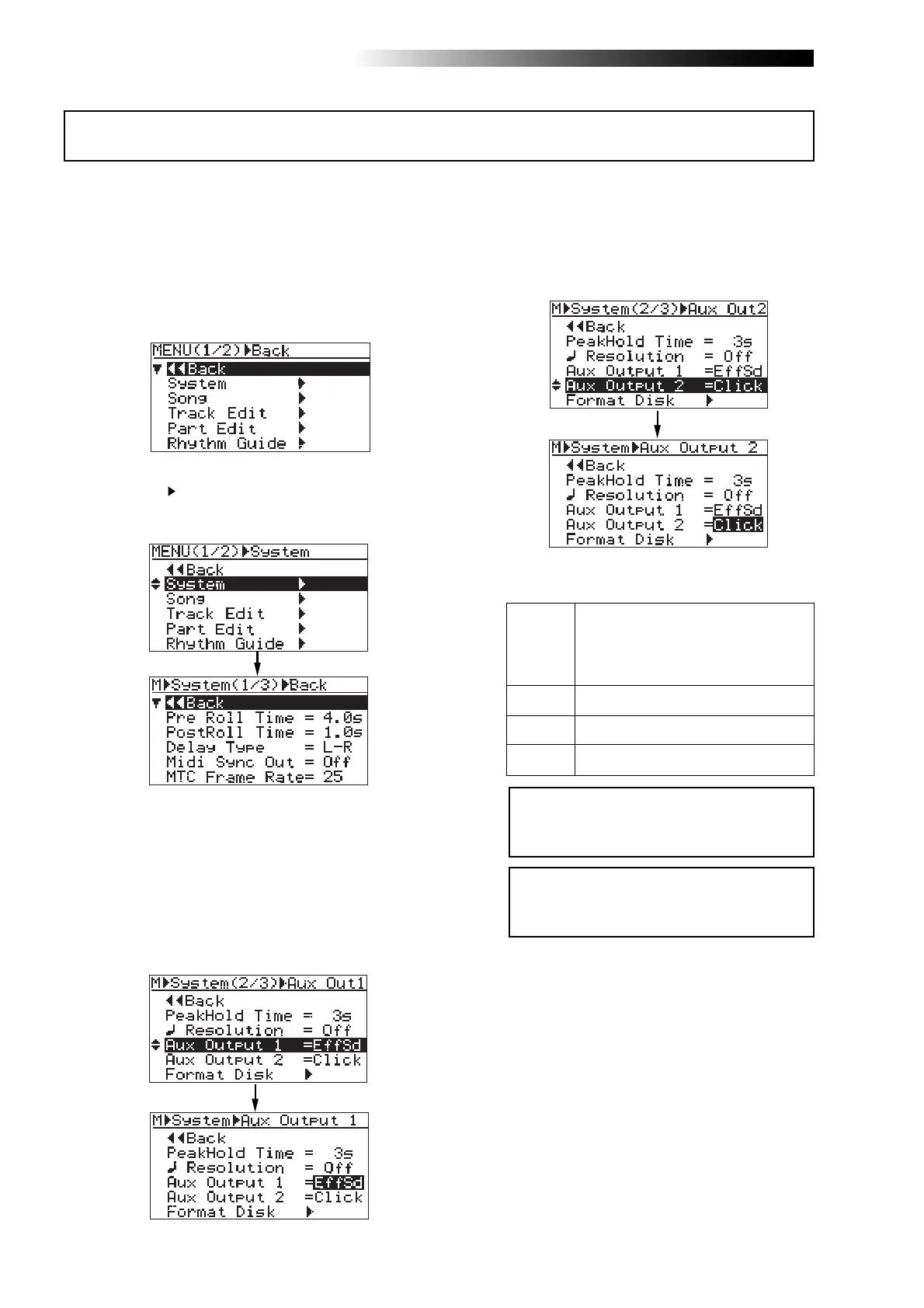
1) While the recorder is stopped, press the
[MENU/ENTER] knob to enter the menu mode.
The display now shows the first page of the
menu selection screen.
2) Rotate the [MENU/ENTER] knob to select
"System
", and press the [MENU/ENTER] knob.
The display now shows the first page of the
system menu screen.
3) Rotate the [MENU/ENTER] knob to select
"Aux Output 1" (or "Aux Output 2") on the
second page and press the [MENU/ENTER] knob.
The current option flashes. By default, "EffSd"
flashes for "Aux Output 1" while "Click" flashes
for "Aux Output 2".
You can now set the desired option.
• When "Aux Output 1" is selected
• When "Aux Output 2" is selected
You can select the output signal for each Aux
output from among the following options.
1
.
.
16
Mono track output
EffSd
Click
Effect send buss (see page 72)
Internal click (see page 89)
Off
No output
4) Rotate the [MENU/ENTER] knob to select the
desired option, and press the [MENU/ENTER]
knob.
The selection is confirmed and the display
returns to the previous screen.
The display now shows the first page of the
system menu screen.
5) Press the [STOP] key to exit the menu mode.
<Note>:
The level of the [AUX OUT] signal is
fixed. There is no master level control for
the Aux output signal.
<Note>:
The level of the [AUX OUT] signal is
fixed. There is no master level control for
the Aux output signal.



 To Next Page