157
MR16 Owner’s Manual (Troubleshooting)
<Trouble 1>: Cannot export a WAV file to a personal computer.
• Is the USB cable connected correctly?
Check the connection, as well as the USB cable.
• Is the personal computer meets the requirement?
The MR16 can export a WAV file to a personal computer which runs on any of
the following OS systems.
Windows Me, 2000 or XP
Macintosh 0S X or higher
<Trouble 2>: I cannot apply the mic simulation effects.
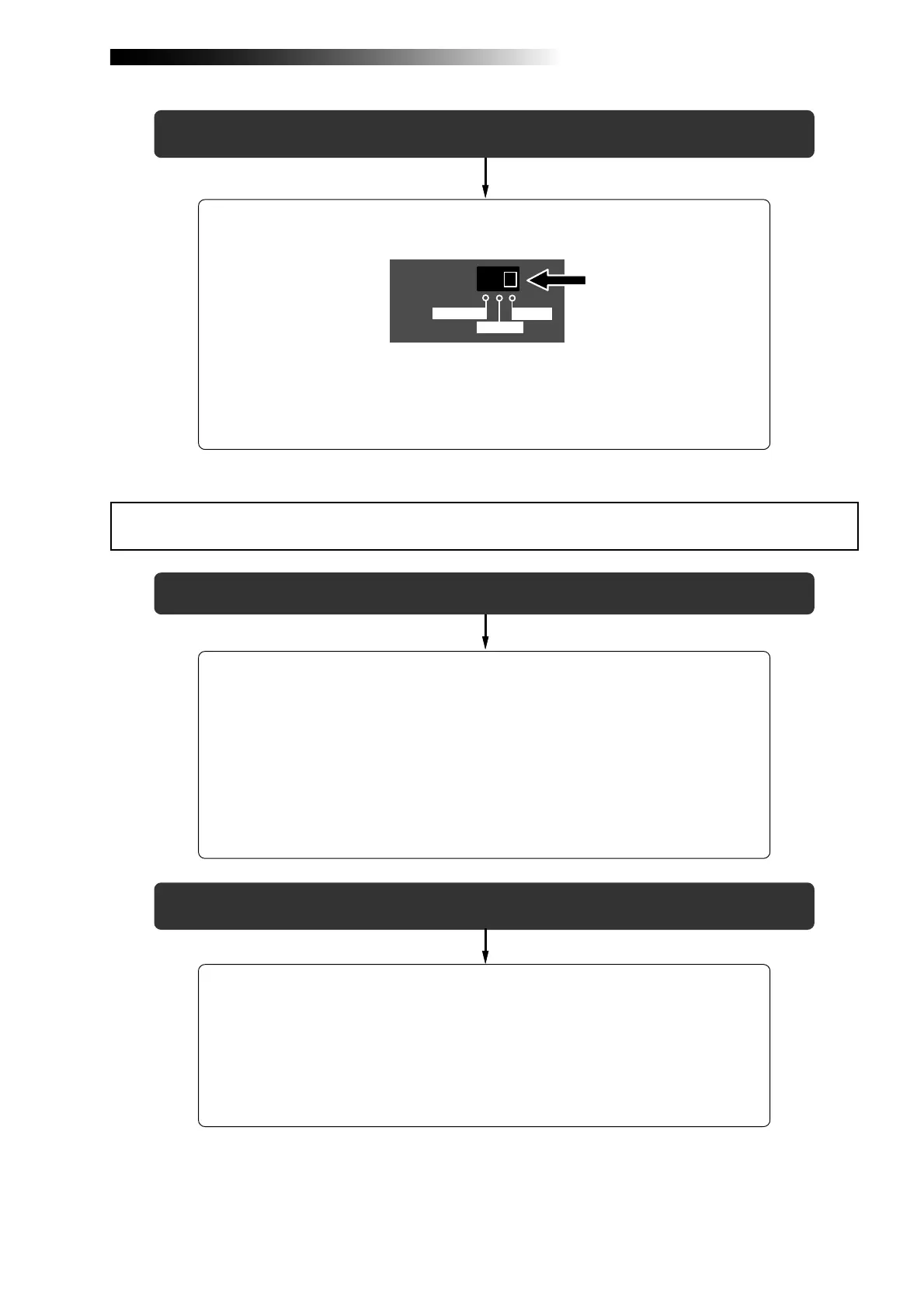
• Is the [INPUT A SELECT] switch on the rear panel is set to "MIC/LINE"
position?
To apply the mic simulation effects to [INPUT A], the [INPUT A SELECT] switch
on the rear panel must be set to "MIC/LINE" position.
When you set the switch to any other position, you can use the amp simulation
effects for insert effects.
INPUT A SEL
MIC/LINE
GTR CLEAN
GTR DIST
<Trouble 2>: The MR16 drive icon is not shown on the personal computer screen.
• It may take some times for showing a removable drive depending on a
personal computer.
It may take some times for reading the drive data.
Wait for a while until the drive icon appears.
On a Windows machine, the MR16 is shown as "removable drive". On a Macintosh
machine, it is shown as "MR16".
Troubles for USB connection



 To Next Page