143
MR16 Owner’s Manual (Other functions)
While the time base is set to the bar/beat mode, if you set the "Beat resolution" item in the menu
to "On", the LOCATE A and B points are set in beat resolution.
When "Beat resolution" is set to "On", the clock digit in the bar/beat/clock value is automatically
rounded down or up, so that the clock digit is always "000".
Let's see an example when the time base is set to the bar/beat mode and the
"Beat resolution" is set to "On". If you set the LOCATE A point to "Bar 1/1 /clock
468" and the LOCATE B point to "Bar 12/ 4 /clock 485", the rounded values are
stored as below.
"Bar 1 / 1 / clock 468" -> "Bar 1 / 1 / clock 000"
(The clock value "468" is rounded down.)
"Bar 12 / 4 / clock 485" -> "Bar 13 / 1 / clock 000"
(The clock value "485" is rounded up.)
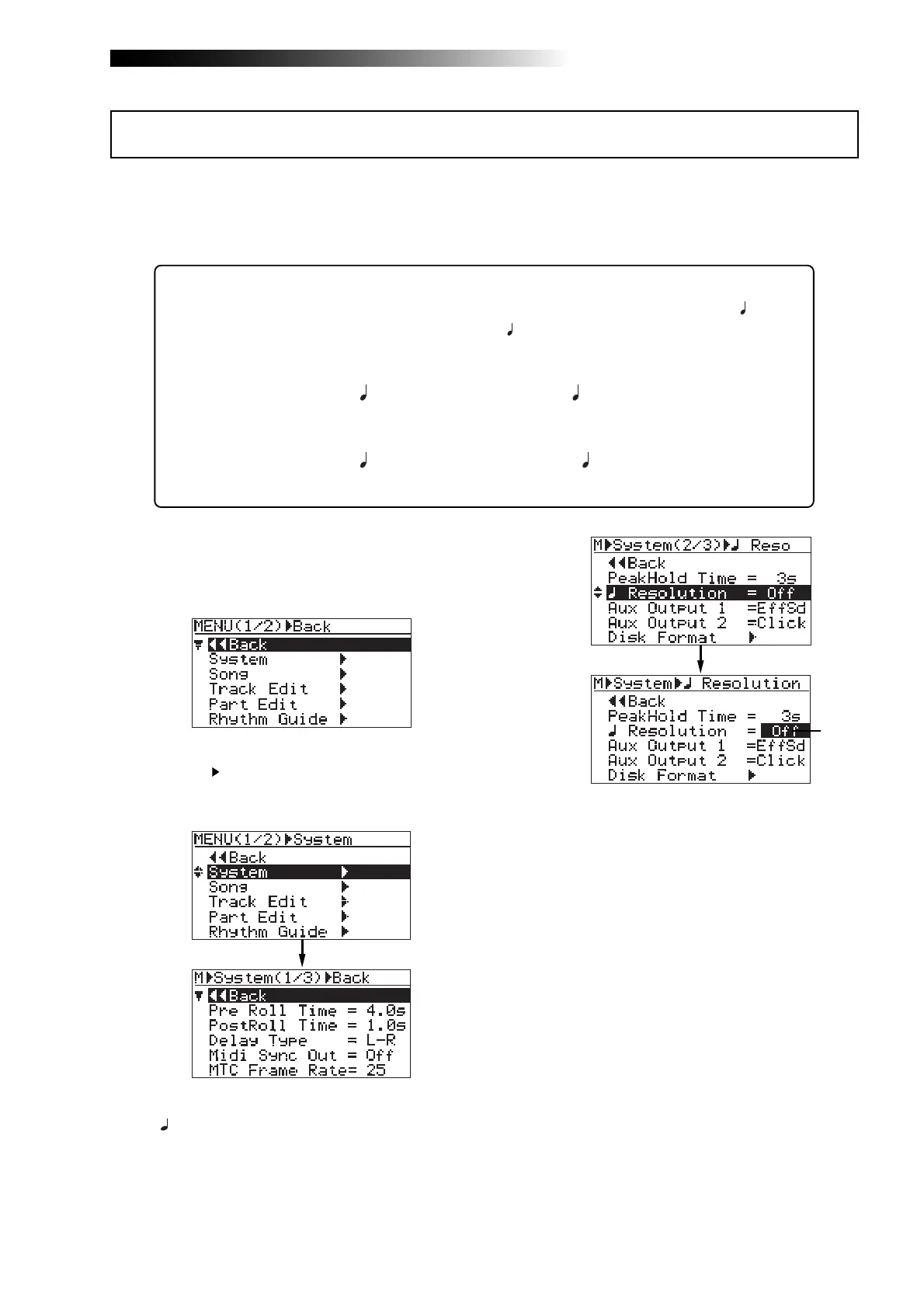
1) While the recorder is stopped, press the
[MENU/ENTER] knob to enter the menu mode.
The display now shows the first page of the
menu selection screen.
2) Rotate the [MENU/ENTER] knob to select
"System
", and press the [MENU/ENTER] knob.
The display now shows the first page of the
system menu screen.
3) Rotate the [MENU/ENTER] knob to select
"
Resolution=**" on the second page and press
the [MENU/ENTER] knob.
The current option (by default, "Off") flashes.
You can now set the desired option.
4) Rotate the [MENU/ENTER] knob to select "On"
or "Off", and press the [MENU/ENTER] knob.
The selection is confirmed and the display
returns to the previous screen.
5) Press the [STOP] key to exit the menu mode.
Beat resolution mode on/off
Flashing



 To Next Page