24
MR16 Owner’s Manual (Names and functions)
Either of the [BAL] XLR and
[UNBAL/GUITAR] phone connec-
tors can be used. Set the switch to
this position when the source is an
external microphone or line level
source.
MIC/LINE
GTR DIST
GTR CLEAN
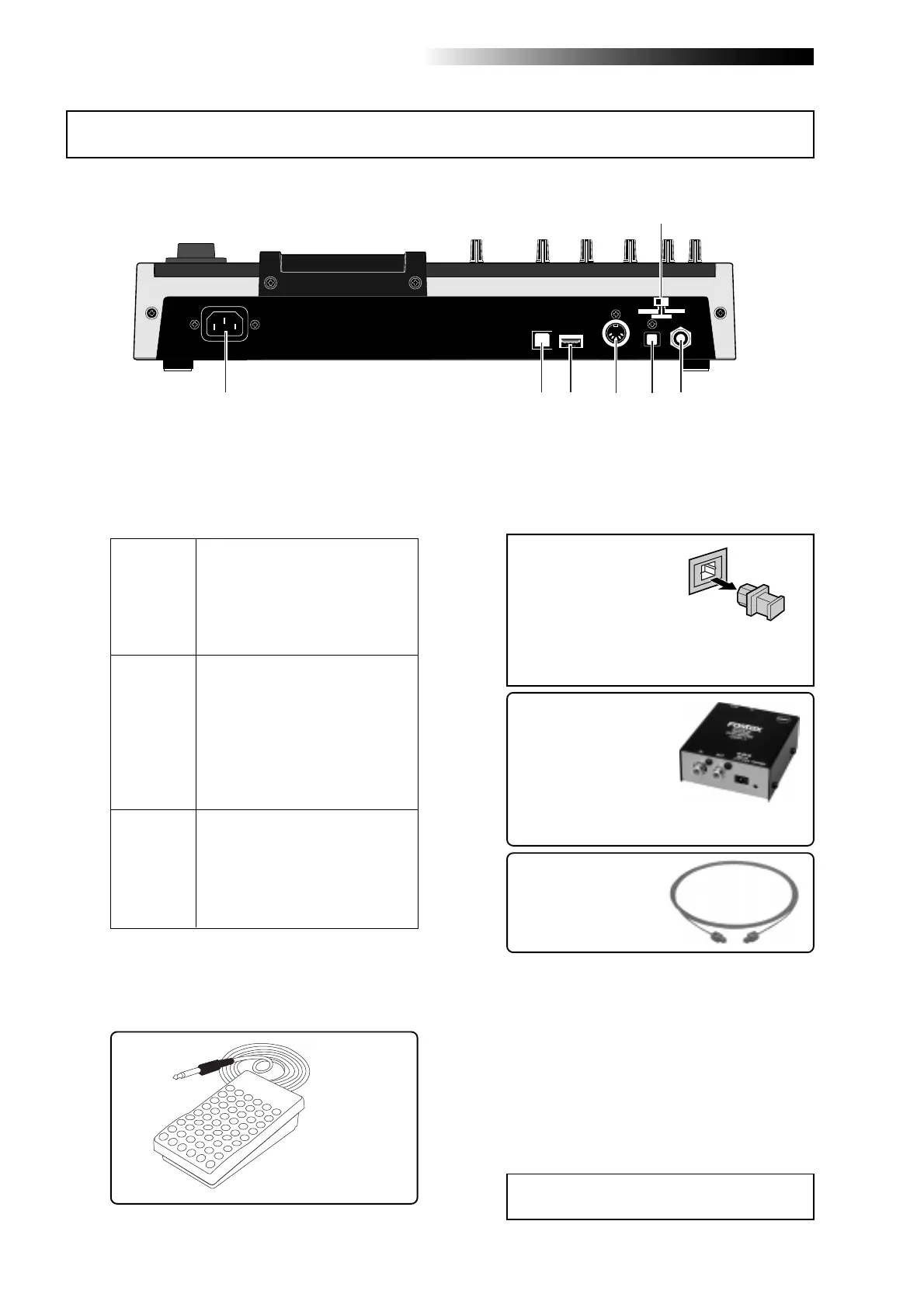
3. [DIGITAL OUT] connector
(Toslink optical connector)
4. [MIDI OUT] jack (DIN 5-pin connector)
If you need to connect the
unit to a digital device which
only provides a coaxial type
digital connector (typically,
an RCA pin jack), use the
Fostex COP-1/96k coaxial-
optical converter (shown
right).
<Note>:
The dust protec-
tion cap is inserted to
the [
DIGITAL OUT
] con-
nector when the unit is
shipped.
Remove the cap when you use this connec-
tor. If you do not use this connector, attach
the dust protection cap.
2. [FOOT SW] jack (TRS phone jack)
unlatched-type footswitch
Either of the [BAL] XLR and
[UNBAL/GUITAR] phone connec-
tors can be used. You can adjust
the input level and distortion using
the [TRIM] and [DISTORTION]
controls respectively. You can also
use the amp simulation insert ef-
fect.
Either of the [BAL] XLR and
[UNBAL/GUITAR] phone connec-
tors can be used. You can adjust
the input level using the [TRIM]
control. You can also use the amp
simulation insert effect.
Model COP-1/96k
Use an optical digital
cable with Toslink plugs
on both ends.
<Caution>:
Do not connect your personal
computer to the [
USB HOST
] port.
1. [INPUT A SELECT] switch
This switch must be set appropriately accord-
ing to the input source of the [INPUT A] chan-
nel (see page 35).
Used to connect with an unlatched-type
footswitch (see page 61).
Used to connect with an external digital de-
vice using an optical cable (see page 45).
Used to connect to a MIDI IN jack of an ex-
ternal MIDI device (such as a MIDI se-
quencer) (see pages 100 and 102).
5. [USB HOST] connector (USB A type)
Used to connect to an external CD-R/RW
drive for creating an audio CD (CD-DA).
See the supplementary manual "How to use
the CD-R/RW drive" for details.
Rear panel
USB
USB HOST
MIDI OUT
DIGITAL OUT
FOOT SW
INPUT A SEL
GTR CLEAN
MIC/LINE
GTR DIST
1
2
34
56
7



 To Next Page