117
MR16 Owner’s Manual (Song management)
You can protect a song to prevent an accidental erasure. The protection can be released when-
ever you want. To keep a recorded song safely, we recommend protecting it. You can make
protection setting only for the current song.
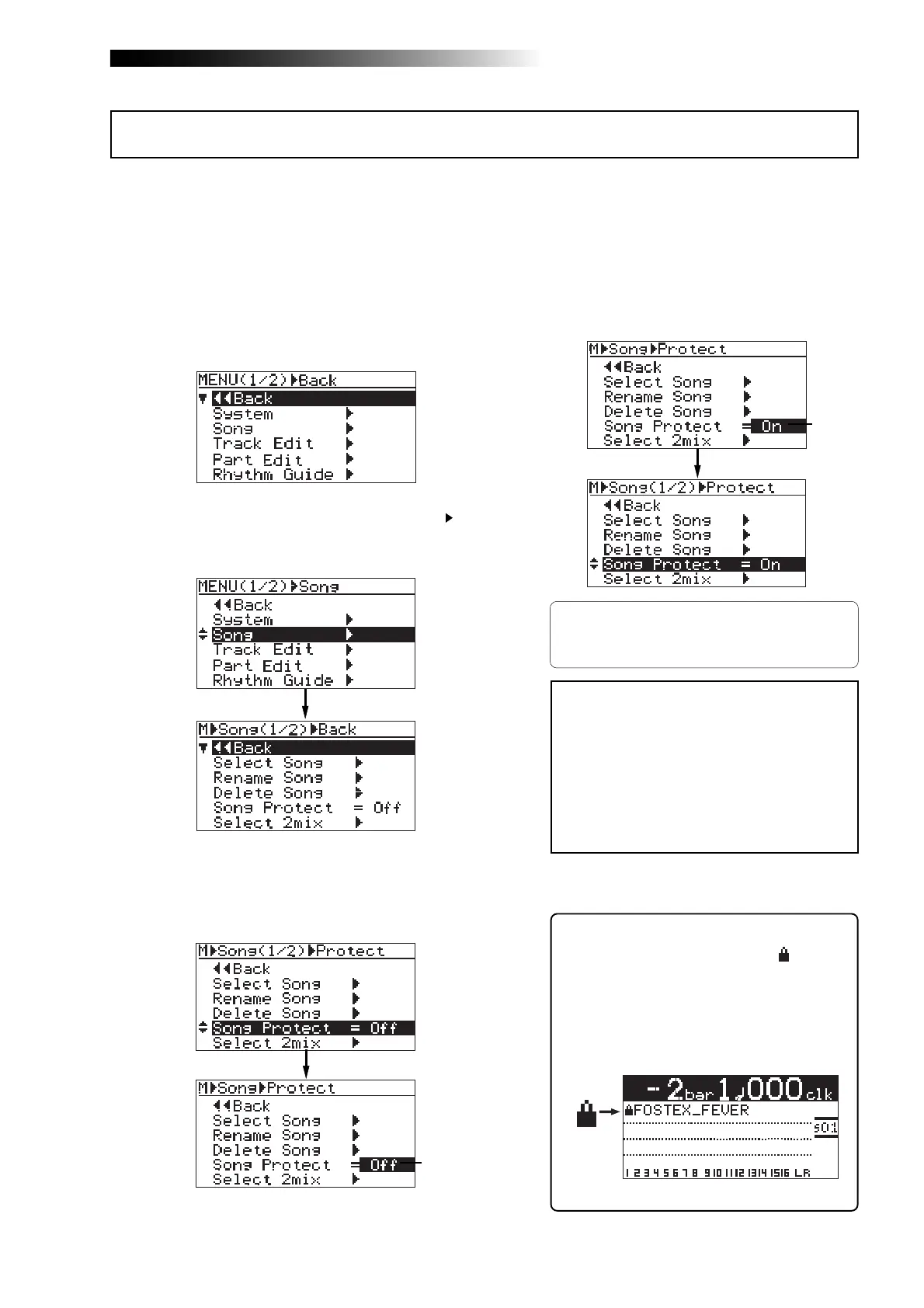
5) Rotate the [MENU/ENTER] knob to select "On",
and press the [MENU/ENTER] knob.
The current song is now protected.
The display returns to the previous screen.
To release the protection, carry out the same pro-
cedure above but select "Off" and press the
[MENU/ENTER] knob in step 5.
1) Load the song you want to protect.
2) While the recorder is stopped, press the
[MENU/ENTER] knob to enter the menu mode.
The display now shows the first page of the
menu selection screen.
3) Rotate the [MENU/ENTER] knob to select "Song ",
and press the [MENU/ENTER] knob.
The display now shows the song menu screen.
4) Rotate the [MENU/ENTER] knob to select
"Protect=***", then press the [MENU/ENTER] knob.
The current option ("On" or "Off") flashes.
The default option is "Off".
Protecting a song
Flashing
Flashing
<Note>:
You cannot make recording or
editing to a protected song. If you want to
make recording or editing to a protected
song, you must release the protection first.
<Note>:
When you set the protection to
"On", all the recording-related keys, such
as the [
REC SELECT
] and [
BOUNCE MODE
]
keys, are turned off.
6) Press the [STOP] key to exit the menu mode.
<Tips>
When the protected song is loaded, “ ” is shown
in the upper left corner of the Home screen (in-
dicated by the arrow in the screen example be-
low).
When this icon is shown, you cannot make re-
cording or edit the song.



 To Next Page