MR16 Owner’s Manual (Punch in/out)
62
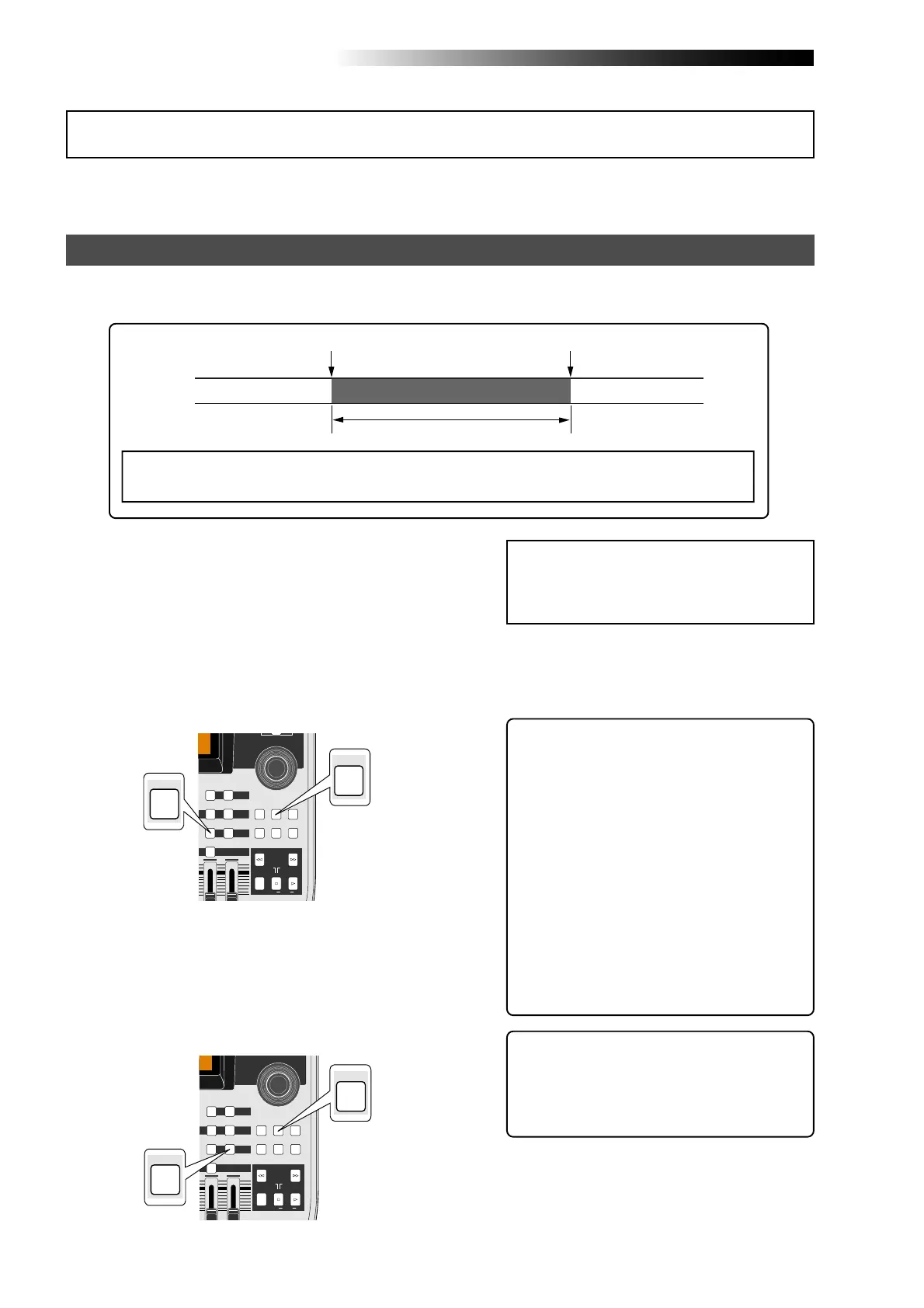
By setting the punch-in and punch-out points in advance, the recorder automatically makes
punch in/out recording for you. You can rehearse punch in/out recording as many times you
like.
Setting the punch-in and punch-out points
3) When the recorder reaches at the point where
you want to make punching out, press the
[LOCATE B/OUT] key while holding down the
[STORE] key.
The display briefly shows "Store LOCATE B" and
the time data when you press the
[LOCATE B/OUT] key is set as the punch-out
point.
4) Stop the recorder after setting the punch-in and
punch-out points, and rewind the recorder to the
beginning of the song (or to a point before the
point where you want to make punching in).
<Hint>: The punch-in and punch-out
points you set also can be used for the
locate function, playback by the play
mode and part editing (see pages 47 and
127).
<Note>:
If you are not satisfied with the
punch-in or punch-out point you set, sim-
ply redo the operation above. The new time
data overwrites the previous one.
1) Start playback from the beginning of the song
(or from a point before the point where you want
to make punching in) by pressing the [PLAY] key.
2) When the recorder reaches at the point where
you want to make punching in, press the
[LOCATE A/IN] key while holding down the
[STORE] key.
The display briefly shows "Store LOCATE A" and
the time data when you press the
[LOCATE A/IN] key is set as the punch-in point.
<Note>:
You cannot make punch-in/out recording on a song which is protected. Release the
song protection before making punch-in/out recording.
Punch-in point Punch-out point
Part replaced with a new recording
<Hint>: To rewind the recorder to the be-
ginning of the song after setting the
punch-out point, press the [REWIND] key
while holding down the [STOP] key.
To locate before the punch-in point, carry
out the following.
(1) While the recorder is stopped, press
the [LOCATE A/IN] key.
The recorder immediately locates to
the punch-in point and stops.
(2) Press the [REWIND] key to move back
the recorder and press the [STOP] key
at the desired point.
You can set the punch-in and punch-out points on-the-fly while playing back the recorder (as
well as you can set them while the recorder is stopped at the desired position).
Auto punch in/out
MAX
MIN
MASTER
REC SELECT
RECORD STOP PLAY
REWIND F FWD
UNDO/REDO
STORE
LOCATE REC END
LOCATE ABS ZERO
A-B PLAY
BOUNCE
MASTERING
BRIGHTNATURAL
B / OUTA / IN
LOCATE
BOUNCE MODE
CONTRAST
DIRECT LOCATE
15/16
DELETE
MENU / ENTER
15/16 > STEREO WAV FILE
TIMEBASE SELECT
RHYTHM GUIDE
STORE
A / IN
MAX
MIN
MASTER
REC SELECT
RECORD STOP PLAY
REWIND F FWD
UNDO/REDO
STORE
LOCATE REC END
LOCATE ABS ZERO
A-B PLAY
BOUNCE
MASTERING
BRIGHTNATURAL
B / OUTA / IN
LOCATE
BOUNCE MODE
CONTRAST
DIRECT LOCATE
15/16
DELETE
MENU / ENTER
15/16 > STEREO WAV FILE
TIMEBASE SELECT
RHYTHM GUIDE
STORE
B / OUT



 To Next Page