80
MR16 Owner’s Manual (Track bouncing)
5) After finishing rehearsal, press the [STOP] key
to stop the recorder and locate it to the
beginning of the song.
Do not move the controls and faders after
finishing rehearsal.
<Panning control>
You can freely adjust panning for tracks
1 through 8 using the PAN controls.
For example, a guitar to left, a vocal to
center, etc.
By raising the [PHONES VOL] control, you can
hear the signals bounced to tracks 15/16.
Use the [15/16] fader to control the monitor out-
put levels, and use the [MASTER] fader to ad-
just the recording levels of the bounced sig-
nals appropriately while checking meters 15/
16.
During rehearsal and actual track bouncing,
level meters on the screen show the following
signal levels.
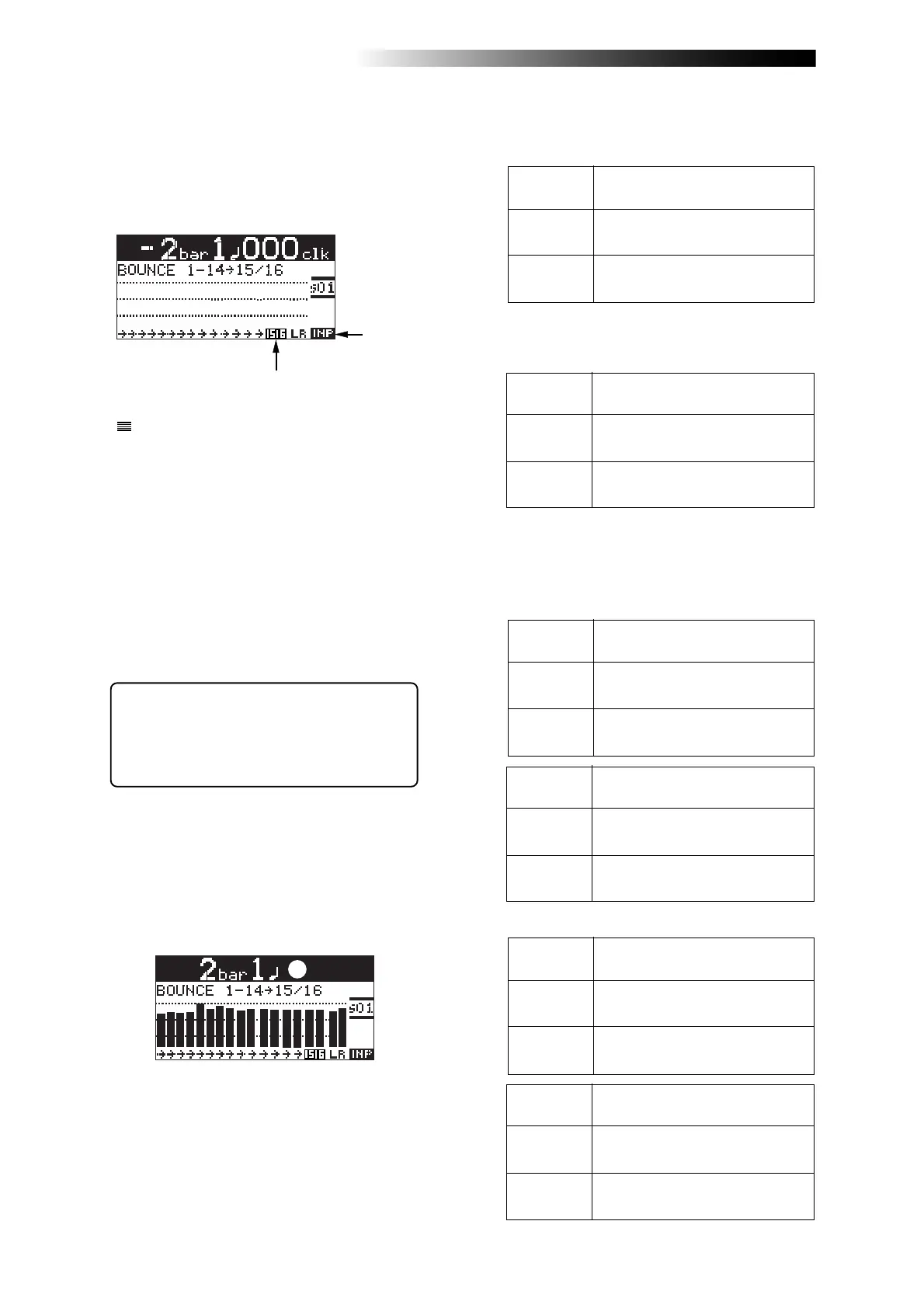
1) Use the [BOUNCE MODE] key to select the
"1-14 > 15/16" bounce mode.
Selecting this bounce mode automatically arms
tracks 15/16 and changes the monitoring mode
for these tracks to input monitoring mode.
The display looks like this:
Flashing
2) Raise the [9/10] fader and [MASTER] fader to the
"
" position. Set all the other track faders down
to the minimum position.
Playback levels of tracks 1 through
8 for bouncing.
Faders
1 through 8
Lighting
During rehearsal and actual track bouncing,
the track faders and [MASTER] fader control
the following signals.
[MASTER]
fader
Fader 9/10
Recording master level of tracks
9/10.
Monitor levels of tracks 9/10.
3) Press the [PLAY] key to start playback from the
beginning of the song.
4) While playing back the song, adjust playback
levels of tracks 1 through 14 using the track
faders.
You can apply the delay/reverb to tracks 1
through 8 and the mastering effects to the
stereo L and R signals. See "Using effects" on
page 65 for details about the delay/reverb and
mastering effects.
• In the "1-10 > 11/12" mode
Playback levels of tracks 1 through
10 for bouncing.
Faders
1 through 10
[MASTER]
fader
Fader 11/12
Recording master level of tracks
11/12.
Monitor levels of tracks 11/12.
Playback levels of tracks 1 through
10.
Meters
1 through 10
Meters
L and R
Meters 11/12
Monitor output levels of STEREO
OUT (L, R).
Recording levels of tracks 11/12.
• In the "1-8 > 9/10" mode
Playback levels of tracks 1 through
14 for bouncing.
Faders
1 through 14
[MASTER]
fader
Fader 15/16
Recording master level of tracks
15/16.
Monitor levels of tracks 15/16.
Playback levels of tracks 1 through
14.
Meters
1 through 14
Meters
L and R
Meters 15/16
Monitor output levels of STEREO
OUT (L, R).
Recording levels of tracks 15/16.
The following tables show the signals controlled
by the faders and the levels displayed by the
meters in other track bouncing modes.
Playback levels of tracks 1 through
8.
Meters
1 through 8
Meters
L and R
Meters 9/10
Monitor output levels of STEREO
OUT (L, R).
Recording levels of tracks 9/10.



 To Next Page