84
MR16 Owner’s Manual (Track bouncing)
1) While the recorder is stopped, press the
[1-8 > NEW SONG] key.
2) Press the [MENU/ENTER] knob while holding down
the [RECORD] key.
<Note>:
To cancel track bouncing in the
middle, press the [
STOP
] key. Pressing the
[
STOP
] key automatically deletes the new
song created in step 2 above and turns off
the bounce mode.
<Note>:
When you are going to execute track bounc-
ing, if there is not enough space on the hard disk
or 99 songs already exist on the disk, a warning
message appears and the operation is canceled.
<Track bouncing while mixing signals from [INPUT A]
through [INPUT D]>
When you bounce tracks 1 through 16 to tracks
15/16 of the new song, you can also mix signals
from [INPUT A] through [INPUT D] together (see next
page).
You can check the result by following the pro-
cedure described in “Checking the bounced
signals on tracks 15/16” on page 81.
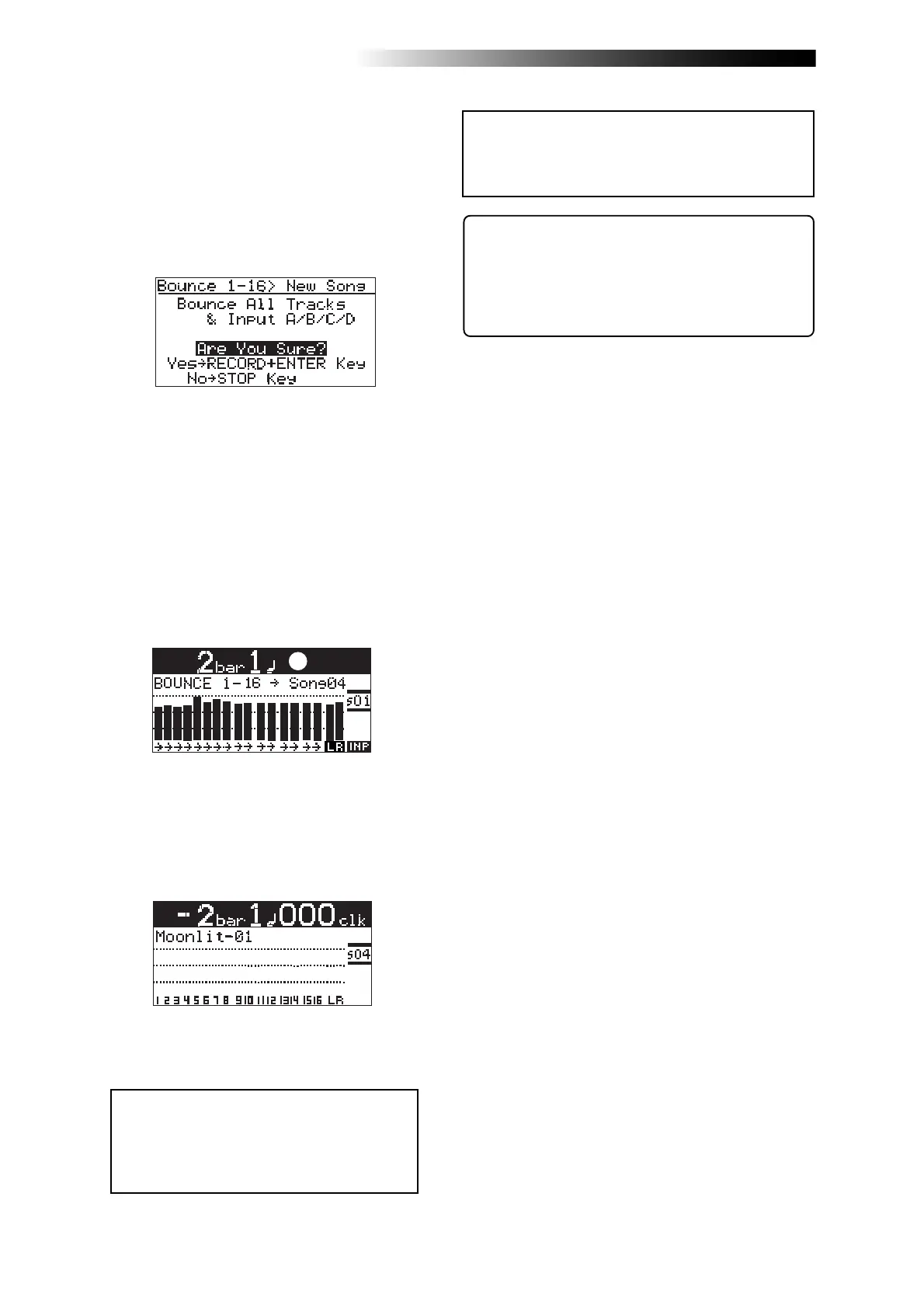
Track bouncing starts. The mixed (bounced) sig-
nals are recorded to tracks 15/16 of a new song.
The screen example below shows that tracks 1
through 16 of Song01 (whose name is “Moon-
lit”) is now being bounced to tracks 15/16 of the
new song (Song04).
Meters 1 through 16 show the playback levels of
tracks 1 through 16, while the L and R meters
shows the recording levels of tracks 15/16 of
Song04.
The [1-16 > NEW SONG] key lights up and the
display shows the screen below. If you execute
track bouncing, press the [MENU/ENTER] knob
while holding down the [RECORD] key.
If you cancel track bouncing, press the [STOP]
key.
When track bouncing to a new song completes,
the recorder automatically stops and the dis-
play shows the home screen of the new song.
The song name of the new song is given by the
name of the original song with “-**” (** is a
two-digit number).



 To Next Page