Optimail Operator Manual
14
4.3 Setting the optional endorsement
Specific types of mail can be marked with the
respective endorsement imprint (e.g. FIRST
CLASS, PRIORITY, NON-PROFIT ).
This function is available only if the Optimail displays
the postage in tenths of a cent. To switch to the
‘0.000’ meter type, please contact Francotyp-
Postalia.
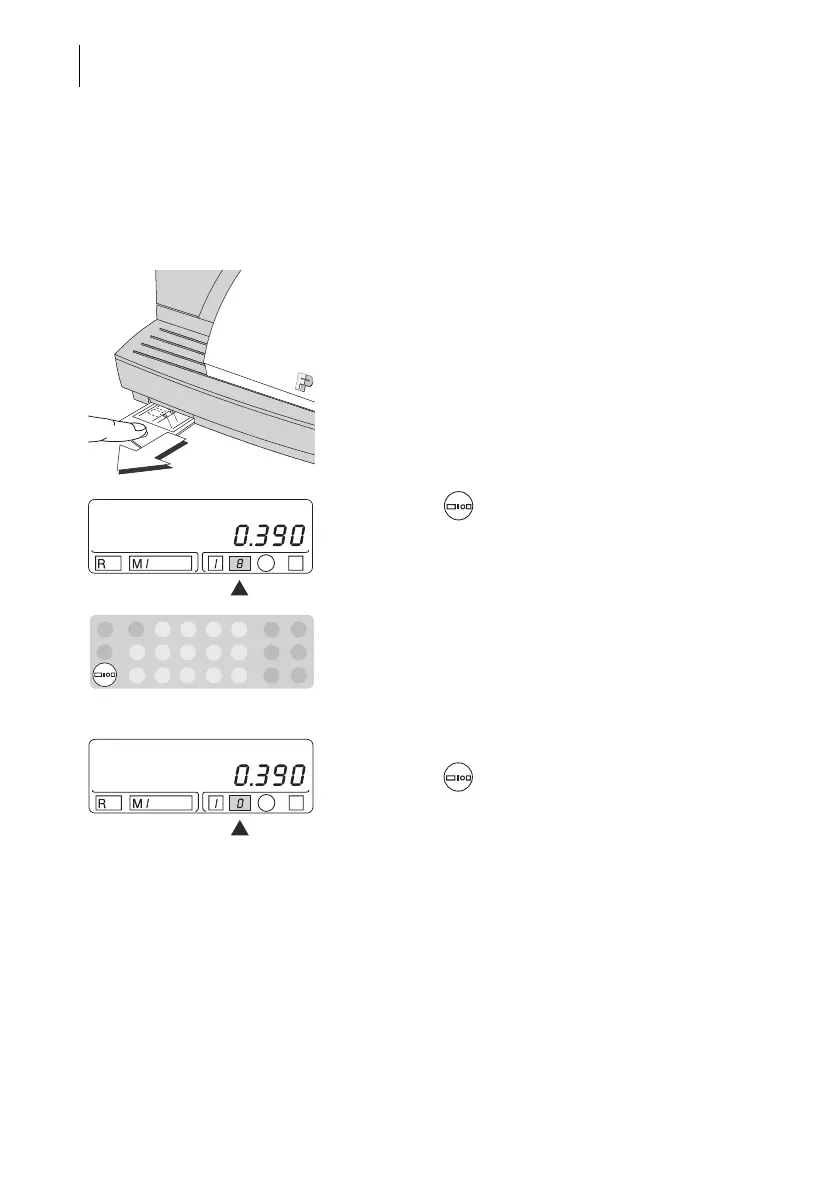
The available endorsements and the assigned
numbers can be found as operating hints on the
Optimail (can be pulled out at the front left).
• Select the endorsement you want to use and find
the number next to it.
• Press the key repeatedly until the desired
number appears in the appropriate field of the
stamp image symbol.
Metering without endorsement
• Press the key repeatedly until “0” appears in
the appropriate field of the stamp image symbol.



 To Next Page