Optimail Operator Manual
20
5.2 Printing an account report
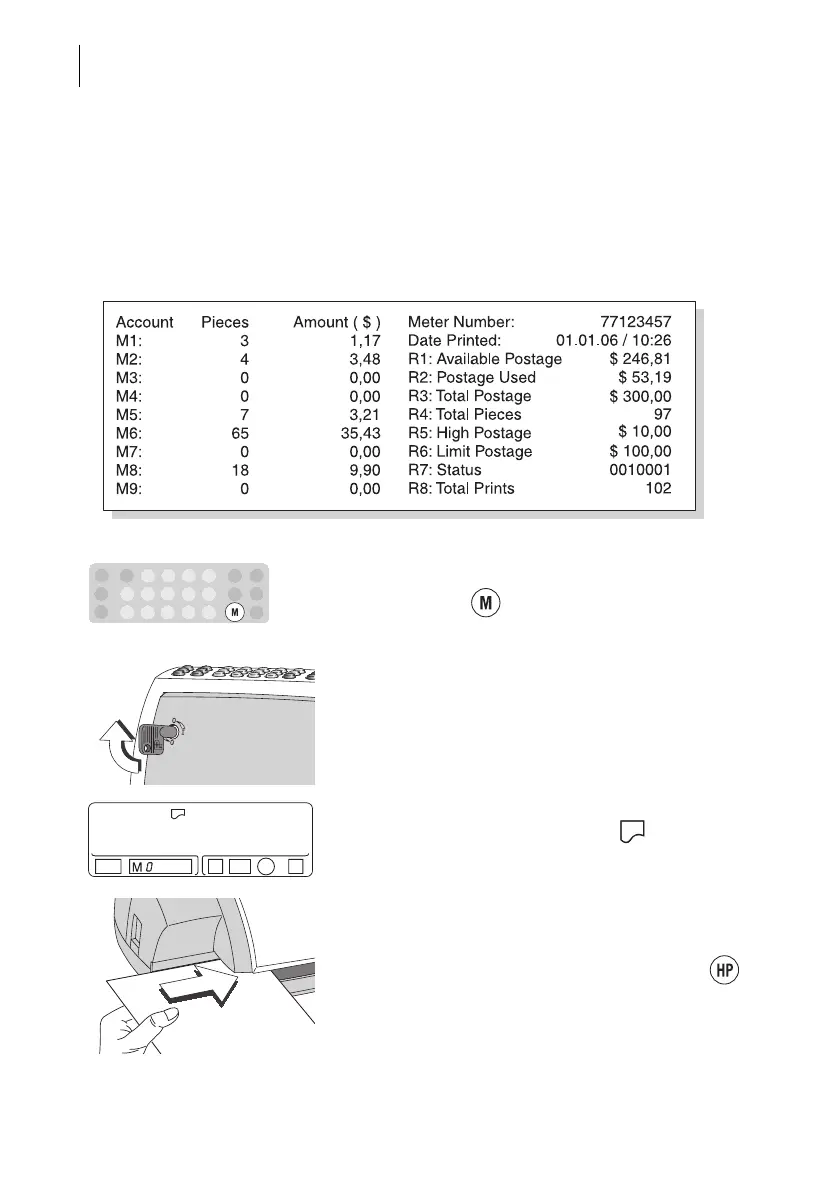
The account report contains the account information
(postage used and quantity) of all accounts and the
register states of your Optimail.
The Optimail must be switched off.
• Keep the key pressed and switch on the
Optimail with the keylock.
• You can release the key as soon as “M 0” for the
account and the printing symbol are visible in
the display.
• Insert an FP label or any sheet as normal.
The Optimail prints the account report.
• You return to the metering function with the
key.
Account report (sample)



 To Next Page