Account function
21
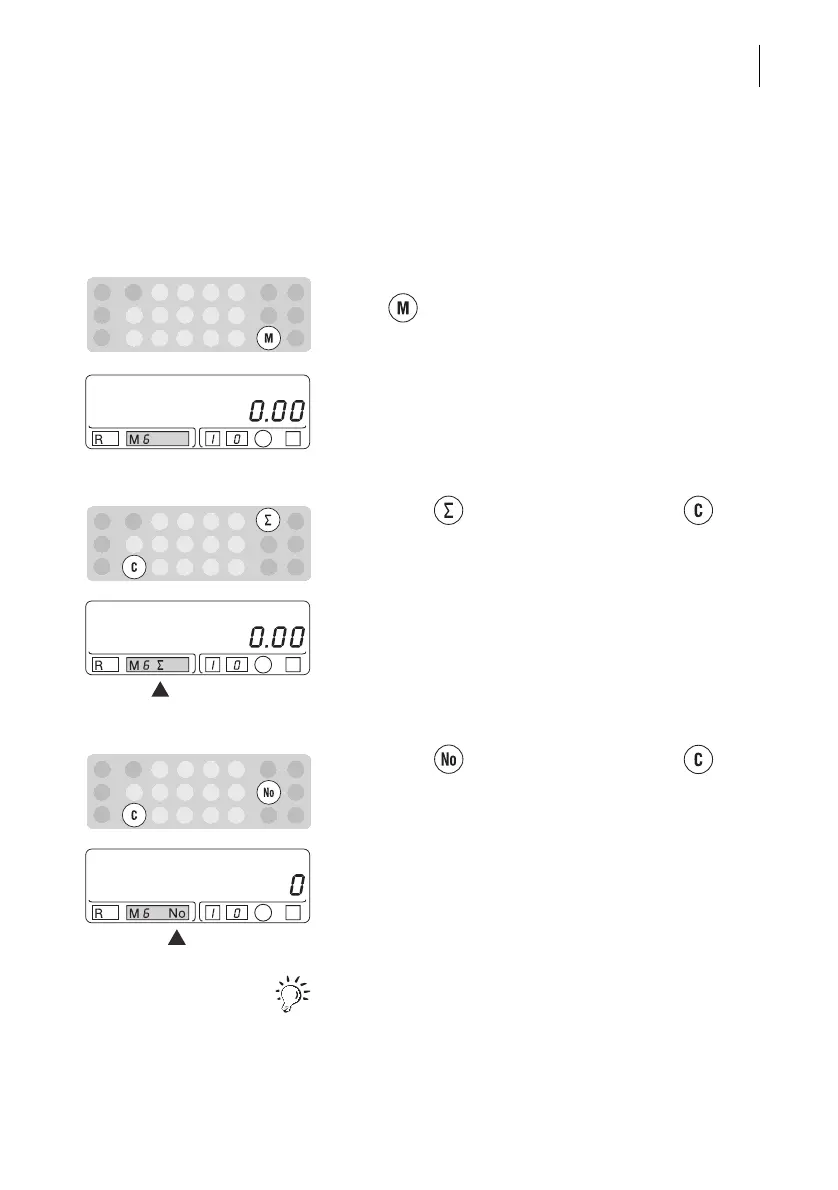
5.3 Deleting account information
To delete account information, reset the postage
used counter and the piece counter individually to
zero.
• Select the desired account (M1-M9) by pressing
the key.
The selected account appears in the ‘M’ field.
Set the postage used counter to zero
• Keep the key pressed and press the key
briefly.
The postage used counter is deleted for the set
account. The Optimail displays “0.00” for the
postage used.
Reset piece counter to zero
• Keep the key pressed and press the key
briefly.
The piece counter is deleted for the set account. The
Optimail displays “0” pieces.
The data of the account ‘M0’ cannot be zeroed in this
way. However, when the information of individual
accounts is deleted, the appropriate values are
subtracted from the ‘M0’ account.



 To Next Page