Optimail Operator Manual
36
10.2 Weighing and metering
Caution! Read the operator manual of your postage
scale. Familiarize yourself especially with safe
handling of the FP postage scale.
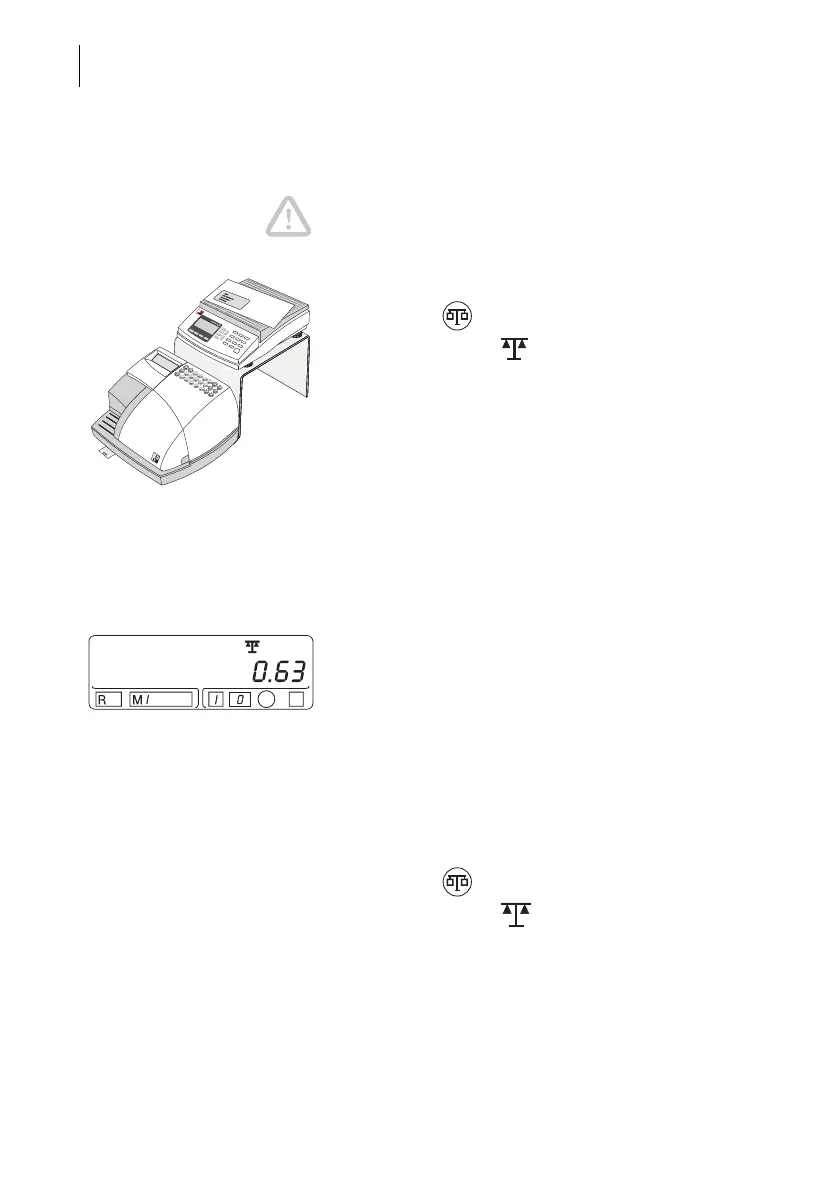
• Switching on the FP postage scale and Optimail.
• Press the key on the Optimail.
The scales symbol in the display indicates that
the Optimail is ready to accept data from the postage
scale.
• Select the desired mail data on the FP postage
scale.
• Place the mailpiece on the weighing tray.
The FP postage scale determines the weight and
calculates the right postage value.
The postage value and the endorsement setting
(optional) are transferred automatically to the
Optimail.
An acoustic signal signals the end of data
transmission. The Optimail displays the new
settings.
• Check the other settings for the meter imprint
(advertisement, date …) if necessary.
• Remove the mailpiece from the weighing tray and
meter it in the usual way.
Switching off the scales function
• Press the key on the Optimail.
The scales symbol in the display goes out.
The connection to the FP postage scale is
interrupted.



 To Next Page