Maintenance and care
39
11.2 Changing the ribbon cassette
The message “Cassette” in the display indicates
when you need to change the ribbon cassette.
Caution! Only use original ribbon cassettes from
Francotyp-Postalia.
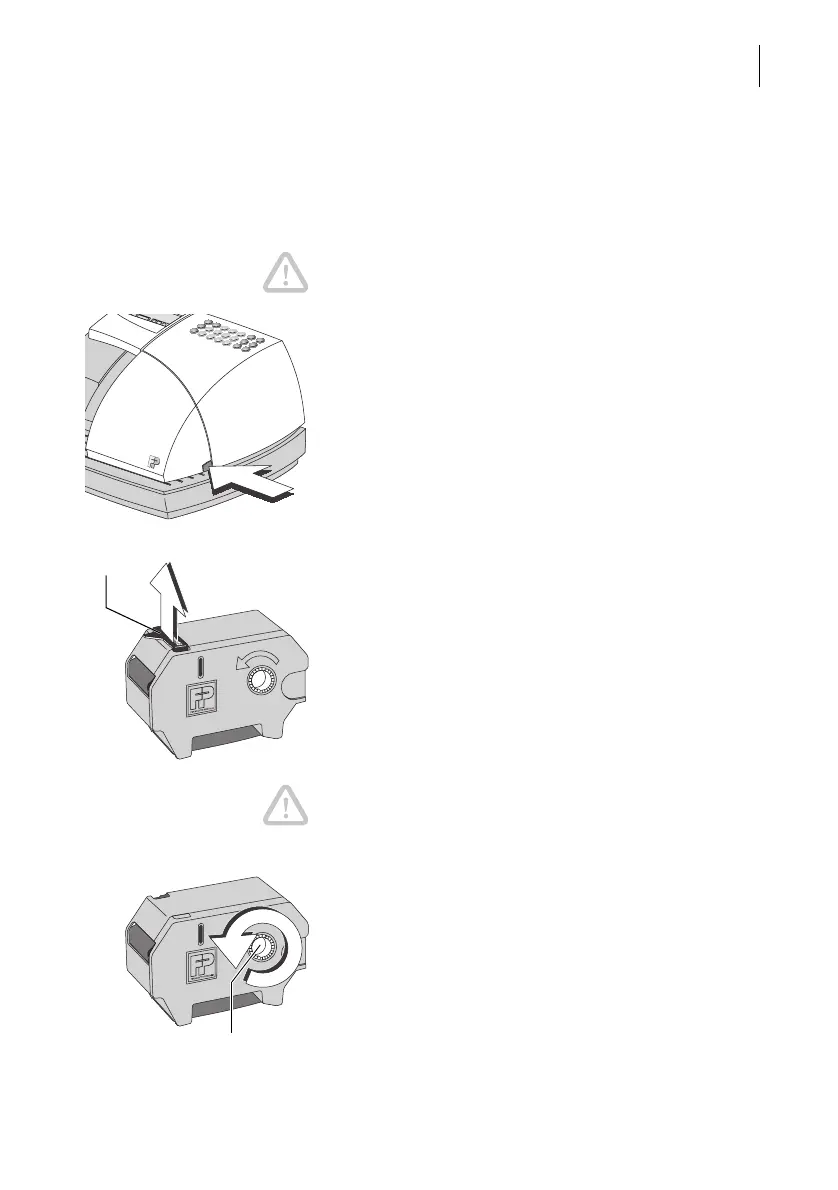
• Open the flap of the ribbon cassette compartment
by lightly pressing the release catch.
The flap swings up automatically.
• Pull out the used ribbon cassette to the front.
• Remove the new ribbon cassette from its packing.
• If necessary, remove the transport fixture (red
paper strip).
Caution! Make sure you do not crease or tear the
ribbon when inserting it. This prevents breaking of
the ribbon.
Make sure the edges of the ribbon do not fold over.
Creased ribbons are thicker and prematurely fill the
used ribbon spool.
• Tensioning the ribbon. Turn the white ribbon spool
in the direction of the arrow.
Transport fixture
(if any)



 To Next Page