Using the incoming mail stamp function
33
Leaving incoming mail stamp mode and
switching to metering mode
• Using the key, you can switch directly into
metering mode without restarting
.
All settings from the incoming mail stamp mode
(different incoming mail stamp, print offset) are lost.
In incoming mail stamp mode you can also switch off
the Optimail with the key-operated switch as normal.
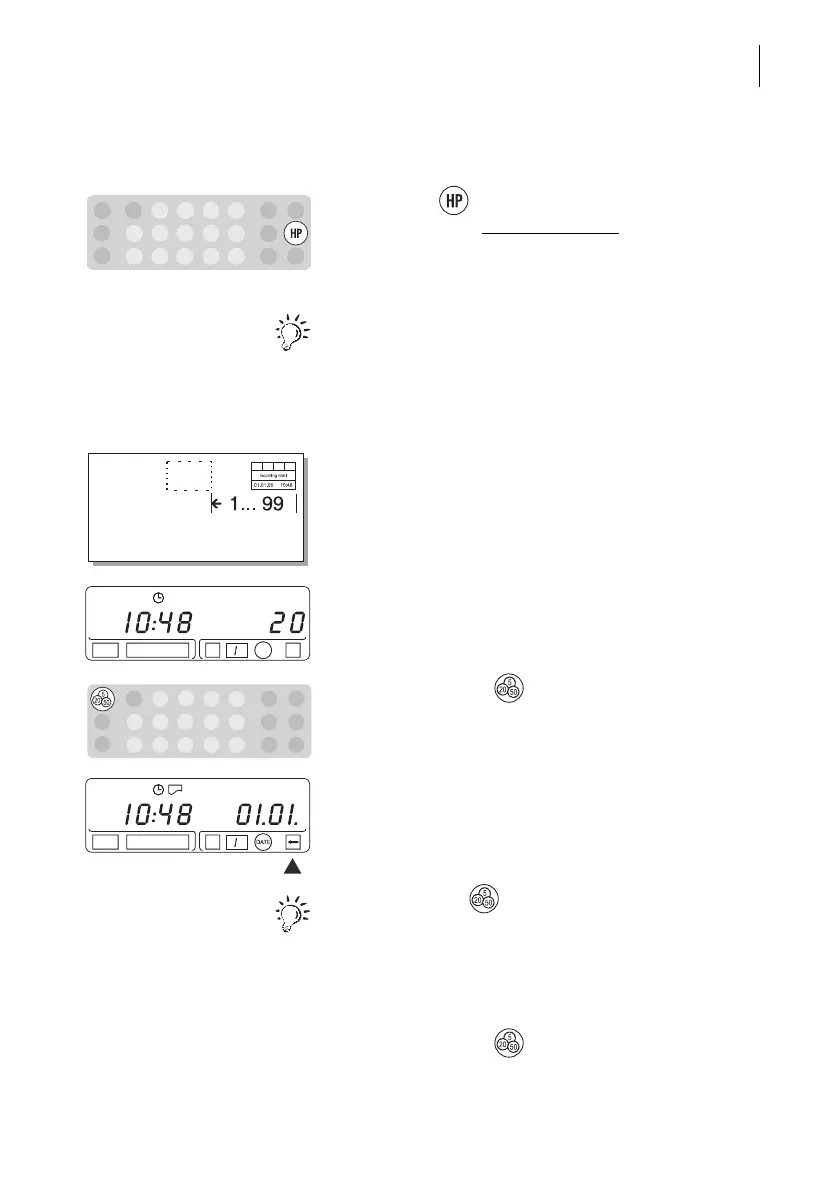
9.3 Setting a print offset
The Optimail prints the incoming mail stamp around
0.4" (10 mm) from the right-hand edge of the incom-
ing mail. You can set a print offset, and thus increase
the distance by a maximum of 3.9" (99 mm).
• Enter the desired distance with the numeric keys.
Example: 20 mm (0.8").
• Confirm with the key.
A flashing arrow pointing to the left shows that the
imprint has moved.
By pressing the key you can display the setting
of the print offset.
Switching off the print offset
• Enter “0” for the print offset.
• Confirm with the key.



 To Next Page