Appendix - Setting the outside dialing parameters for the modem
59
Setting the outside dialing parameters for the modem
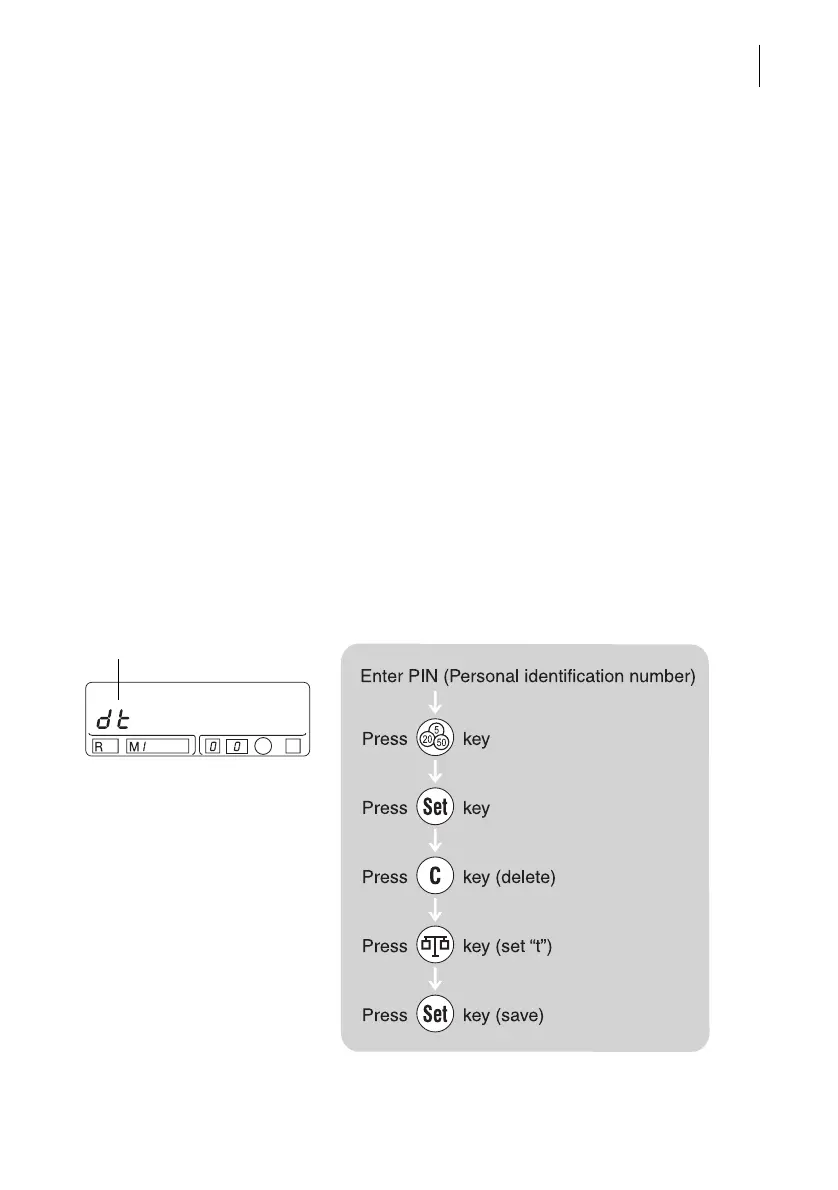
The outside dialing parameters for the modem are
set for your telephone connection before the
Optimail leaves the factory (according to your order).
You can check the programmed outside dialing
parameters and reset them if you change your
telephone connection. The following examples show
the procedure for the four typical connection types.
Example 1:
Main line with dual tone multifrequency dialing (DTMF)
Main line: You do not have to dial a digit (e.g. ‘0’) or
press the R key to dial into the public telephone
network (outside line seizure).
You will recognize dual tone multifrequency dialing
from the audible ‘tones’ when dialing.
This is how you set the outside dialing
parameters:
Outside dialing parameters



 To Next Page