Optimail Operator Manual
28
8 Basic settings
8.1 Setting the date
The battery buffered clock provides the current date
and time. The set date appears in the meter imprint
when metering.
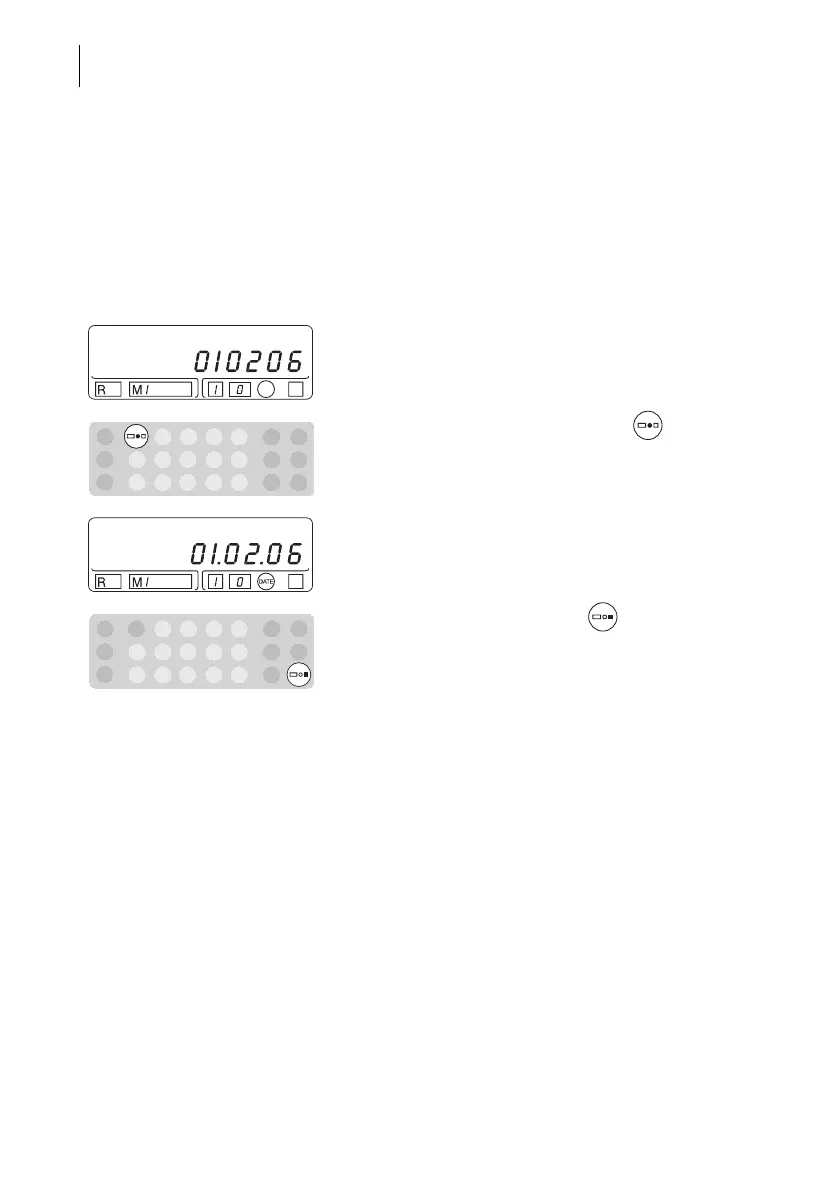
• Enter 2 digits each for the month, day and year for
the new date.
Example: 010206 for the 2nd January 2006.
• Confirm the entered date with the key.
You will see the set date and “DATE” in the stamp
image symbol.
• End the date display with the key. The display
shows the postage value again.
The Optimail will not accept incorrect date inputs.
The last set date reappears.



 To Next Page