Optimail Operator Manual
52
Step 1: Unpacking
• Open the top of the box.
• Lift the Optimail carefully out of the box.
• Remove the packing shells from the right and left.
• Remove the Optimail from the protective foil.
• Unpack the accessories.
Do not throw away the packaging. Use it again when
you need to transport the Optimail or send it in to
Service.
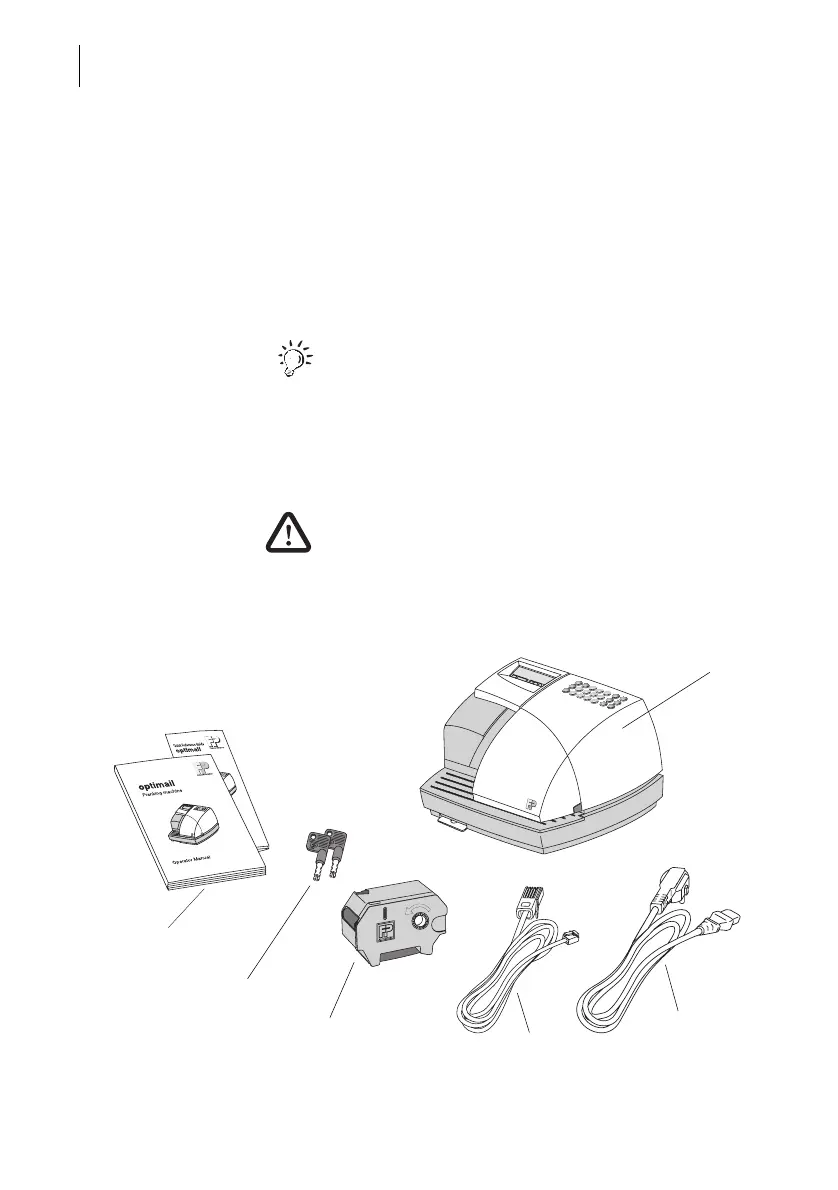
Step 2: Checking the contents of the package
Warning! Do not start operating the Optimail if parts
are damaged or missing. Please contact Francotyp-
Postalia.
• Check that the contents of the package are
complete and free from any damage.
1
2
3
4
5
6



 To Next Page