3 Virtual LAN Management
3.2 Access Port / Trunk Configuration
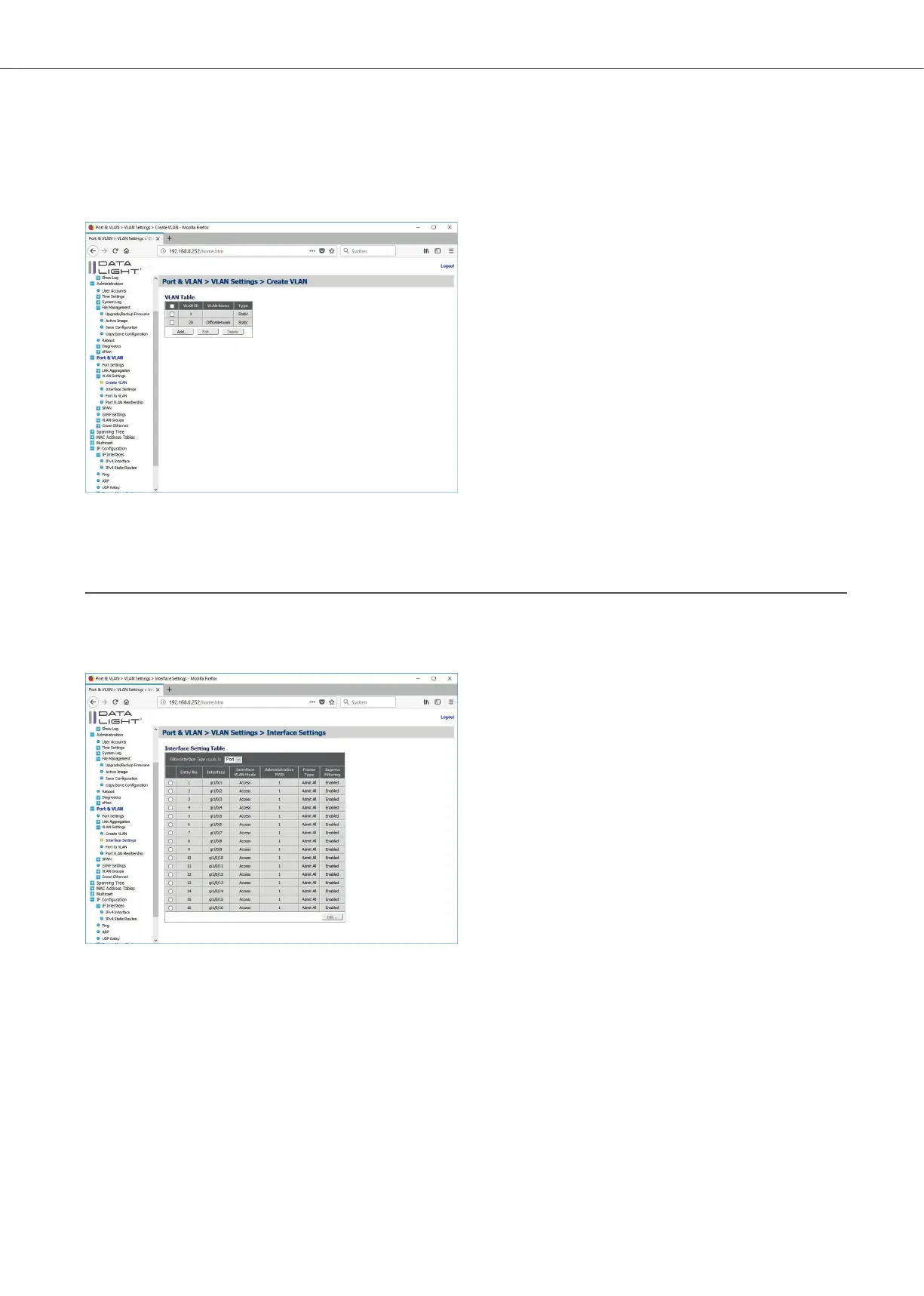
With a click on “Apply” the VLAN will be added in the VLAN table. The Popup will open again for the case,
another VLAN should be added.
Figure 26: Create VLAN page with additional VLAN
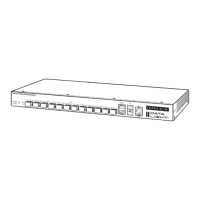
In the menu Port & VLAN > VLAN Settings > Interface Settings it is possible to define,
if the dierent interfaces should be Access Ports or Trunk Ports.
Figure 27: VLAN Interface Settings page
An interface can be selected and with a click on “Edit” the configuration Popup give the opportunity to choose
the needed configuration.
DATALIGHT Switch 12+4-Port 1000
15



 To Next Page