4 Multicast Configuration
4.2 IGMP Snooping
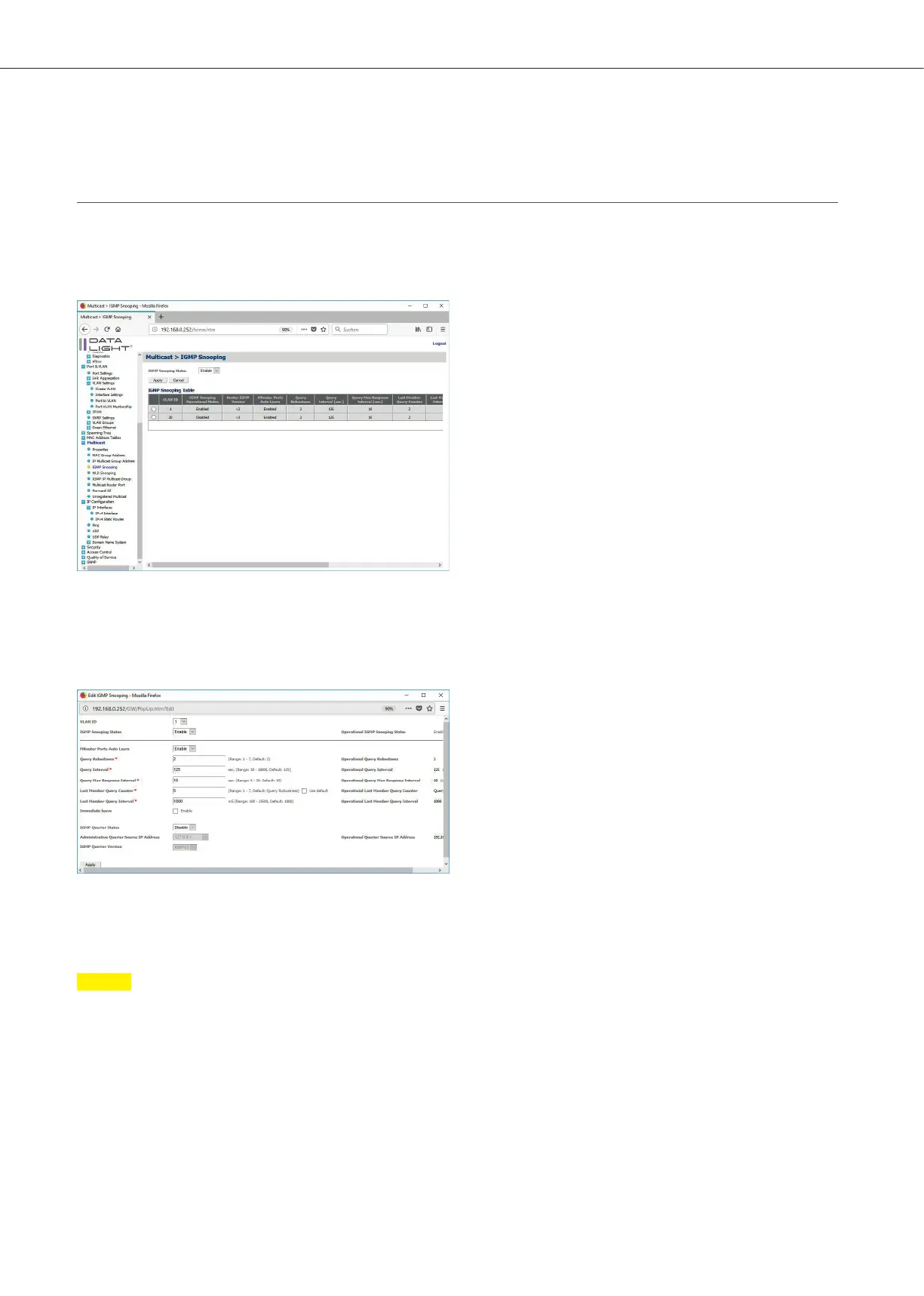
To enable IGMP Snooping, navigate to Multicast > IGMP Snooping.
Enable the IGMP Snooping Status. Then the IGMP snooping configuration can be done for the specific VLANs.
Figure 35: Multicast IGMP Snooping page
Check the VLAN, which should be configured and click on “Edit”.
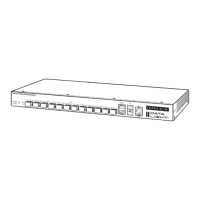
In the following Popup IGMP Snooping Status for the VLAN can be enabled.
Also, the dierent parameters for IGMP Snooping can be adjusted.
Figure 36: IGMP Snooping Popup
With “Apply” the configuration can be seen in the IGMP Snooping table.
Note
The operational Query parameters are depending on the IGMP Querier.
DATALIGHT Switch 12+4-Port 1000
20



 To Next Page