6 Configure Port Security
If it isn’t allowed everyone to use the ports of the switch, there is the possibility to restrict the access to defined MAC
addresses. If another device tries to connect to the interface, the port will shut down and must be restarted by an administrator.
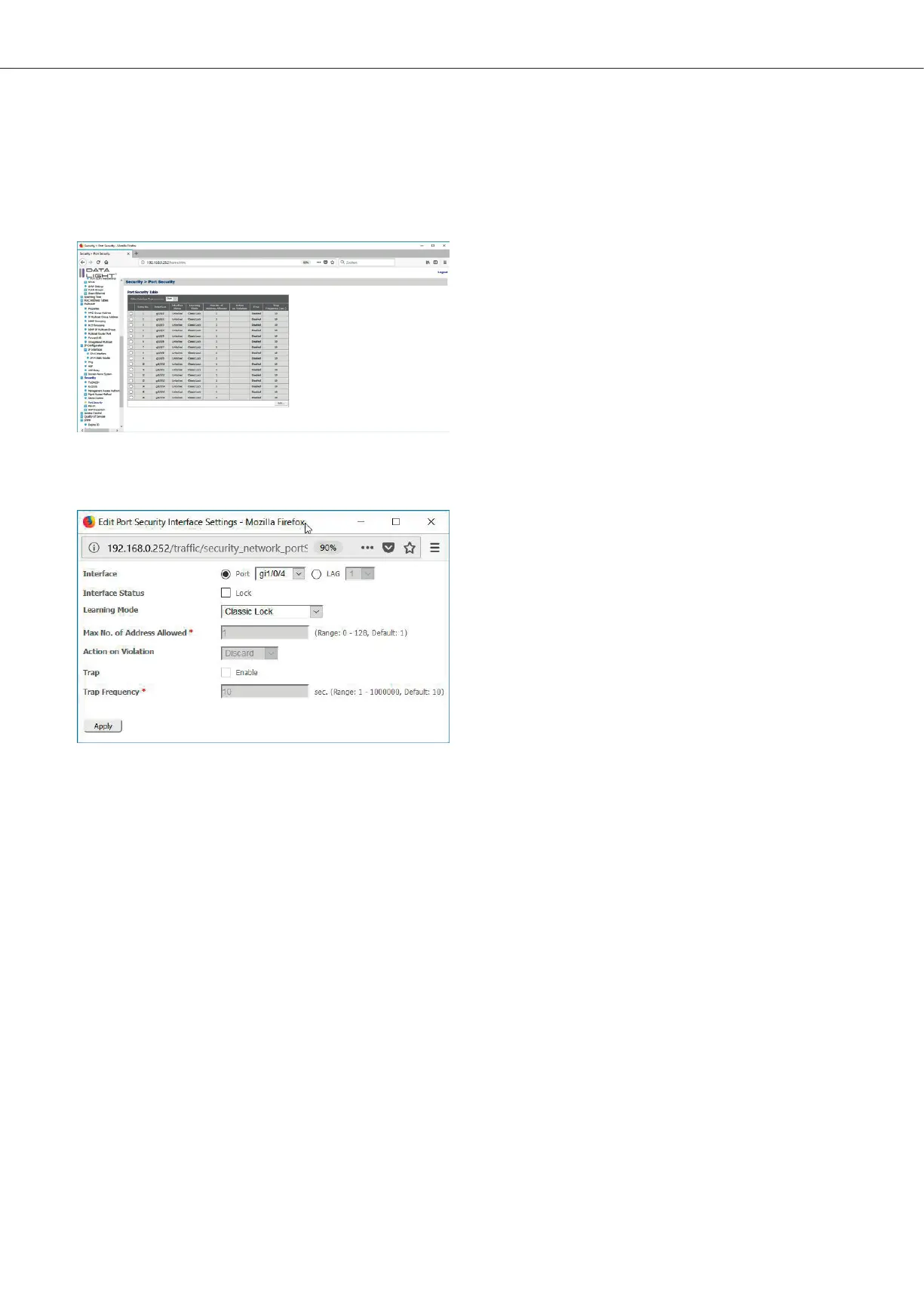
Port security can be configured in the menu Security > Port Security.
Figure 51: Port Security page
Check the interface, which should be configured and click “Edit”.
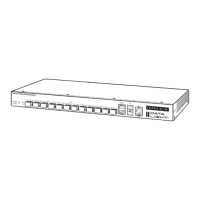
Figure 52: Port Security Popup
If Lock is checked, the Port Security mode is activated. It must be configured, how the process should work.
If Classic Lock is enabled, all learned MAC addresses on the port are locked. No more addresses can be learned. With “Limited
Dynamic Lock” the device learns MAC addresses up to the limit. If the limit is reached, no more devices can be learned.
Under “Action on Violation” discard / forward / shutdown can be set. Discard means, that the IP package is discarded. Forward
means, that the package is still forwarded. Shutdown means, that the port will be shut down and must be restarted by an
administrator.
After click “Apply” the configuration can be seen in the Port Security table.
DATALIGHT Switch 12+4-Port 1000
26



 To Next Page