4 Multicast Configuration
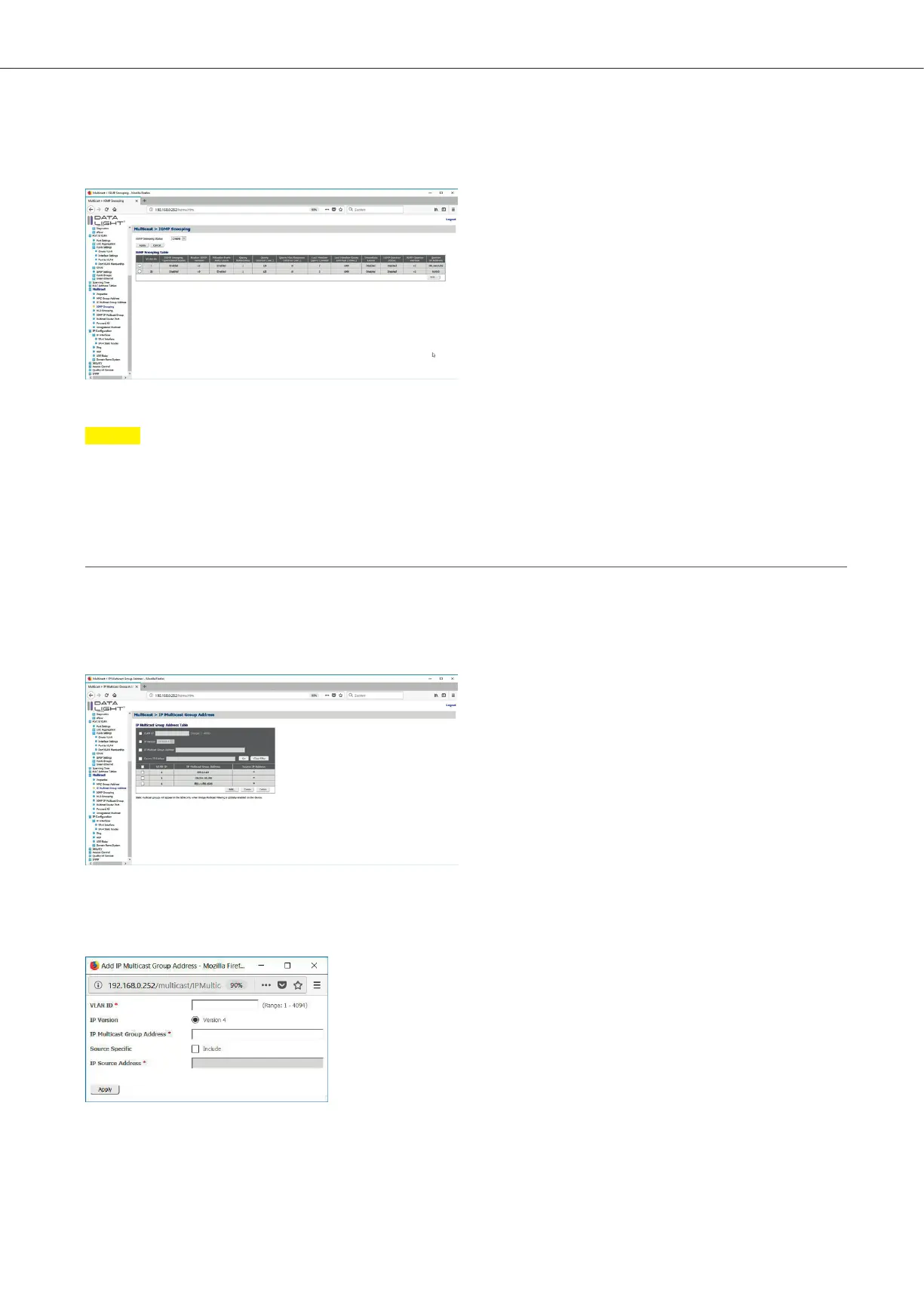
Figure 37: IGMP Snooping page with activated IGMP Snooping for VLAN1
Note
If all IGMP Snooping configurations were done, don’t forget to save all done configuration permanent
on the switch. The save process is described in the section file management.
4.2.1 Register Multicast
If a device add multicast to the network via the switch, the multicast can be registered so that the switch can handle
the multicast via IGMP Snooping. The registration can be done in the menu Multicast > IP Multicast Group Addresses.
Click on “Add” to add the multicast to the list.
Figure 38: IP Multicast Group Address Overview
It must be entered the VLAN ID and the IP Multicast Group Address. It is also possible to define, from which IP address
the multicast comes from. This option gives the opportunity to increase the security by verifying the source of the multicast.
Figure 39: Add IP Multicast Group Popup
DATALIGHT Switch 12+4-Port 1000
21



 To Next Page