8 Spanning Tree
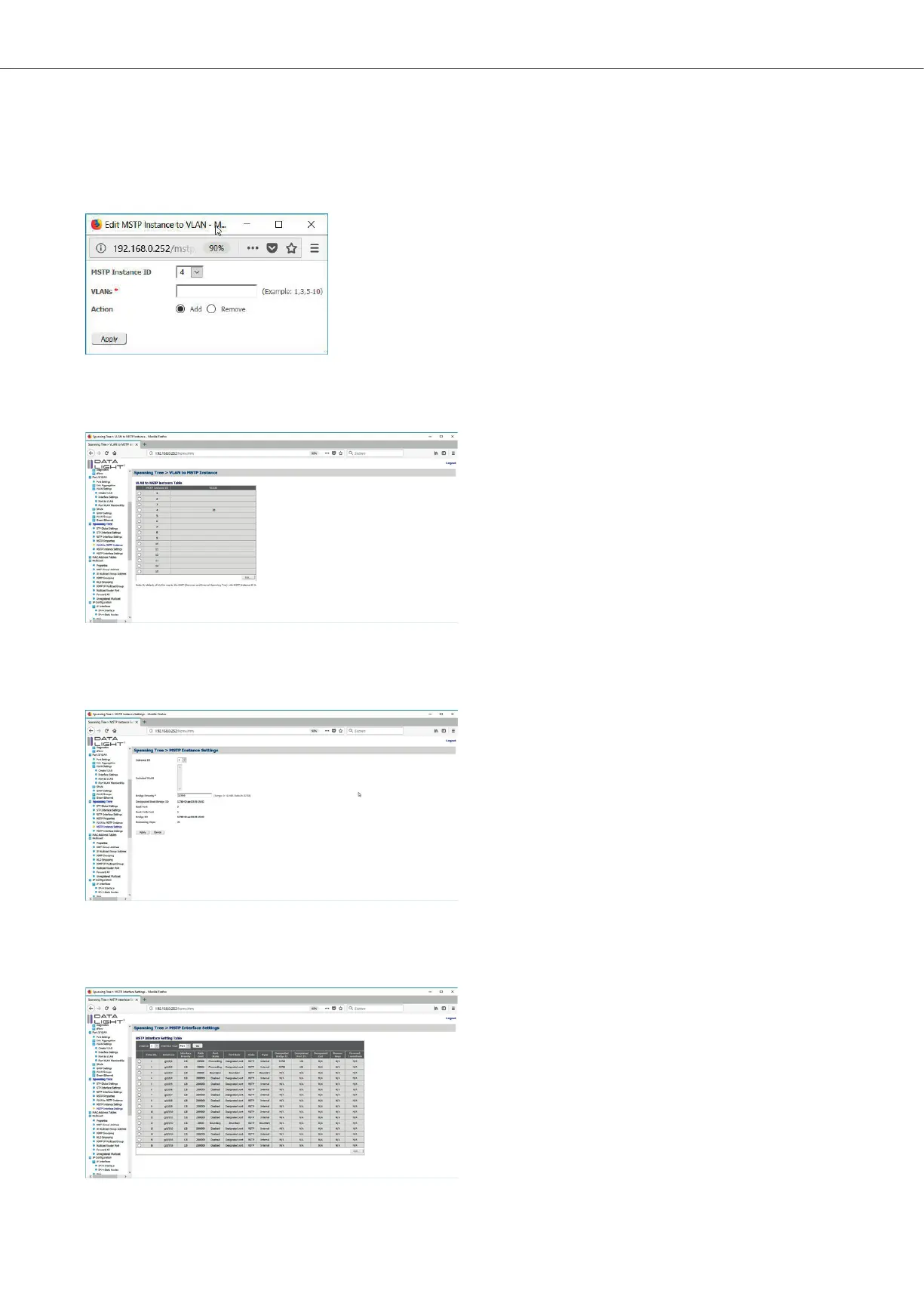
Check an Instance and click on “Edit” to add dierent VLANs to the instance.
Figure 63: MSTP Instance to VLAN Popup
With a click on “Apply” the configuration can be seen in the VLAN to MSTP Instance table.
Figure 64: VLAN to MSTP Instance page with test configuration
Like the STP menu, also for the instances of the MSTP the Bridge Priority can be configured. This can be done in the menu
Spanning Tree > MSTP Instance Settings. Choose the Instance, then change the bridge priority value.
Abb. 65: MSTP Instanzen Einstellungen
Also for the MSTP it is possible to define the interface costs for each instance.
This can be done in the menu Spanning Tree > MSTP Interface Settings.
Figure 66: MSTP Interface Settings page
DATALIGHT Switch 12+4-Port 1000
31



 To Next Page