Cyclone PRO User Manual 99
CYCLONE PRO
it will need to be configured with the relevant network parameters. The
application that provides this capability is the Cyclone Configuration Utility
(IPSetup.exe), and is provided as part of the standard Cyclone PRO software
distribution.
In order to update the network parameters, perform the following steps:
1. Connect a Cyclone PRO to the PC via a serial or a USB cable, and
make sure that it is powered before launching the Cyclone Configura-
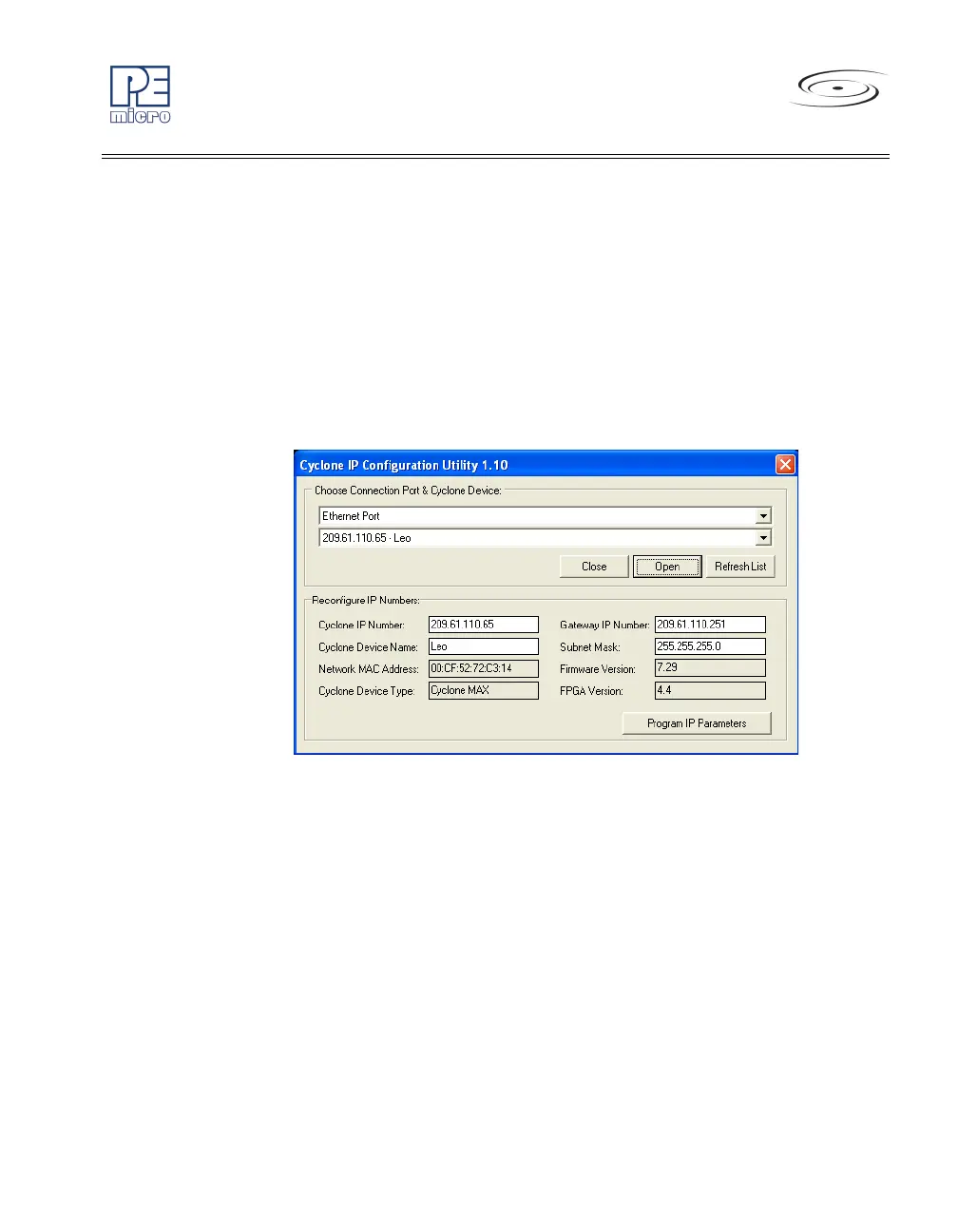
tion Utility. The Cyclone PRO Configuration Utility starts up with the
following screen:
Figure 9-2: Cyclone IP Setup Utility - Initial Screen
2. Assuming that the Cyclone PRO is connected to the COM1 serial port
of the PC, switch from “Ethernet Port” to “Serial Port”, at which point
the second drop-down box will display COM1. Click “Open” to get a
dialog box similar to the following:



 To Next Page