Cyclone PRO User Manual 45
CYCLONE PRO
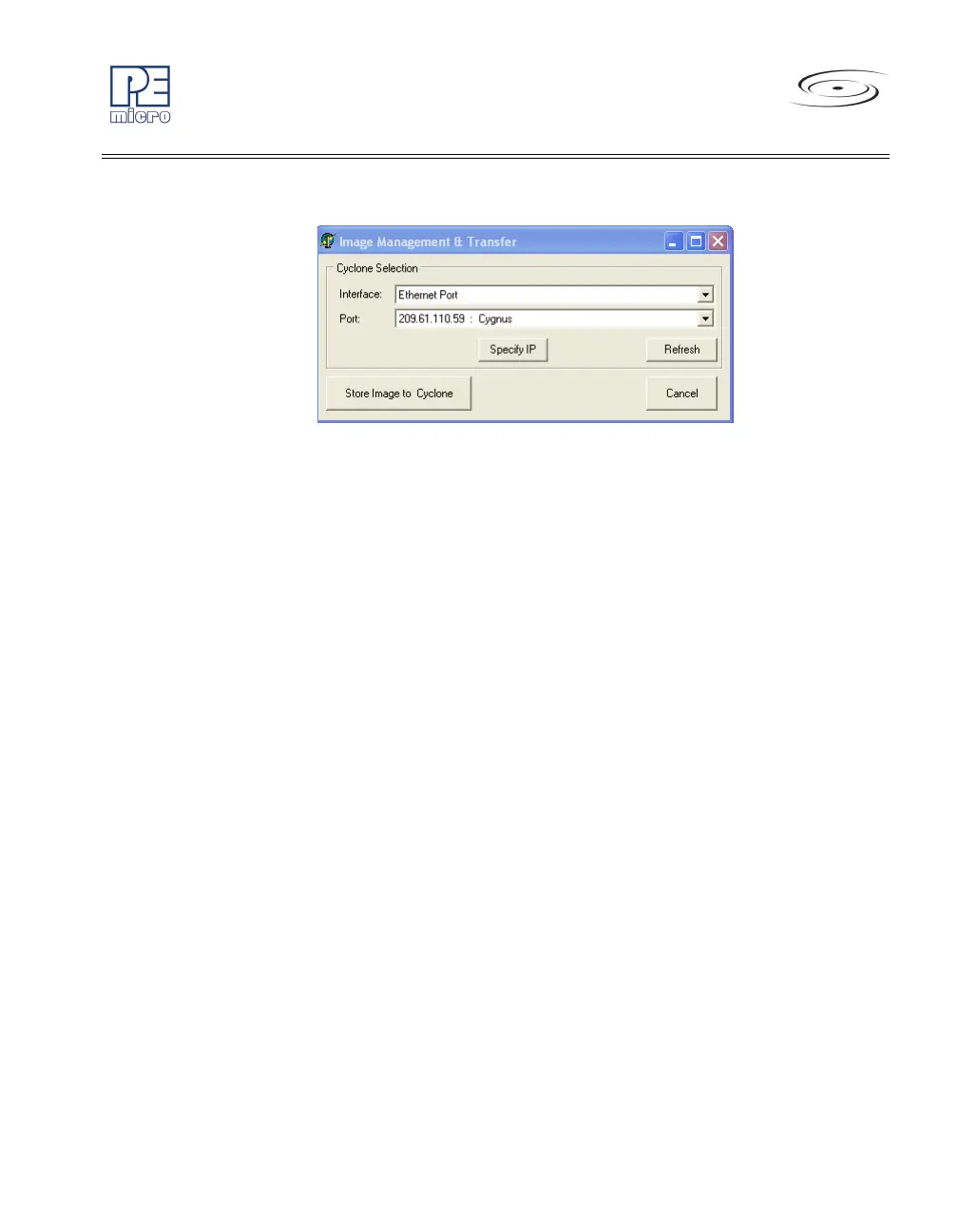
Figure 5-14: Image Management And Transfer Dialog
The Interface drop-down list allows the user to select one of three serial, USB,
or Ethernet interfaces. The Port drop-down list allows the user to select from
one of the Cyclones available on that interface. In the case of a Cyclone
present on a different network (i.e., not displayed automatically in the Port
drop-down list), the user may specify its IP address by using the Specify IP
button.
“Store Image to Cyclone” will then store the image on the selected Cyclone.
5.1.7 Store Image To Disk
“Store Image To Disk” allows the current configuration to be saved onto the
hard drive. The image can then be transferred to the Cyclone PRO internal
flash or external CompactFlash (with activation) via the Manage Images
Utility.
5.1.8 Save Cyclone Configuration
“Save Cyclone Configuration,” in the file menu, allows the user to save the
configuration into a file, which may be used for future reference, e.g.,
comparing the Cyclone PRO contents with the file to see if they are the same.
5.1.9 Load Cyclone Configuration
“Load Cyclone Configuration” in the file menu allows the user to load a
configuration that has previously been saved in order to create a new image.
5.2 Manage Multiple SAP Images
The Manage Images utility, shown in Figure 5-15, allows the Cyclone to store



 To Next Page