Cyclone PRO User Manual 65
CYCLONE PRO
At this point, the FLASH memory is programmed and ready for debug. The
True-Time Simulator & Real-Time Debugger integrates the debugger tools
from P&E Microcomputer Systems in this example. The windows look slightly
different between the ICD and True-Time tools but the same basic debugger
(ICD) drives both.
8.3 HC08 P&E Multilink/Cyclone PRO Connections
8.3.1 Introduction
The HC08 P&E Multilink/Cyclone PRO Connection setting permits a
connection to Class 5, 7 or 8 devices. Please see the descriptions below for a
definition of each interface class. HC08 P&E Multilink/Cyclone Pro
Connection Interface mode allows the user to debug code, as the firmware is
fully resident in the FLASH of the microprocessor. The operation of all
modules fully reflects the actual operation of the on-board resources.
8.3.2 Connection Procedure
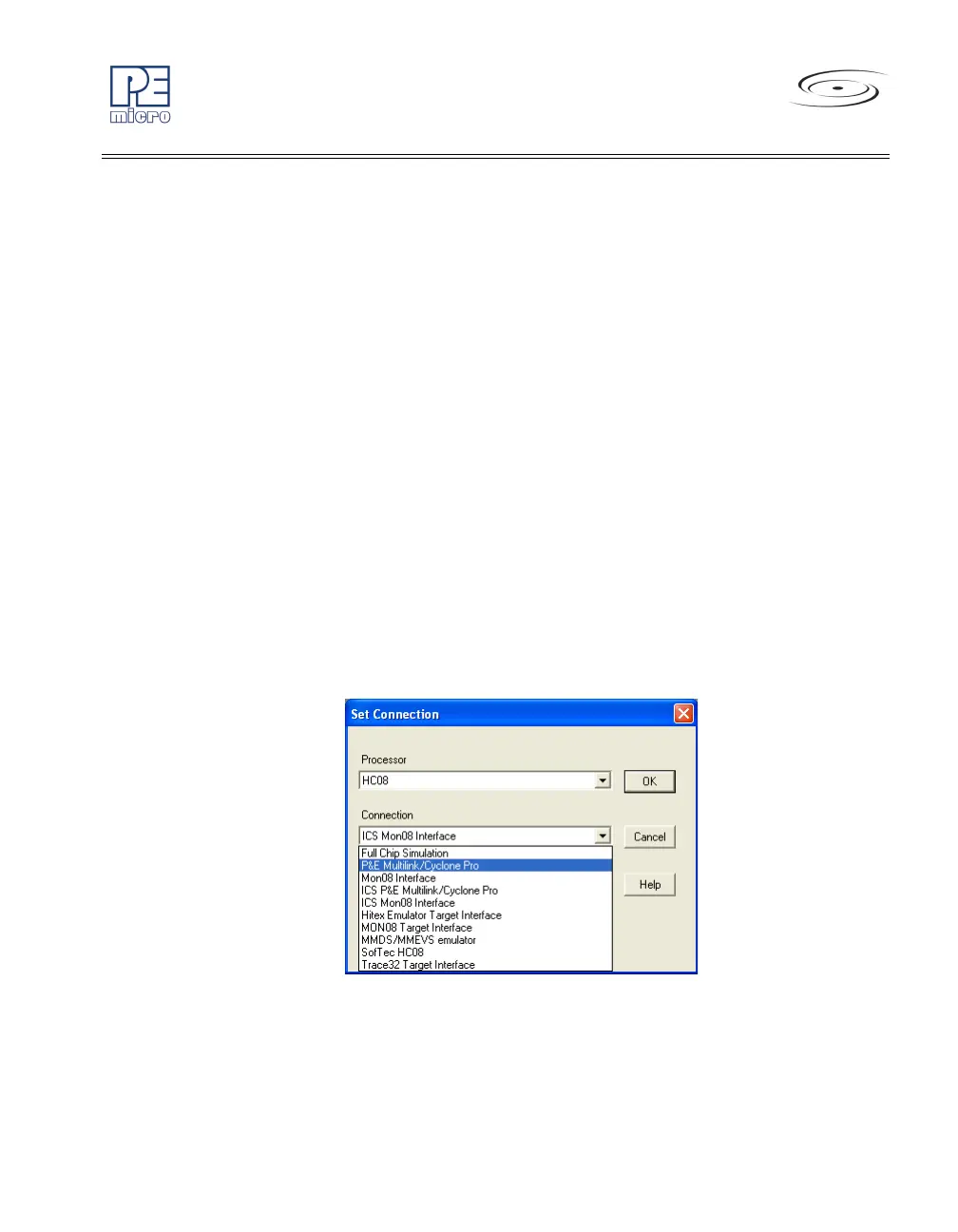
1. Choose the P&E Multilink/Cyclone Pro option from the Set Connec-
tion dialog. See Figure 8-8
.
Figure 8-8: Set P&E Multilink/Cyclone PRO
2. The device power selection allows the user to specify whether the tar-
get is 2, 3, or 5 Volts, and whether this power is switched/generated
by the P&E interface or if it is separately supplied to the target and



 To Next Page