84 Cyclone PRO User Manual
CYCLONE PRO
MON08 ribbon cable. The Cyclone Pro can provide its own power and
clock signals to the microprocessor, as long as proper signals are
connected to the corresponding pins of the 16 pin MON08 header. In
addition the Cyclone PRO can be used for programming and debugging
the ColdFire V1/HC(S)12(X)/HCS08/RS08 Freescale microprocessors
via a standard 6 pin ribbon cable. To take advantage of this functionality,
one should connect proper signals to the standard 6 pin Background
Debug Module header.
8.4 HCS08 P&E Multilink/Cyclone PRO Connections
8.4.1 Introduction
The HCS08 P&E Multilink/Cyclone Pro Connection setting permits a
connection to Multilink/Cyclone PRO devices. HCS08 P&E Multilink/Cyclone
Pro Connection Interface mode allows the user to debug code, as the
firmware is fully resident in the FLASH of the microprocessor. The operation
of all modules fully reflects the actual operation of the on-board resources.
8.4.2 Connection Procedure
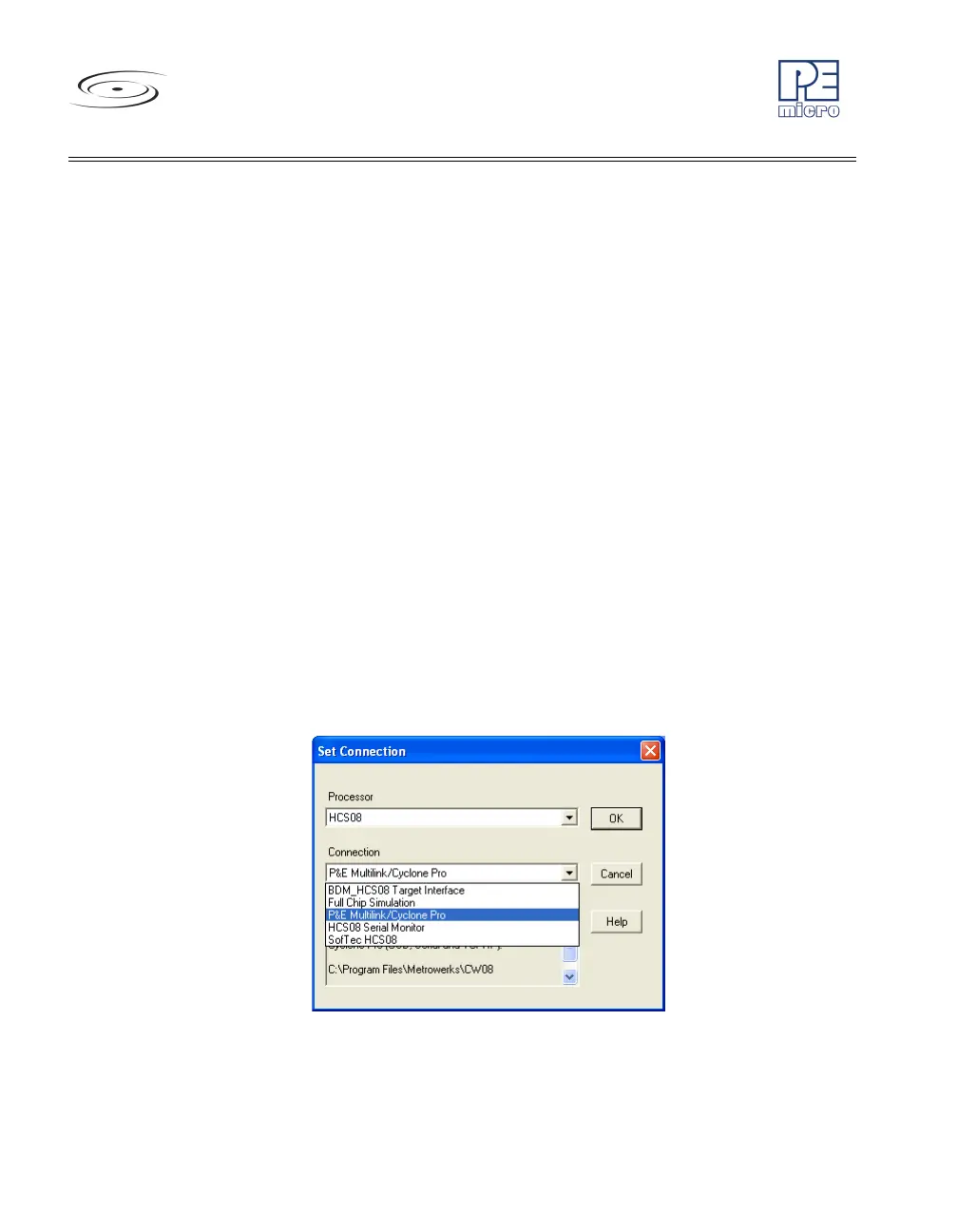
1. Choose the P&E Multilink/Cyclone Pro option from the set connection
dialog: See Figure 8-27.
Figure 8-27: HCS08 P&E Multilink/Cyclone Pro Connection Setting
2. Choose the P&E device that you are using from the Interface drop-
down menu and click on Refresh. See Figure 8-28 and Figure 8-29.



 To Next Page