Cyclone PRO User Manual 139
CYCLONE PRO
Cyclone PRO provides this signal to MON08 header Pin 13.
The internal clock on this device has several different tap points, each of
which will result in different clock frequencies. There are several different
algorithms for the device, each of which is optimized for a specific tap point
frequency. To trim to a specified frequency, simply select the corresponding
algorithm.
13.32 68HC908QC
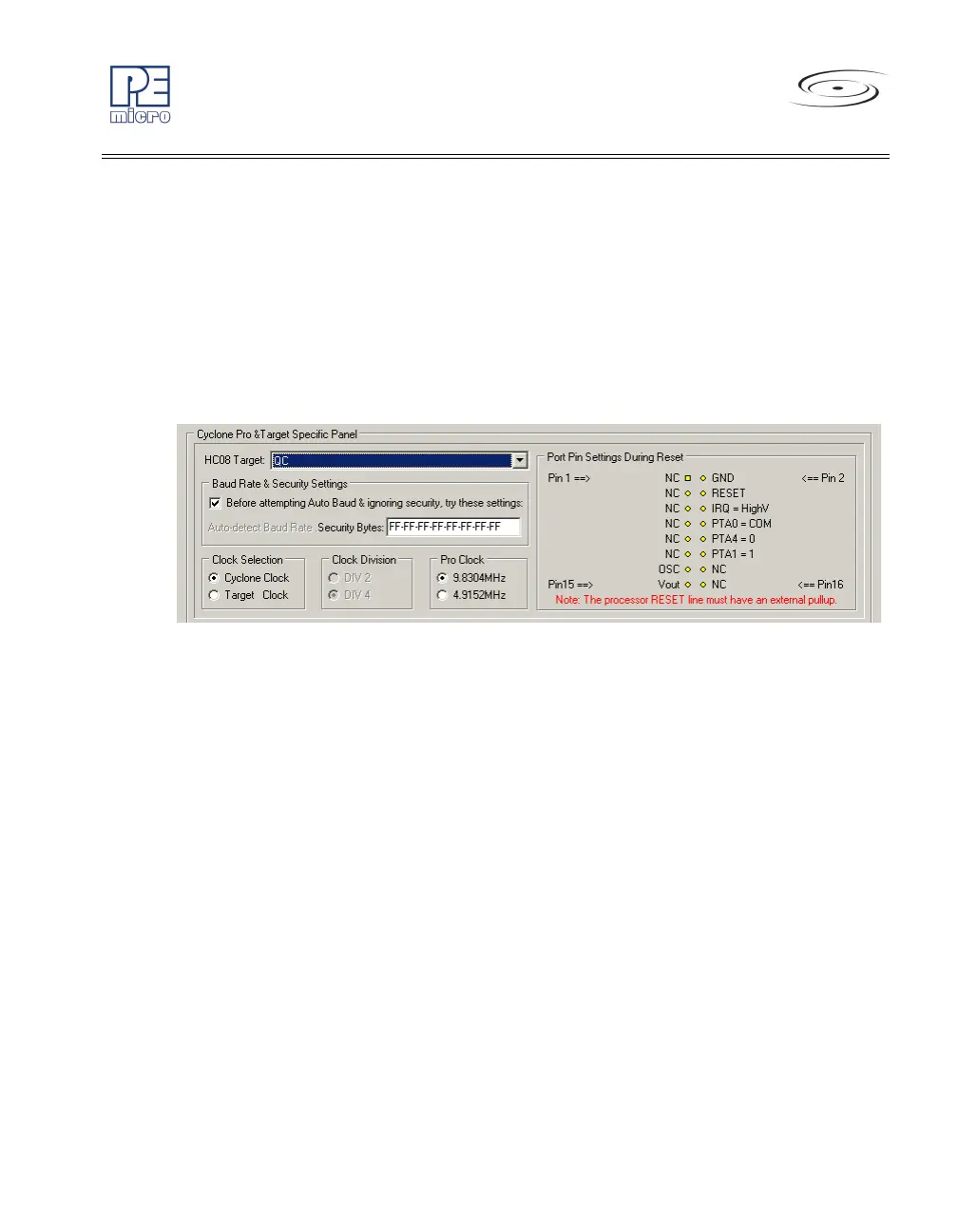
Figure 13-32: 68HC908QC Family MON08 Pinout
The target GND is connected to the Pin 2 of the target MON08 Header.
The user must pull up the RESET line to target VDD with an external resistor.
The target IRQ line is directly connected to the Pin 6 of the target MON08
Header.
PORTA0 from the target processor is connected to the target MON08 Header
Pin 8, acting as the communications line. The Cyclone PRO pulls up this
signal with a 10K Ohm resistor to the target VDD.
PORTA1 and PORTA4 are used for entering monitor mode. By default the
user may directly bring these signals out to the target MON08 Header.
Alternatively, the user may pull up PORTA1 and pull down PORTA4. In which
case the user does not need to connect these signals to the target MON08
Header. The clock division is fixed Div 4.
An external clock signal must be provided to the target MCU’s OSC pin. The
Cyclone PRO provides this signal to MON08 header Pin 13.
The internal clock on this device has several different tap points, each of
which will result in different clock frequencies. There are several different



 To Next Page